You open Instagram, stare at the blank compose screen, and feel the familiar dread. What should you post today? Is this the right time? Did you already post something like this last week? You end up spending 45 minutes agonizing over a single post, then wonder why your engagement keeps dropping while other accounts in your niche seem to have it all figured out.
They do have it figured out. And the answer is not that they are more creative, more talented, or spending more money. They have a content calendar. A structured, repeatable system that tells them exactly what to post, when to post it, and why. The content calendar is the difference between posting randomly and hoping something sticks, and executing a deliberate strategy that compounds over time.
In 2026, Instagram's algorithm rewards consistency, content variety, and engagement patterns more than ever. Accounts that post sporadically get pushed down. Accounts that maintain a steady rhythm of high-quality, varied content get amplified. A content calendar is no longer a nice-to-have organizational tool. It is the infrastructure that makes consistent, strategic posting possible without consuming every waking hour of your life.
This guide walks you through building an Instagram content calendar from scratch. You will learn how to define your content pillars, plan your posting frequency based on your account size, choose the right mix of content formats, batch your creation process, and set up a system that runs on autopilot week after week. Whether you are a solo creator, a small business owner, or a social media manager handling multiple accounts, this framework adapts to your situation.
Key Takeaways
- A content calendar eliminates daily decision fatigue and replaces "What should I post today?" with a pre-planned system that keeps your Instagram presence consistent, strategic, and sustainable
- Content pillars (3-5 core themes) are the foundation of every effective calendar. Categories like educational, entertaining, promotional, behind-the-scenes, and user-generated content give your feed variety while keeping your brand coherent
- Posting frequency should match your account size: newer accounts benefit from 5-7 posts per week to build momentum, while established accounts can sustain growth with 3-5 high-quality posts per week
- The best times to post on Instagram in 2026 cluster around 7-9 AM, 12-1 PM, and 7-9 PM in your audience's time zone, with Tuesday, Wednesday, and Thursday delivering the highest engagement
- Batch creation is the efficiency multiplier: one or two focused sessions per week can produce all the content you need, freeing the rest of your time for engagement and strategy
- Balance your content formats — aim for roughly 40-50% Reels, 20-25% carousels, 15-20% Stories, and 10-15% single-image or text posts for maximum algorithmic reach in 2026
Why Do You Need a Content Calendar for Instagram?
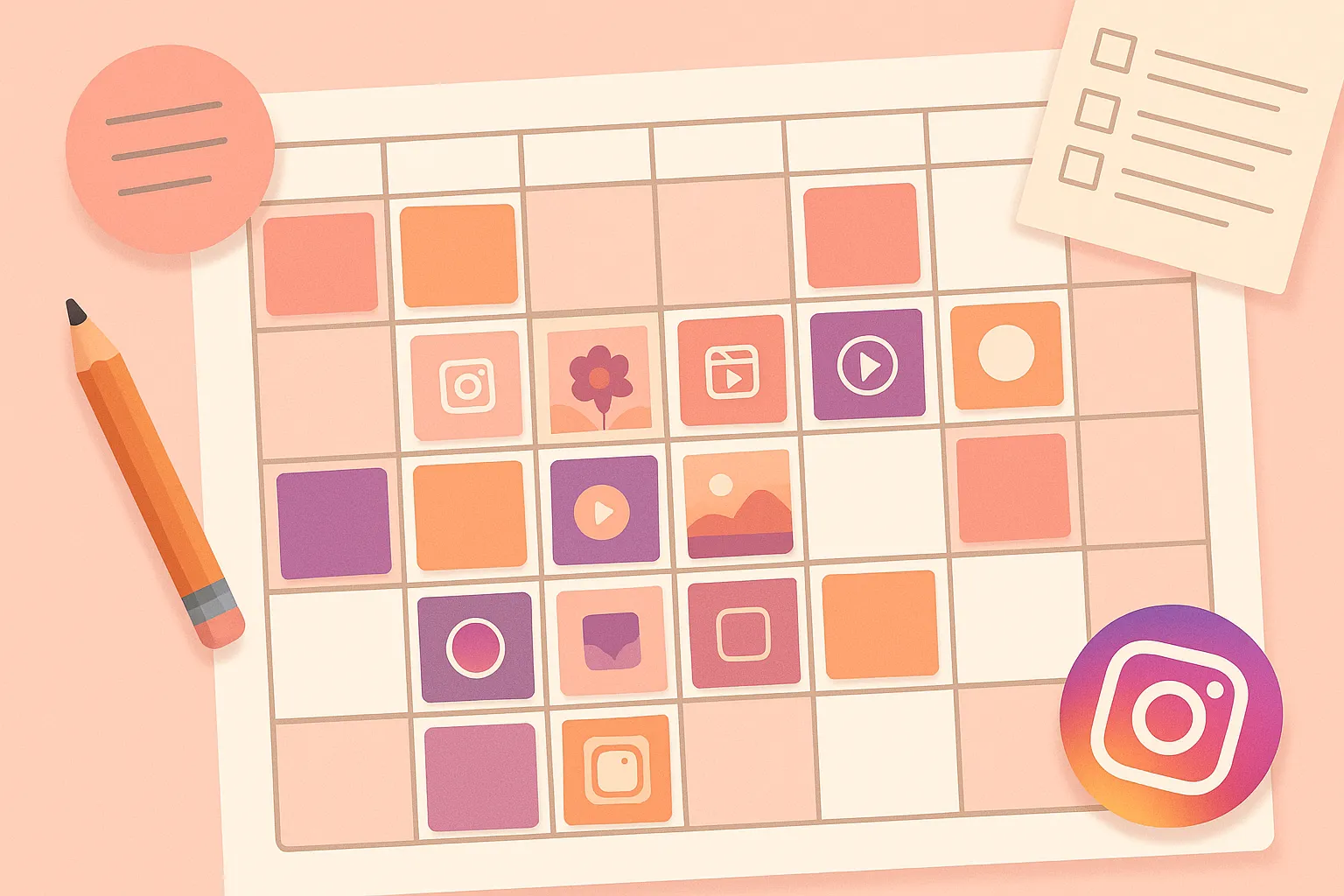
A content calendar is a planning document that maps out what you will post, when you will post it, and on which platform. For Instagram specifically, it covers feed posts (Reels, carousels, single images), Stories, and any collaborative or live content you have planned. The calendar can be as simple as a spreadsheet or as sophisticated as a scheduling tool that publishes automatically.
The purpose is not to make your content rigid or formulaic. The purpose is to remove the logistical friction from the creative process. When you know that Tuesday is a Reel day and Thursday is a carousel day, you do not waste mental energy on format decisions. When you know this week's theme is "beginner tips" from your educational content pillar, you do not stare at a blank screen wondering what to say. The calendar handles the structure so your creative energy goes entirely into making the content itself better.
What Happens When You Post Without a Calendar?
Without a calendar, most creators and businesses fall into one of three failure modes:
- The feast-or-famine cycle. You post five times in a burst of motivation, then disappear for two weeks when life gets busy. Instagram's algorithm reads this inconsistency as a signal that your content is not worth distributing. By the time you return, your reach has cratered and you are essentially starting over each time
- Content imbalance. Without a plan, you instinctively gravitate toward the content types you enjoy creating, which means your feed becomes lopsided. You might post nothing but Reels for a month, neglecting carousels that your audience actually engages with more. Or you might over-index on promotional content because there is always a product to sell, while your audience slowly unfollows because they are not getting any value
- Decision fatigue drain. Every decision you make throughout the day depletes a finite pool of mental energy. When you spend 30 minutes each morning deciding what to post, you are burning decision-making capacity that could go toward actually creating better content, engaging with your community, or running your business. A calendar makes these decisions in advance, in a single planning session, when you are fresh and strategic
How Does a Content Calendar Improve Your Instagram Performance?
The performance benefits are both direct and compounding:
- Consistency signals reliability to the algorithm. Instagram's ranking system tracks how regularly you post and how predictably your audience engages. Accounts that post on a regular cadence get more distribution than accounts that post sporadically, all else being equal. The algorithm is essentially looking for reliable content sources, and a calendar makes you one
- Strategic content mix increases overall engagement. When you plan your content types in advance, you naturally create a varied feed that appeals to different audience behaviors. Some followers prefer educational carousels they can save. Others want entertaining Reels they can share. A calendar ensures you serve all of them consistently rather than catering to one group by accident
- Advance planning enables better content quality. When you know you need a Reel about meal prep on Wednesday, you can film the footage over the weekend when your kitchen is clean and you have good natural light. Compare that to scrambling at 6 PM on Wednesday to film something, anything, before the day ends. Planned content is almost always higher quality than last-minute content
- Calendar oversight prevents redundancy. Looking at a full month's plan at once reveals patterns you would never notice when planning day by day. You can see that you have not mentioned your product in two weeks, or that you posted three "tips" posts in a row, or that you have not done a Story poll since last month. The bird's-eye view enables balance that day-to-day planning cannot achieve
How Do You Define Content Pillars for Instagram?
Content pillars are the 3-5 core themes that define what your Instagram account is about. Every post you create should fit within one of these pillars. They function as guardrails: broad enough to allow creative freedom, but specific enough to keep your feed focused and your audience clear on what you offer.
Pillars solve the ideation problem permanently. When you sit down to plan your calendar, you are not asking "What should I post?" from a blank slate. You are asking "Which pillar have I not covered this week?" and generating ideas within that category. The difference in speed and quality is enormous.
What Are the Five Essential Content Pillar Categories?
While your specific pillar topics will depend on your niche, most successful Instagram accounts build their calendar around five broad categories:
1. Educational Content — Tutorials, how-to guides, tips, myth-busting, and explainers. Educational content is the backbone of growth on Instagram because it drives saves, which the algorithm heavily weights as a quality signal. Examples: "5 editing mistakes ruining your photos," step-by-step tutorials, strategy breakdowns.
2. Entertaining Content — Trending audio, relatable humor, niche memes, satisfying process videos, storytelling Reels. Entertainment drives shares, which expand your reach to new audiences through DMs and Stories. Examples: "expectation vs. reality" comparisons, day-in-the-life content, industry-specific comedy.
3. Promotional Content — Product showcases, testimonials, case studies, launch announcements, feature highlights. This drives revenue, but should make up no more than 20% of your total posts. Push past that threshold and your audience tunes out. Examples: product demos, before-and-after results, sale announcements.
4. Behind-the-Scenes Content — Your workspace, creative process, team, failures and lessons. BTS content builds trust and emotional connection. In 2026, posts showing real, unpolished moments consistently outperform overly produced content in comments and DMs. Examples: office tours, "how this was made," honest updates about challenges.
5. User-Generated Content (UGC) — Reposts of customer photos, testimonial screenshots, community spotlights, collaboration content. UGC provides social proof while reducing your creation workload and strengthening community. Examples: customer photo reposts, review screenshots, community challenges.
How Do You Create Content Pillars for Your Specific Niche?
Start by answering three questions:
- What do I know deeply? Your pillars should draw from genuine expertise. If you run a bakery, your pillars might be baking tips (educational), recipe videos (entertaining), cake reveals (behind-the-scenes), custom order showcases (promotional), and customer celebrations (UGC). Each pillar is something you can create a hundred pieces of content about without running dry
- What does my audience ask about? Review your DMs, comments, and the questions people ask. These reveal what your audience actually wants to learn, see, and discuss. Build pillars around demonstrated demand, not assumed demand
- What aligns with my business goals? Every pillar should ultimately serve a purpose — building trust, demonstrating expertise, driving sales, or growing your community. A pillar that generates content but does not connect to any business outcome is a distraction, no matter how fun it is to create
For more on finding your content direction, see our guide on finding your niche on social media.
What Is the Best Posting Frequency for Instagram in 2026?
There is no single "right" number of posts per week that works for everyone. The ideal posting frequency depends on your account size, your niche, your content quality, and how much time you can realistically dedicate to content creation. Posting seven times a week with mediocre content will always lose to posting three times a week with genuinely valuable content.
That said, the data from Instagram's own recommendations and third-party research in 2026 provides clear guidelines based on account size:
How Often Should New Accounts Post? (Under 10K followers)
New accounts benefit from higher posting frequency because they need more at-bats to find what resonates. The algorithm has limited data about your content and audience, so it tests each post with small initial audiences. More posts mean more tests, more data, and faster optimization.
| Content Type | Recommended Frequency | Purpose |
|---|---|---|
| Reels | 4-5 per week | Maximum reach to new audiences via Explore and Reels tab |
| Carousels | 2-3 per week | Drive saves and position you as an authority |
| Stories | Daily (3-7 frames) | Keep existing followers engaged and build connection |
| Single images | 1-2 per week | Vary your feed and provide lighter content moments |
Total: 7-10 feed posts per week, plus daily Stories. This is aggressive — if you can only maintain quality at 5 posts per week, post 5. Consistency at a sustainable pace always beats ambitious frequency that burns you out.
How Often Should Growing Accounts Post? (10K-100K followers)
At this stage, you have established a content style and audience. The algorithm has enough data to distribute your content effectively. You can afford to post slightly less frequently because each post carries more weight with a larger, more engaged audience.
| Content Type | Recommended Frequency | Purpose |
|---|---|---|
| Reels | 3-4 per week | Continued growth through Explore and new audience reach |
| Carousels | 2-3 per week | High engagement from existing followers, strong save rates |
| Stories | Daily (5-10 frames) | Deepening relationship with core audience |
| Single images | 1 per week | Brand moments, quotes, announcements |
Total: 5-7 feed posts per week, plus daily Stories. The shift is from volume toward quality and strategic variety.
How Often Should Established Accounts Post? (100K+ followers)
Large accounts have a proven content formula and a loyal audience base. At this level, quality absolutely dominates quantity. A single well-crafted Reel can outperform ten mediocre ones because the algorithm gives established accounts a larger initial test audience.
| Content Type | Recommended Frequency | Purpose |
|---|---|---|
| Reels | 2-4 per week | Maintaining reach and attracting new followers |
| Carousels | 1-3 per week | Deep-value content for core audience retention |
| Stories | Daily (5-15 frames) | Community engagement, polls, Q&As, real-time connection |
| Live / Collabs | 1-2 per month | Audience deepening and cross-pollination |
Total: 3-5 feed posts per week, plus daily Stories and occasional Lives. At this level, the focus shifts toward community depth rather than audience breadth.
What Are the Best Times to Post on Instagram in 2026?
Posting time matters because it determines how many of your followers see and engage with your content in the critical first hour after publishing. Instagram's algorithm uses early engagement velocity — the speed and volume of likes, comments, saves, and shares immediately after posting — as a key signal for whether to distribute your content more broadly. Post when your audience is active, and that early engagement spike happens naturally. Post when they are asleep, and your content starts with a disadvantage.
Based on aggregated data from multiple studies and platform-reported insights in 2026, these are the general best times, in your audience's local time zone:
What Are the Best Days and Times to Post on Instagram?
| Day | Best Time Slots | Engagement Level |
|---|---|---|
| Monday | 7:00 AM, 12:00 PM, 7:00 PM | Moderate — people ease into the week |
| Tuesday | 7:00 AM, 11:00 AM, 8:00 PM | High — peak engagement day |
| Wednesday | 7:00 AM, 12:00 PM, 7:00 PM | High — consistently strong across niches |
| Thursday | 8:00 AM, 1:00 PM, 7:00 PM | High — second-best day for most accounts |
| Friday | 9:00 AM, 12:00 PM, 5:00 PM | Moderate — engagement drops in the evening |
| Saturday | 9:00 AM, 11:00 AM | Lower — but Stories perform well |
| Sunday | 10:00 AM, 7:00 PM | Moderate — Sunday evening performs surprisingly well |
These are averages across industries. Your specific audience may differ — a fitness account's audience might be most active at 5 AM, while a food blog peaks at 5 PM. Use Instagram's built-in Insights to see when your followers are most active, and prioritize that data over any general recommendation.
For a deeper dive into platform-specific timing across all social networks, check out our comprehensive guide on the best times to post on social media in 2026.
How Do You Find Your Own Best Posting Times?
General guidelines are starting points. Your actual best times come from testing and data:
- Check Instagram Insights. Your professional dashboard shows when your specific followers are online, broken down by day and hour. Use this as your primary guide
- Run a two-week test. Post similar content at different times and track which slots generate higher initial engagement. Control for content quality so timing is the only variable
- Consider your audience's time zone. If you have a global audience, pick a time that catches multiple time zones. If your audience is primarily in one region, optimize for that region exclusively
- Adjust quarterly. Audience behavior shifts with seasons — summer schedules differ from winter. Revisit your timing data every three months
How Do You Build a Weekly Instagram Content Calendar?
The weekly calendar is the actionable unit of your content strategy. Monthly planning gives you the big picture. Weekly planning translates that into specific posts for specific days. Here is a step-by-step framework for building a weekly calendar that balances your content pillars, formats, and posting times.
Step 1: Set Your Weekly Post Count
Based on the frequency guidelines above, decide how many feed posts you will publish per week. Be realistic. Five high-quality posts beat seven rushed ones every time. Write this number down — it is your weekly commitment.
Step 2: Assign Content Pillars to Days
Map each day's post to a content pillar. This creates automatic variety and prevents you from accidentally posting three promotional pieces in a row. Here is an example for someone posting five times per week with five content pillars:
| Day | Content Pillar | Format | Post Time |
|---|---|---|---|
| Monday | Educational | Carousel | 7:00 AM |
| Tuesday | Entertaining | Reel | 11:00 AM |
| Wednesday | Behind-the-Scenes | Reel | 12:00 PM |
| Thursday | Educational | Carousel | 1:00 PM |
| Friday | Promotional / UGC | Reel or Single Image | 9:00 AM |
This is a template, not a rigid rule. Rotate pillar assignments every few weeks to keep things fresh. The point is having a default structure you can follow without thinking, while allowing flexibility when needed.
Step 3: Plan Your Stories Separately
Stories operate on a different rhythm than feed posts. They are daily, ephemeral, and more spontaneous. Plan a loose Stories framework rather than scripting every frame:
- Monday: Behind-the-scenes of your week ahead, what you are working on
- Tuesday: Share your latest feed post with a commentary layer
- Wednesday: Poll or question sticker to drive engagement
- Thursday: Quick tip or advice (same pillar as your feed post)
- Friday: Casual or personal content — weekend plans, recommendations
- Weekend: Reshare UGC, behind-the-scenes, or trending content
Stories deepen relationships with people who already follow you, while feed posts reach new audiences. Both are essential, and your calendar should account for both. For more, see our guide on creating Instagram Stories that actually convert.
Step 4: Add Recurring Series and Themes
Recurring content series give your audience something to anticipate and reduce your ideation burden. When followers know you do "Tip Tuesday" or "Friday Wins," they come back looking for it. Some ideas:
- Tip Tuesday: A quick, actionable tip related to your niche
- Transformation Thursday: Before-and-after showcases, whether it is design transformations, client results, or personal growth
- Friday Favorites: Your favorite tools, products, or resources from the week
- Monday Motivation: A quote, story, or insight to start the week (if it fits your brand — skip this if it feels forced)
- Behind-the-Scenes Sunday: An unfiltered look at your process, workspace, or life
Pick one or two that naturally fit your brand. One consistent series is more effective than five that you abandon after two weeks.
How Do You Create a Monthly Instagram Content Plan?
The monthly plan ensures that each week serves a larger purpose and that your content evolves over time rather than feeling repetitive.
Step 1: Review Last Month's Performance
Before planning anything new, spend 20-30 minutes reviewing what worked and what did not last month. Pull up your Instagram Insights and note:
- Your top 3 performing posts by reach and engagement
- Your bottom 3 performing posts
- Which content pillar generated the most engagement
- Which format (Reel, carousel, image) performed best
- Your follower growth rate compared to the previous month
- Any content requests or common questions from your DMs and comments
This review should directly influence your plan. If carousels crushed it last month, plan more carousels. If your promotional posts underperformed, rethink how you are selling. Data eliminates guesswork. For a detailed framework on tracking what matters, read our guide on social media analytics: what to track and what to ignore.
Step 2: Identify Monthly Themes and Events
Each month has natural themes you can build content around. Map out:
- Industry events and launches: Product launches, conferences, seasonal trends relevant to your niche
- Holidays and cultural moments: Only ones that genuinely relate to your brand. Do not force a connection to National Pizza Day if you are a fitness coach
- Business milestones: Anniversaries, follower milestones, product updates, sale periods
- Content arcs: Multi-post series that build on each other across the month. A four-part educational series, a product launch sequence, a month-long challenge
- Seasonal content shifts: Summer content looks different from winter content. Audience behavior shifts with the seasons, and your content should reflect that
Step 3: Fill in the Four-Week Grid
With your weekly template and monthly themes in hand, fill out a four-week grid. Here is an example of a monthly overview for a fitness creator posting five times per week:
| Week | Theme | Mon (Educational) | Tue (Entertaining) | Wed (BTS) | Thu (Educational) | Fri (Promo/UGC) |
|---|---|---|---|---|---|---|
| 1 | New Month Reset | Carousel: "5 habits to reset your routine" | Reel: Morning stretch with trending audio | Reel: Meal prep behind-the-scenes | Carousel: "Protein sources ranked by cost" | Image: Client transformation |
| 2 | Nutrition Deep-Dive | Carousel: "How to read nutrition labels" | Reel: "What I eat in a day" with humor | Reel: Grocery shopping trip | Carousel: "Meal prep vs cooking fresh" | Reel: Supplement review |
| 3 | Workout Programming | Carousel: "PPL explained for beginners" | Reel: Gym fails compilation | Reel: "Come to the gym with me" | Carousel: "Home vs gym workout" | Image: Coaching testimonial |
| 4 | Mindset and Recovery | Carousel: "Why recovery is training" | Reel: "Inner thoughts at the gym" skit | Reel: My recovery routine | Carousel: "Signs you are overtraining" | Reel: Month-end recap |
Step 4: Leave Room for Flexibility
A content calendar should be 70-80% planned and 20-30% open for spontaneous content. Trends move fast on Instagram. A trending audio clip can blow up on Monday and be stale by Friday. An industry event might create a conversation you should join. A personal moment might be worth sharing while it is fresh.
Mark one or two slots per week as "flex" slots. Fill them with planned content if nothing timely comes up, or swap them for reactive content when the moment calls for it. Having planned backup content for flex slots means you are never scrambling.
How Do You Balance Reels, Stories, Carousels, and Feed Posts?
Instagram in 2026 is a multi-format platform, and the algorithm rewards accounts that use all available formats. Creators who only post Reels miss the engagement carousels drive. Accounts that only post static images miss the reach Reels provide. Treat content format as a strategic decision, not a habit.
What Is the Ideal Content Format Mix for Instagram?
Based on how the algorithm distributes different content types, here is the recommended format mix for 2026:
| Format | Share of Content | Primary Algorithm Benefit | Best Content Types |
|---|---|---|---|
| Reels | 40-50% | Reach and discovery (Explore, Reels tab) | Tutorials, trending content, entertainment, storytelling |
| Carousels | 20-25% | Saves and in-depth engagement | Tips, guides, lists, educational breakdowns, data |
| Stories | 15-20% | Retention and community building | Polls, Q&As, behind-the-scenes, daily updates, reshares |
| Single Images / Text | 10-15% | Aesthetic and brand moments | Quotes, announcements, personal photos, product shots |
Why Do Reels Dominate the Format Mix?
Reels account for the largest share because they offer the highest potential reach. Instagram's algorithm distributes Reels to non-followers through the Reels tab and Explore page far more aggressively than it distributes carousels or images. For growth-focused accounts, Reels are the discovery engine that brings new people into your audience.
However, Reels alone are not enough. Once someone follows you, carousels and Stories are what keep them engaged and convert them from a passive follower into an active community member. Reels get attention. Carousels and Stories build relationships. Your calendar needs both. For more on creating effective Reels content, see our comparison of Instagram Reels vs TikTok and what works on each.
How Do Carousels Fit Into Your Calendar?
Carousels are the highest-engagement format on Instagram in 2026. They generate more saves than any other format because they deliver dense, actionable value. A well-designed carousel with 8-10 slides can outperform a Reel in total engagement because every swipe counts as an interaction signal to the algorithm.
Schedule carousels for your educational content pillar — tips lists, step-by-step guides, myth-busting series, data breakdowns. Design them with a scroll-stopping first slide (the hook), valuable middle slides, and a final slide with a clear CTA. Carousels also have a longer shelf life than Reels, continuing to generate saves and shares for weeks or months after posting.
What Tools Help With Instagram Content Calendar Management?
The right tool depends on your complexity level. A solo creator posting to one account has different needs than a social media manager handling seven platforms for a brand. Here is a tiered approach:
Simple: Spreadsheets and Notion
For creators just starting with calendar planning, a Google Sheet or Notion template is often enough. Create columns for date, time, content pillar, format, caption, hashtags, media file, and status (drafted / designed / scheduled / published). This approach is free, flexible, and forces you to understand the planning process before adding tool complexity.
The downside: spreadsheets do not publish for you. You still need to manually post at the scheduled time, which defeats one of the biggest benefits of having a calendar — the ability to plan in advance and let the system handle execution.
Intermediate: Scheduling Tools
Scheduling tools let you create content in advance and have it publish automatically at the time you specify. This is the category where most creators and businesses should operate. You plan your calendar, load your content into the tool, set the dates and times, and the posts go live without you lifting a finger.
The real power emerges when you need to post across multiple platforms. If you are sharing content on Instagram, TikTok, YouTube, X, Threads, and Pinterest, logging into six separate apps to post the same content is a massive time waste. Tools like cross-post.app let you connect all your accounts and publish to multiple platforms from a single dashboard, which turns a 30-minute daily posting routine into a 5-minute batch scheduling session. You can schedule a week's worth of content in one sitting and know it will go live at exactly the right times across every platform.
Advanced: Full Suite Management Platforms
Agencies and large brands often need approval workflows, team collaboration features, client reporting, and advanced analytics. Enterprise tools serve these needs but come with higher price tags and steeper learning curves that are overkill for most independent creators and small businesses.
For a comprehensive list of options at every price point, check out our roundup of free social media tools every creator should know.
How Do You Batch Create Instagram Content?
Batch creation is the production strategy that makes your content calendar sustainable. Instead of creating one post per day, you group similar tasks into focused sessions — producing higher quality content in less total time.
What Does a Batch Creation Session Look Like?
A complete batch session has five phases, and the key is keeping each phase separate so your brain stays in one creative mode at a time:
Phase 1: Ideation (30 minutes)
Review your calendar for the coming week. Flesh out each planned slot with specific content ideas. Write bullet points and hook lines for each piece. When this phase is done, you should know exactly what you are creating — no creative decisions should remain for the production phase.
Phase 2: Caption Writing (45-60 minutes)
Write all captions in one sitting. Start with hooks, then flesh out the body, then add CTAs and hashtags. Writing all captions sequentially also helps you catch repetitive patterns — if three captions in a row start the same way, you will notice and fix it. For more on crafting effective captions, see our guide on writing social media captions that get engagement.
Phase 3: Visual Production (1-3 hours)
Film all videos in one session. Design all carousels in one session. Shoot all product photos in one session. Set up your equipment once, batch everything that requires similar setups, then tear down. This is the most time-intensive phase, but it saves enormous time compared to setting up and resetting every day.
Phase 4: Editing (1-2 hours)
Edit all videos, finalize all carousel designs, color-correct all photos. Stay in editing mode for the full session. Your editing decisions will be more consistent when made in sequence, which gives your feed a cohesive visual identity.
Phase 5: Scheduling (30 minutes)
Load all finished content into your scheduling tool. Set the publish dates and times based on your calendar. Review the preview to make sure everything looks right. Once this phase is done, your content runs on autopilot for the week while you focus on engagement, community building, and strategy.
For a more detailed breakdown of each phase, including specific techniques for each content type, read our full guide on how to batch create a week of social media content in 2 hours.
How Many Posts Can You Realistically Batch in One Session?
This depends on your content type and experience level:
- Carousels: 3-5 per session if you are designing from templates, 2-3 if designing from scratch
- Reels (talking head): 5-8 per session once your setup is dialed in. Change shirts between takes for variety
- Reels (produced): 2-4 per session, depending on complexity of B-roll, transitions, and effects
- Single images: 5-10 per session, especially if you are working from templates
- Captions: 10-15 per session for experienced writers, 5-8 for beginners
Your first batch session will always be slower. By your third or fourth session, templates and muscle memory will cut the time by 30-50%.
How Do You Create a Free Instagram Content Calendar Template?
You do not need to buy a template. Here is a structure you can build in any spreadsheet tool in ten minutes:
Weekly View Template
| Date | Day | Time | Pillar | Format | Topic / Hook | Caption | Hashtags | Media Status | Published |
|---|---|---|---|---|---|---|---|---|---|
| Apr 7 | Mon | 7:00 AM | Educational | Carousel | "5 lighting hacks for better photos" | [Draft] | #photography #tips | Designed | ✓ |
| Apr 8 | Tue | 11:00 AM | Entertaining | Reel | POV: when the client says "make it pop" | [Draft] | #designerlife #relatable | Filmed | |
| Apr 9 | Wed | 12:00 PM | BTS | Reel | Studio tour + how I organize my gear | [Draft] | #bts #workspace | Not started | |
| Apr 10 | Thu | 1:00 PM | Educational | Carousel | "Composition rules that actually matter" | [Draft] | #photography #composition | Designed | |
| Apr 11 | Fri | 9:00 AM | UGC | Single Image | Reshare: client's photo from our session | [Draft] | #clientwork #results | Ready |
Monthly Overview Template
Add a second sheet with a monthly bird's-eye view:
| Week | Theme | Content Focus | Key Dates / Events | Campaign / Launch |
|---|---|---|---|---|
| Week 1 | Fresh Start | Beginner-friendly tips, reset content | None | None |
| Week 2 | Deep Dive | Advanced techniques, detailed tutorials | Industry event on the 14th | None |
| Week 3 | Community | UGC focus, polls, Q&A, collabs | None | Pre-launch teaser begins |
| Week 4 | Launch | Product-focused, testimonials, demos | Product launch on the 25th | Full launch campaign |
Color-code by content pillar for quick visual scanning: green for educational, blue for entertaining, orange for promotional, purple for behind-the-scenes, yellow for UGC. You will instantly see if one pillar is dominating.
How Do You Manage Content Across Instagram and Other Platforms?
Most creators and businesses in 2026 maintain a presence across multiple platforms. Managing separate calendars and posting workflows for Instagram, TikTok, YouTube, X, Threads, and more quickly becomes unsustainable.
What Is the Multi-Platform Calendar Approach?
Create core content and adapt it across platforms rather than building from scratch for each one. Your Instagram Reel can go to TikTok and YouTube Shorts. Your carousel can become a Twitter thread or LinkedIn post. Add a "platforms" column to your calendar that indicates where each piece will be published. For a complete guide on adapting content, check out our post on how to repurpose content across social media platforms.
How Does Cross-Platform Scheduling Save Time?
Instead of logging into five separate apps to post the same video, you load it once into a cross-posting tool and select all the platforms you want it published on.
cross-post.app is built specifically for this workflow. You connect your Instagram, TikTok, YouTube, X, Threads, Bluesky, and Pinterest accounts, then create and schedule posts from a single dashboard. One upload, one caption (with platform-specific adjustments if needed), one scheduling action — and the content goes live across all your platforms at the times you specify. For creators managing content calendars across multiple platforms, this eliminates the most repetitive and time-consuming part of the entire process.
The time math is straightforward: 5 minutes per platform per post, 5 posts per week across 5 platforms = 125 minutes weekly. A cross-posting tool cuts that to about 25 minutes. Over a month, that is 6-7 hours reclaimed for creating content or engaging with your community.
How Do You Stay Consistent With Your Content Calendar?
Creating a content calendar is the easy part. Following it week after week, month after month, is where most people fail. Here are the systems and mindsets that keep your calendar running long after the initial motivation fades.
What Are the Most Common Reasons Content Calendars Fail?
Understanding why calendars fail helps you build one that does not:
- Over-ambition. Planning seven posts per day across six platforms when you have never posted consistently before. A calendar you follow 100% at three posts per week beats one you follow 30% at ten posts per week
- No batch creation system. A calendar without a creation workflow means you are still scrambling to produce content the night before. The calendar tells you what to post. Batch creation ensures it actually exists
- No accountability mechanism. A calendar nobody checks is a suggestion, not a system. Build in a weekly review to audit what went live, what was missed, and why
- Treating the calendar as rigid law. Build in flex days. Accept that some weeks will deviate. The calendar is a guide, not a contract
- Not reviewing and updating. Monthly reviews ensure your calendar reflects what your audience actually responds to, not assumptions from three months ago
How Do You Build a Sustainable Content Calendar Habit?
Treat calendar planning and content creation as regular appointments, not tasks you do when you feel like it:
- Block one planning session per month (60-90 minutes). Review performance, set themes, map out weekly topics
- Block one to two creation sessions per week (3-4 hours total). All ideation, writing, filming, designing, and editing happens in these blocks. Protect them like client meetings
- Block one scheduling session per week (30 minutes). Load content into your scheduling tool, set times, and review the queue. If you use a tool like cross-post.app, this is also when you set up cross-platform distribution
- Block daily engagement time (15-30 minutes). Respond to comments, engage with your community, participate in conversations. This directly impacts how the algorithm distributes your content
What Advanced Strategies Improve Your Content Calendar?
Once you have the basics running — content pillars, weekly schedule, batch creation, consistent posting — these advanced strategies take your calendar from functional to optimized.
How Do You Use Analytics to Refine Your Calendar?
Your calendar should evolve based on data, not gut feelings. Here is what to track and how to act on it:
- Engagement rate by content pillar. If your educational carousels consistently get 3x more saves than your entertaining Reels, shift your pillar ratio to include more educational content. Do not keep posting content types that underperform just because they are in the plan
- Reach by posting time. Track whether your actual best times match the times in your calendar. If your 7 AM posts consistently underperform your 12 PM posts, adjust the schedule. Data should override any general recommendation, including the ones in this article
- Follower growth by content type. Some content drives follows, some drives engagement from existing followers, some drives website traffic. Know which is which and plan your calendar to achieve your current priority. If you need growth, lean into the content types that attract new followers. If you need sales, lean into the types that drive clicks
- Save-to-reach ratio. Saves are the strongest signal of content quality on Instagram. Track which posts get saved at the highest rate relative to their reach, and create more content in that style. A post with 1,000 reach and 50 saves (5% save rate) is more valuable to your long-term strategy than a post with 10,000 reach and 100 saves (1% save rate). For more on maximizing this metric, see our guide on how to get more saves on Instagram
How Do You Plan for Instagram Trends in Your Calendar?
Trends on Instagram move quickly — a trending audio or format can peak within 3-5 days. Your calendar needs a system for incorporating them without derailing your plan:
- Designate one flex slot per week. No pre-planned content for this slot. Use it for trend content when something relevant appears, or fill with a backup piece from your content bank
- Set a response time limit. If you cannot create and post a trend piece within 24-48 hours, skip it. Stale trends look worse than no trend content at all
- Build trend-ready templates. Keep a few template posts that can be quickly adapted to any trending audio or format, reducing your response time from hours to minutes
- Only jump on trends that fit your niche. A trending dance challenge does not belong on a B2B consulting account. Filter every trend through your content pillars and brand identity
How Do You Handle Content Calendar Burnout?
Even with perfect systems, there will be weeks when you do not feel like creating. Handle it without breaking your streak:
- Maintain a content bank. Always have 5-10 finished posts in reserve. Create them during high-energy weeks when ideas are flowing freely
- Reduce frequency temporarily. Three posts during a burnout week is infinitely better than zero posts. The calendar is a guide, not a punishment
- Lean on repurposing. Take best-performing content from the past three months and re-create it with fresh angles or different formats. A carousel can become a Reel. A Reel can be broken into Story clips
- Batch during high-energy periods. When motivation is high, create more than you need. Bank the extras for lean weeks
What Does a Complete Instagram Content Calendar Workflow Look Like?
Putting it all together, here is the end-to-end workflow that takes your Instagram content from vague ideas to published, optimized posts:
Monthly Planning Session (90 minutes, once per month)
- Review last month's analytics (20 minutes)
- Identify this month's themes, events, and priorities (15 minutes)
- Map content pillars to weekly slots (20 minutes)
- Brainstorm specific content ideas for each slot (25 minutes)
- Identify which content goes cross-platform (10 minutes)
Weekly Creation Session (3-4 hours, once per week)
- Finalize ideas and write hooks (20 minutes)
- Write all captions (45 minutes)
- Film all video content (60-90 minutes)
- Design all carousels and images (45-60 minutes)
- Edit all content (30-45 minutes)
Weekly Scheduling Session (30 minutes, once per week)
- Upload all content to your scheduling tool (10 minutes)
- Set dates, times, and platform selections (10 minutes)
- Review the queue and make final adjustments (10 minutes)
Daily Engagement (15-30 minutes, every day)
- Respond to comments on recent posts (5-10 minutes)
- Reply to DMs (5 minutes)
- Engage with accounts in your niche (5-10 minutes)
- Post or interact on Stories (5 minutes)
This workflow takes approximately 5-6 hours per week total. Because the work is batched, you have multiple entire days where you do nothing but engage for 15 minutes. The calendar approach produces more content, of higher quality, in less total time than daily scrambling.
What Mistakes Should You Avoid When Building Your Content Calendar?
Knowing what not to do is as important as knowing what to do. These are the mistakes that derail content calendars even when the structure is solid:
- Planning content you cannot create. A calendar full of cinematic Reels is useless if you lack the equipment or skills. Plan for your current capabilities and grow into more complex formats over time
- Ignoring your analytics. If your data shows carousels outperform Reels, stop scheduling mostly Reels because "everyone says to." General advice is a starting point. Your data is the truth
- Skipping the review cycle. A calendar without monthly reviews becomes stale. Your audience evolves, the algorithm updates, trends shift. Reviews keep your calendar responsive
- Not having a backup content bank. Life happens. Without ready-to-post content reserves, unexpected disruptions create gaps that snowball into lost consistency
- Treating all days equally. Put your highest-effort content on your best-performing days. Save lower-effort content for lower-engagement days
- Overcomplicating the system. If your calendar requires three tools and a 20-step process, you will abandon it. Start simple and add complexity only when you outgrow simplicity
For more common pitfalls, read our full list of social media mistakes that kill your growth.
Frequently Asked Questions About Instagram Content Calendars
How far in advance should I plan my Instagram content?
Plan one month ahead for strategic themes and weekly structure, but only create and schedule content one week in advance. Monthly planning gives direction. Weekly creation keeps content fresh and allows you to incorporate trends and audience feedback.
Should I use the same content calendar for Instagram and other platforms?
Use a unified calendar that shows all platforms at a glance, but allow for platform-specific adjustments. Core content ideas can span multiple platforms, but format, caption length, and posting times should be tailored to each platform. For more on this balance, read our guide on cross-posting vs native content.
What should I do when my planned content feels irrelevant?
Replace it. Your calendar is a plan, not a contract. This is why keeping a content bank and flex slots matters — they give you flexibility to pivot without creating gaps in your schedule.
How do I handle holidays and vacations in my content calendar?
Pre-create and schedule content for your time away. Batch create two weeks of content, load it into your scheduler, and let it run automatically. The only thing you may need to pause is real-time Stories content, which requires you to be present.
Can I reuse content in my calendar?
Yes, strategically. Content that performed well 3-6 months ago can be refreshed for new followers who never saw the original. Reformat it (carousel to Reel, Reel to Story clips), update the information, and change the hook.
How do I measure whether my content calendar is actually working?
Track three things: consistency (are you posting at the planned frequency?), engagement (are metrics trending up month over month?), and outcomes (followers, clicks, sales, inquiries). The calendar is working when all three trend in the right direction over a 90-day period.
Your Next Steps
A content calendar is an ongoing system, not a one-time project. But the hardest part is starting. Here is your action plan for this week:
- Define your 3-5 content pillars. Write them down. These are the foundation that everything else builds on
- Set your posting frequency. Be realistic about what you can sustain for three months, not what you are excited about today
- Create a weekly template. Map pillars to days, formats to slots, and times to each post. Use the spreadsheet template above or set up a simple calendar in your scheduling tool
- Batch create your first week of content. Block three to four hours, follow the five-phase framework, and produce your first week's worth of posts
- Schedule everything. Load your content, set the times, and let it run. Then spend the rest of the week engaging with your audience instead of scrambling to create content
One month from now, review what happened. Adjust your pillars, tweak your schedule, refine your formats. By month three, you will have a dialed-in system that practically runs itself.
Ready to simplify your social media?
Post to Instagram, YouTube, TikTok, X, Threads, Pinterest, and Facebook from one dashboard.
Get Started Free →