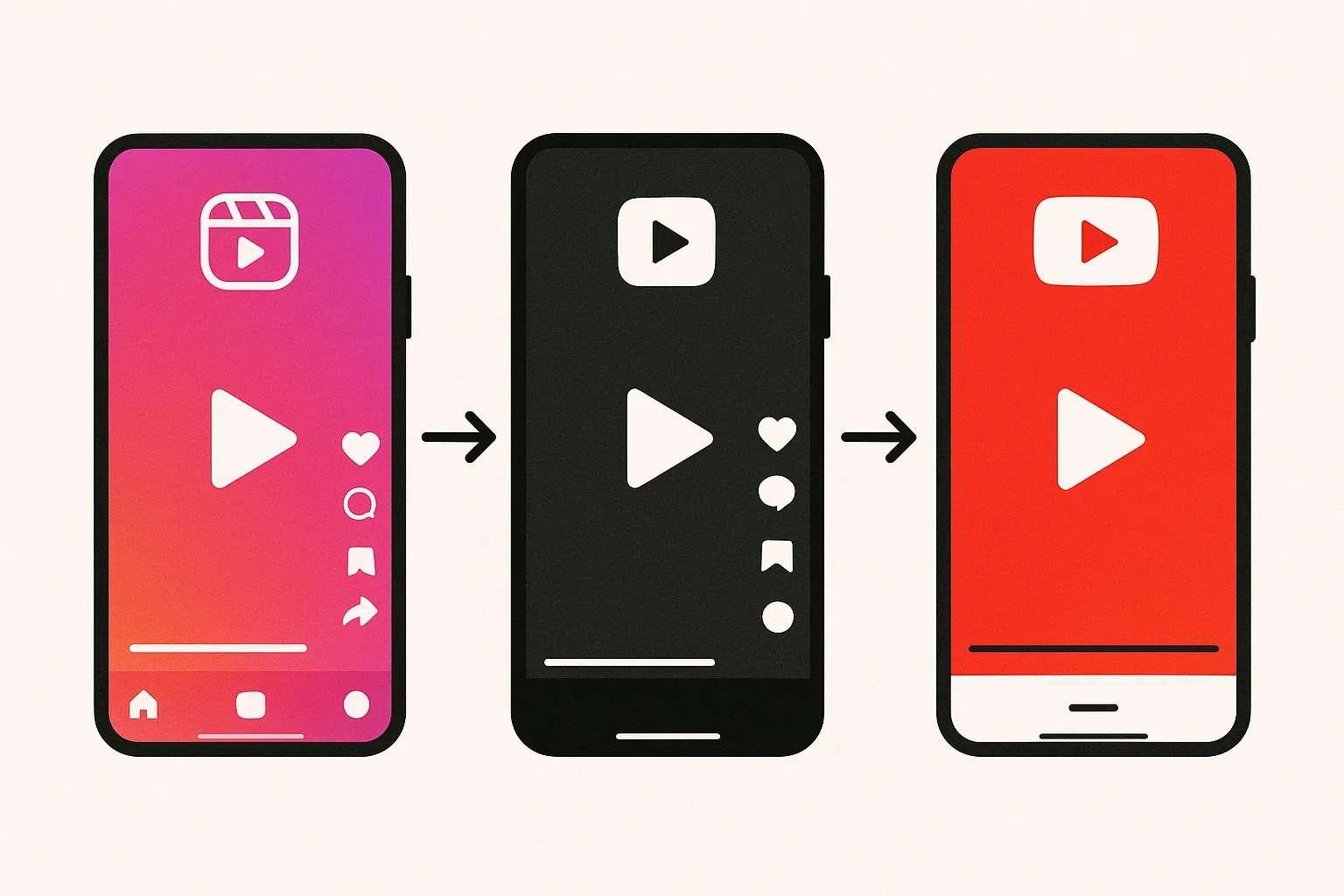
Creating unique content for every social media platform you are active on is a full-time job. And for most creators and businesses, that is not realistic. The solution is not posting less. It is repurposing content strategically so one idea becomes ten, fifteen, or even twenty pieces of content across multiple platforms.
Content repurposing is not about being lazy. It is about maximizing the value of every piece of content you create. The most prolific creators on social media are not creating more; they are repurposing smarter. One well-planned piece of content can fuel an entire week of posts across every platform you manage. Here is a complete content repurposing strategy that saves hours every week without sacrificing quality.
Key Takeaways
- One piece of content can become 15-25 posts. A single 10-minute video or detailed blog post can be broken down into short-form clips, text posts, carousels, quote graphics, and more across 7+ platforms.
- Start with long-form, break into short-form. The most efficient repurposing workflow begins with your most comprehensive content and extracts smaller pieces from it.
- Repurposing is not copy-pasting. Each platform version needs adapted captions, tone, formatting, and hashtags. The content stays the same; the packaging changes.
- Repurpose your winners first. Content that performed well on one platform is likely to perform well on others. Start with proven material.
- Evergreen content has the highest repurposing ROI. Tips, tutorials, and how-to content stay relevant for months, making them worth repurposing multiple times.
- Build a system, not a to-do list. A repeatable workflow where repurposing is automatic rather than an extra task produces the most consistent results.
Why Does Content Repurposing Work So Well?
Content repurposing works because of three fundamental realities about social media that most creators underestimate.
How Much Audience Overlap Exists Across Platforms?
Your audience on Instagram is not the same as your audience on LinkedIn. Your TikTok followers are not all following you on YouTube. Research shows that even for creators active on 5+ platforms, the audience overlap between any two platforms is typically under 20%. This means 80% or more of your audience on Platform B has never seen the content you posted on Platform A.
Even among the small percentage of people who follow you on multiple platforms, only a fraction will see any given post. Algorithm-driven feeds show each post to a subset of your followers. Organic reach rates on most platforms range from 5-15% of your followers per post. The practical implication is that most of your audience will never see most of your content unless you share it in multiple places and multiple formats.
How Does Repurposing Compound Content Creation Effort?
Without repurposing, one hour of content creation produces one post for one platform. With a systematic repurposing workflow, that same hour produces a week's worth of posts across multiple platforms. The time investment in creation stays constant, but the output multiplies by a factor of 5-10x.
This compounding effect is what separates creators who maintain consistent daily posting across 5-7 platforms from those who struggle to post three times a week on one platform. The prolific creators are not spending proportionally more time creating. They are extracting more value from every creation session.
How Does Repurposing Help You Reach Different Content Preferences?
People consume content differently. Some prefer watching videos. Others prefer reading text. Some scroll through carousels. Others listen to podcasts during their commute. The same idea delivered in different formats reaches people with different consumption preferences. A video tutorial reaches visual learners. A carousel version of the same content reaches people who prefer to swipe through at their own pace. A text thread reaches people who are scrolling during a meeting and cannot turn on sound.
Repurposing is not redundancy. It is accessibility. You are making your ideas available to people in the format they are most likely to engage with.
What Is the Core Content Model for Repurposing?
The most efficient repurposing strategy starts with one substantial piece of content, your "core content," and systematically breaks it down into smaller pieces for each platform. This is sometimes called the content pyramid, pillar content strategy, or hub-and-spoke model. Regardless of the name, the principle is the same: create one thing well, then extract many things from it.
What Should My Core Content Be?
Your core content should be the most comprehensive, detailed version of your idea. It could be:
- A 10-15 minute YouTube video covering a topic in depth with multiple segments, points, or steps
- A detailed blog post or newsletter (1,500-3,000 words) with structured sections and actionable advice
- A podcast episode (20-45 minutes) discussing a topic thoroughly with examples and stories
- A webinar or live stream recording with audience interaction and Q&A
- A detailed Instagram carousel or Twitter/X thread if your primary format is text or image-based
The key is depth. Your core content should contain enough substance to support multiple smaller pieces. A 30-second tip does not have enough material to repurpose meaningfully. A 10-minute video with 5 distinct points gives you 5 potential short-form clips, 5 text posts, 5 quote graphics, and a carousel summarizing all 5 points.
How Many Pieces of Content Can I Get From One Core Piece?
From one 10-minute YouTube video, you could realistically create all of the following:
- 3-5 YouTube Shorts — Pull the most interesting 30-60 second segments. Each should be a self-contained insight that makes sense without the context of the full video.
- 3-5 TikTok videos — Same clips as the Shorts, with slightly different captions optimized for TikTok's search-driven discovery and more casual tone.
- 3-5 Instagram Reels — Same clips again, capped at 90 seconds, with Instagram-appropriate hashtags and a caption that encourages saves or shares.
- A Twitter/X thread — Summarize the key points in 5-8 tweets. Each tweet should deliver a standalone insight while the thread tells a cohesive story.
- A LinkedIn post — Take the main insight and write it as a narrative post with professional context. Add a personal anecdote or industry perspective that makes it relevant to a professional audience.
- Pinterest pins — Create 3-5 graphic cards with key quotes, tips, or statistics from the video. Vertical format (2:3) with clear, readable text overlays and SEO-optimized descriptions.
- An Instagram carousel — Turn the main points into 7-10 slides with one point per slide. Use a strong hook on the first slide and a CTA on the last slide.
- A Threads post — Share the core insight in a casual, conversational format. Ask a follow-up question to generate discussion.
- A Bluesky post — Similar to X but with more depth. Share the insight with commentary that fits the platform's more niche-oriented community.
- Quote graphics for Stories — Pull 2-3 quotable lines from your video and create branded graphics for Instagram and Facebook Stories.
- A blog post — Transcribe and edit the video into a written article for your website, adding links and additional detail.
That is one piece of core content becoming 20-30 individual posts across seven or more platforms. One creation session producing weeks of content. That is the power of a systematic cross-platform content strategy.
How Do I Adapt Repurposed Content for Each Platform?
Repurposing does not mean copying and pasting. Each platform has different norms, formats, and audience expectations. The content stays the same, but the packaging changes to match where it is being delivered. Think of it like translating a message into different languages: the meaning stays the same, but the delivery adapts to the audience.
What Aspect Ratios and Formats Does Each Platform Require?
| Platform | Primary Format | Aspect Ratio | Ideal Length/Size | Key Requirement |
|---|---|---|---|---|
| TikTok | Short-form video | 9:16 vertical | 45-120 seconds sweet spot | Fast pacing, strong hook in first second |
| Instagram Reels | Short-form video | 9:16 vertical | 30-90 seconds | Visual quality, aesthetic appeal |
| YouTube Shorts | Short-form video | 9:16 vertical | 15-60 seconds | Clean export, descriptive title |
| YouTube Long-form | Horizontal video | 16:9 | 8-15 minutes | Thumbnail, chapters, end screen |
| Instagram Feed | Image or carousel | 1:1 or 4:5 | 1-10 slides for carousels | Visual cohesion, save-worthy content |
| X/Twitter | Text (optional media) | 16:9 for images | 280 characters per tweet | Punchy opening, thread for depth |
| Text post or document | 1:1 for images, portrait for documents | 800-2,000 characters | Professional framing, narrative structure | |
| Vertical image or video | 2:3 | N/A for images; 15-60s for video | SEO-optimized description, readable text overlay | |
| Threads | Text (optional media) | Flexible | 500 characters | Conversational tone, discussion-oriented |
How Should I Adjust Captions and Tone for Each Platform?
The same idea needs different verbal packaging for different platforms. Here is how caption style and tone should shift:
- TikTok — Casual, direct, keyword-rich for search. Short captions work. Use 3-5 relevant hashtags. Do not over-explain; let the video do the work. Example: "The biggest mistake new creators make (and what to do instead) #contentcreation #socialmediatips"
- Instagram — Medium-length captions. Can be more personal, reflective, or storytelling-oriented. Include 5-10 relevant hashtags. End with a question or CTA to drive comments. Example: "I wasted 6 months creating content nobody saw. Here's the one change that shifted everything..."
- LinkedIn — Professional but not corporate. Storytelling format works best. First line is your hook, which appears before the "see more" fold, so it must compel clicks. Use line breaks for readability. End with a question to drive comments. No hashtags in the caption body; add 3-5 at the very end.
- X/Twitter — Concise and punchy. Lead with your strongest, most opinionated take. Use threads for depth. One complete thought per tweet. Minimal hashtags (1-2 max). Example: "Most content strategies fail because they optimize for creation volume instead of distribution efficiency."
- Pinterest — SEO-focused descriptions. Write like you are optimizing for search because you literally are. Include keywords people would type when searching for this topic. Be descriptive and practical, not clever or abstract.
- Threads — The most casual of all platforms. Share thoughts like you are talking to a friend. Ask questions. Be genuine. Less performance-oriented than Instagram or X.
- Bluesky — Niche-aware, thoughtful, slightly more depth than X. The community appreciates substance and authenticity over performance.
The content can be the same. The packaging should be different. Think of it like translating a message into different languages — the meaning stays the same, but the delivery adapts to the audience.
What Are the Best Platform-Specific Editing Tips for Repurposed Content?
When repurposing video content across platforms, small editing adjustments make a big difference in how the content is received. These are not major re-edits; they are quick tweaks that take the content from "obviously repurposed" to "feels like it belongs here."
How Do Watermarks Affect Repurposed Content Performance?
Watermarks from other platforms are the single biggest performance killer for repurposed content. TikTok's watermark hurts performance on Instagram Reels. Instagram's watermark hurts on TikTok. YouTube's watermark hurts everywhere. Always export clean versions from your editing tool rather than downloading from one platform and uploading to another.
Both TikTok and Instagram have publicly confirmed that they deprioritize content with competitor watermarks. The algorithmic penalty is real and measurable. Removing watermarks is the highest-impact adaptation you can make, and it costs nothing but a moment of planning.
How Should I Adjust Video Pacing for Different Platforms?
Pacing expectations vary significantly across platforms:
- TikTok — Fastest pacing. Cut every 2-3 seconds to maintain attention. Remove all pauses and dead space. TikTok audiences are conditioned to scroll at the slightest moment of boredom. Your hook needs to land in the first 0.5 seconds.
- Instagram Reels — Slightly more polished pacing than TikTok. Audiences accept a slightly slower pace if the visual quality is high. Still needs a strong hook in the first second.
- YouTube Shorts — Most relaxed short-form pacing. YouTube audiences accept slightly longer segments and more detailed explanations than TikTok or Reels audiences.
- LinkedIn video — Slowest pacing. Professional context means audiences are more patient. But the first 3 seconds still need a compelling hook because autoplay means your video starts competing for attention immediately in the feed.
If your editing tool supports it, create pacing presets for each platform. A "TikTok cut" with faster transitions and a "YouTube cut" with slightly more breathing room. This takes minutes per clip once the presets are established.
What Other Editing Adjustments Should I Make When Repurposing?
- Change the hook for each platform. What grabs viewers on TikTok (visual pattern interrupts, surprising statements) might not work on LinkedIn (professional insights, counterintuitive data). Adjust the opening 2-3 seconds to match each platform's attention-grabbing norms.
- Add burned-in captions. Many viewers watch without sound on Instagram, LinkedIn, and Facebook. Captions ensure your message gets across regardless of sound settings. Use large, readable fonts with high contrast backgrounds. Tools like CapCut, Descript, or Kapwing automate caption generation.
- Trim for length. A 2-minute clip might work on TikTok but needs to be cut to 60 seconds for YouTube Shorts or 90 seconds for Reels. Identify what to cut without losing the core message. Usually, introductory context and transitional phrases are the first to go.
- Adjust the aspect ratio if needed. Your primary content should be shot in 9:16 for maximum versatility. If you need a 1:1 version for Instagram feed or a 16:9 version for YouTube, crop from the center and ensure no important visual information is lost.
- Consider platform-specific audio. Adding a trending TikTok sound to your video can boost distribution on that platform. Using original audio might work better on YouTube and Instagram. LinkedIn videos are often consumed silently, making audio selection less critical there.
How Do I Build a Sustainable Repurposing Workflow?
A sustainable content repurposing workflow is one that runs on autopilot. It should not feel like an extra task layered on top of content creation. Instead, repurposing should be integrated into your creation process so that extraction and adaptation happen naturally.
Day 1: Create the Core Content
Film your long-form video, write your detailed blog post, or record your podcast episode. This is your biggest time investment of the week: 2-4 hours depending on the format and complexity. During creation, think about repurposing opportunities. When you make a strong point or deliver a quotable insight, mentally note it as a potential standalone clip or post.
Some creators keep a "clip list" while filming, noting timestamps where strong standalone moments occur. This makes the extraction process on Day 2 dramatically faster because you are not re-watching the entire piece looking for highlights.
Day 2: Break It Down
Pull out the best segments, key quotes, and main takeaways. This is your extraction day:
- Create your short-form video clips (3-5 clips from one core piece)
- Write your text-based adaptations (LinkedIn post, X thread, Threads post)
- Design any graphics (Pinterest pins, Instagram carousel slides, quote graphics for Stories)
- Write all caption variations for each platform
This day typically takes 1-2 hours. The work goes fast because you are not creating from scratch. You are extracting and adapting existing material.
Days 3-7: Distribute
Schedule your repurposed content across platforms throughout the week. Use a cross-posting tool like cross-post to publish to multiple platforms from a single dashboard. Upload your media once, set your platform-specific captions and scheduling times, and let the tool handle distribution.
With queue-based scheduling, you can define your posting time slots once and simply drop content into the queue. Posts publish in order at the next available slot. This is even faster than manually setting dates and times for every post on every platform.
With this workflow, you spend about 3-5 hours per week creating and repurposing content, and you have enough material to post daily on multiple platforms. Compare that to creating every post from scratch, which would easily require 15-20 hours per week for the same output volume.
What Content Should I Repurpose First?
Not all content is worth repurposing. Some content has a short shelf life or limited appeal across platforms. Focusing your repurposing effort on the right content multiplies its effectiveness.
How Do I Identify My Best Content for Repurposing?
Prioritize repurposing in this order:
- Content that already performed well. If a video got high engagement on one platform, it is likely to perform well on others. Your analytics have already validated the topic and presentation. Repurpose your winners first; do not waste time repurposing content that did not resonate on its original platform.
- Evergreen content. Tips, tutorials, how-to guides, FAQs, and educational content stay relevant for months or even years. A tip about email marketing fundamentals is just as useful in six months as it is today. Trending commentary, by contrast, has a shelf life measured in days. Evergreen content has the highest repurposing ROI because it can be repurposed multiple times over an extended period.
- Content with clear takeaways. Posts that teach something specific or deliver actionable advice are easiest to break into smaller pieces. Each takeaway becomes its own standalone post. Vague, philosophical content is harder to extract specific repurposable moments from.
- Content that answers questions. If your content answers a question people are actively searching for, it has built-in demand across platforms. "How to" and "What is" content performs well on TikTok (search discovery), Pinterest (search-driven platform), YouTube (the world's second-largest search engine), and Google (blog post version).
- Content with strong visual moments. Video content with visually compelling moments (demonstrations, reveals, transformations) creates clips that work well as standalone short-form content. A talking head with no visual variation is harder to repurpose into engaging clips.
How Often Can I Repurpose the Same Content?
High-performing evergreen content can be repurposed multiple times. A tip you shared six months ago can be reshared with a new angle, updated data, different examples, or a fresh visual presentation. As long as the information remains accurate and relevant, there is no reason to let valuable content sit unused in your archive.
Guidelines for re-repurposing:
- Wait 3-6 months before resharing repurposed content on the same platform. Your audience will have turned over enough that most viewers will be seeing it for the first time.
- Change the presentation. If the first version was a video, make the re-repurposed version a carousel or text post. Different format, same insight.
- Update the content. Add new data, new examples, or updated recommendations. This keeps the content fresh and gives returning viewers new value.
- Combine and synthesize. Take your 3 best-performing tips posts from the past quarter and combine them into a "best of" compilation or a comprehensive guide. This creates new value from existing material.
What Are the Most Common Content Repurposing Mistakes?
Most repurposing failures come from one of these mistakes. Avoiding them is often more important than any single technique.
Why Does Identical Cross-Posting Underperform?
Posting identical content everywhere without any adaptation is the most common repurposing mistake. A TikTok video dumped on LinkedIn with no context will feel out of place. An Instagram caption with 30 hashtags copied to X looks spammy. A LinkedIn thought leadership post pasted into a Threads caption feels stiff and corporate.
The content can be the same. The packaging must change. Taking 2-3 minutes per platform to adjust the caption, tone, and hashtags is the difference between repurposed content that performs well and content that signals "this person does not actually use this platform."
Why Should I Stagger My Repurposed Content?
Posting the same idea on five platforms simultaneously can feel spammy to people who follow you on multiple platforms. It also wastes an opportunity to extend the life of your content. Instead of publishing everything on Tuesday, distribute throughout the week:
- Monday — Publish the core content on your primary platform (YouTube, blog, podcast)
- Tuesday — Share short-form clips on TikTok and Instagram Reels
- Wednesday — Post the LinkedIn and X versions
- Thursday — Share the carousel version on Instagram and the pin on Pinterest
- Friday — Post on Threads and Bluesky, share quote graphics to Stories
This staggered approach means you have fresh content going live every day, all from a single creation session. It also gives each platform version a full day of algorithmic opportunity rather than competing with yourself across platforms simultaneously.
Why Should I Repurpose More Than Once?
Only repurposing content once is leaving value on the table. High-performing evergreen content can and should be repurposed multiple times over months or years. Update the presentation, add new data, try a different format. Your archive of successful content is a gold mine that most creators mine once and abandon.
Why Do Platform-Specific Features Matter for Repurposed Content?
Each platform has unique features (TikTok Duets and Stitches, Instagram Carousels and Collab, X quote tweets, LinkedIn document posts) that can make repurposed content feel native rather than reposted. Using these features costs minimal extra time but signals to both the algorithm and your audience that you are a genuine participant on the platform, not just broadcasting from somewhere else.
For example, instead of just posting a clip on TikTok, stitch it with a relevant viral video for additional context. Instead of posting a standalone image on Instagram, turn it into a carousel with additional slides. Instead of tweeting a tip, quote tweet a relevant industry tweet and add your perspective. These small touches transform repurposed content into platform-native content.
How Do I Repurpose Content for Specific Platform Types?
Different platform categories require different repurposing approaches. Understanding these categories helps you systematize the adaptation process rather than treating each platform as a completely unique challenge.
How Do I Repurpose for Short-Form Video Platforms (TikTok, Reels, Shorts)?
Short-form video platforms are the easiest targets for repurposing because they share the same core format: 9:16 vertical video under 90 seconds. The same clip works across all three platforms with minimal adaptation. However, optimizing for each platform's specific culture and algorithm can meaningfully improve performance:
- TikTok gets the most casual caption, trending hashtags if relevant, and the fastest pacing. If a trending sound fits, add it. TikTok is the best platform for testing whether a clip resonates because its algorithm gives every video a fair chance regardless of your follower count.
- Instagram Reels gets a slightly more polished caption, 5-10 focused hashtags, and a CTA that works within Instagram's ecosystem ("Save this for later," "Link in bio"). Visual quality matters more here than on TikTok.
- YouTube Shorts gets a descriptive, search-optimized title rather than a casual caption. Add the Short to a relevant playlist. YouTube Shorts benefit from being connected to your long-form content, so reference your full video if applicable.
How Do I Repurpose for Text-Based Platforms (X, LinkedIn, Threads, Bluesky)?
Text-based platforms require more substantial adaptation because you are translating visual or audio content into written form. The core insight stays the same, but the delivery changes completely:
- X/Twitter — Distill your insight into a single punchy statement (under 280 characters) or expand it into a thread of 5-8 tweets. Each tweet should work as a standalone insight while the thread tells a complete story. X rewards strong opinions and counterintuitive takes.
- LinkedIn — Reframe your insight for a professional audience. Use storytelling format: open with a hook, share a relevant experience or observation, deliver the insight, and end with a question that invites discussion. LinkedIn posts of 800-1,500 characters perform best.
- Threads — The most conversational adaptation. Share the insight as if you are telling a friend about it. End with a question or an invitation to discuss. Threads rewards genuine interaction over polished statements.
- Bluesky — Similar format to X but with slightly more room for nuance. Bluesky's custom feed system means your content can reach highly specific audiences if you use relevant keywords and topics.
How Do I Repurpose for Visual Discovery Platforms (Pinterest, Instagram Feed)?
Visual discovery platforms reward different content than social feeds. Pinterest in particular functions more like a search engine than a social network, which changes how you should approach repurposing:
- Pinterest — Create vertical (2:3) graphics with clear text overlays that communicate the content's value at a glance. Write SEO-focused descriptions with keywords your target audience would search for. Pin to relevant boards. Pinterest content has the longest lifespan of any platform, potentially driving traffic for months or years, which makes it an exceptional repurposing target.
- Instagram carousels — Turn your key points into individual slides (one point per slide) with a hook on the first slide and a CTA on the last. Carousels receive 1.4x more reach than single-image posts on Instagram, making them one of the highest-performing Instagram formats. They are also highly save-worthy, which boosts algorithmic distribution.
What Tools Make Content Repurposing Easier?
You do not need expensive equipment or complex software to repurpose content effectively. But a few tools streamline the workflow significantly.
What Are the Essential Tools for a Repurposing Workflow?
- A cross-posting and scheduling tool — Publish to multiple platforms from one dashboard instead of logging into each app separately. cross-post connects Instagram, TikTok, YouTube, X, Threads, Bluesky, and Pinterest in one place. Upload your media once, write your platform-specific captions, and schedule everything in a single session.
- A video editing tool — CapCut (free, powerful, mobile-friendly), DaVinci Resolve (free, professional-grade, desktop), or Descript (AI-assisted editing, automatic transcription and subtitles). Use these for trimming clips, adding captions, adjusting pacing, and exporting clean files without watermarks.
- A graphic design tool — Canva is the standard for creating carousels, quote graphics, Pinterest pins, and Story graphics. Templates make it fast. Batch-create multiple graphics in one session.
- A transcription tool — Descript, Otter.ai, or YouTube's auto-generated captions. Transcribe video or podcast content into text that can be adapted into blog posts, tweets, LinkedIn posts, and carousel copy. This is the fastest way to turn audio/video content into written content.
- A content library or asset manager — A simple folder structure (Google Drive, Dropbox, or even local folders) organized by content piece. Store your raw footage, exported clips, graphics, and caption drafts together so everything is easy to find when scheduling.
How Do I Organize My Repurposing Asset Library?
A simple folder structure prevents the chaos of hunting for files across your computer:
- Content Pieces / [Date - Topic Name] — One folder per core content piece
- Inside each folder: Raw (original footage), Clips (extracted short-form segments), Graphics (carousels, pins, quote graphics), Captions (text file with all platform-specific caption variations), Published (final versions as posted)
This structure takes 30 seconds to set up per content piece and saves significant time when you are scheduling repurposed content days or weeks later.
How Do I Build a Content Repurposing Calendar?
A repurposing calendar extends your content calendar by mapping out which repurposed pieces go to which platforms on which days. Here is a template for a week built from a single core content piece:
| Day | Platform | Content Type | Source |
|---|---|---|---|
| Monday | YouTube | Full-length video (10 min) | Core content |
| Monday | Blog | Written article (1,500 words) | Transcription + editing |
| Tuesday | TikTok + Instagram Reels | Short-form clip #1 (60 sec) | Video segment: best tip |
| Wednesday | LinkedIn + X | Text post + thread | Key insight rewritten |
| Thursday | Instagram + Pinterest | Carousel + Pin graphics | Main points as slides |
| Friday | TikTok + YouTube Shorts | Short-form clip #2 (45 sec) | Video segment: story/example |
| Saturday | Threads + Bluesky | Casual text post | Personal reflection on topic |
| Sunday | Instagram Stories | Quote graphics + poll | Best lines from content |
Seven days of multi-platform content from one creation session. That is repurposing done right.
Frequently Asked Questions
Is Content Repurposing the Same as Content Recycling?
No. Content recycling means reposting the exact same content with no changes. Content repurposing means taking the same core idea or media and adapting it for different platforms, formats, or contexts. Recycling is lazy and underperforms. Repurposing is strategic and multiplies your content's reach. The distinction matters because adapted content performs significantly better than identical reposted content on most platforms.
How Much Time Does Content Repurposing Actually Save?
A creator posting daily on 5 platforms would need to create 35 posts per week from scratch. At 30 minutes per post, that is over 17 hours per week on content creation alone. With a repurposing workflow, the same output requires approximately 3-5 hours per week: 2-3 hours for core content creation, 1-2 hours for extraction, adaptation, and scheduling. That is a 70-80% reduction in time spent on content creation.
Will My Audience Notice If I Post the Same Content on Multiple Platforms?
The vast majority will not. Audience overlap between platforms is typically under 20%. The small percentage who do follow you on multiple platforms are unlikely to see the same post on all of them, given algorithmic feed curation. And even if they do, adapted content with different captions and framing feels like a fresh take rather than a lazy repeat. People do not track your posting across platforms the way you do.
What Is the Best Core Content Format to Start With?
Video is the most versatile starting format because it can be broken down into clips (short-form video), transcribed into text (blog posts, tweets, LinkedIn posts), screenshotted for stills (quote graphics, Pinterest pins), and adapted into carousels (key frames as slides). If video is not feasible, a detailed written piece (blog post or newsletter) is the second-best option. It can be turned into graphics, threads, social posts, and even narrated over b-roll for video content.
Should I Repurpose Content That Did Not Perform Well?
Sometimes. If content underperformed on one platform, it might resonate better on another platform with a different audience and culture. However, if content failed because the idea itself was not interesting or the execution was poor, repurposing it will not fix those fundamental issues. Repurpose content that underperformed due to platform mismatch or poor timing. Do not repurpose content that underperformed because the idea was weak.
How Do I Repurpose Podcast Content for Social Media?
Podcasts are excellent repurposing sources. Extract 60-90 second audio highlights and pair them with audiogram visuals (waveform animations or static images with captions) for TikTok, Reels, and Shorts. Transcribe episodes and adapt key segments into LinkedIn posts, X threads, and blog articles. Pull quotable moments for graphic cards on Pinterest and Instagram Stories. A single 30-minute podcast episode can produce 10-15 social media posts across platforms.
Do I Need to Disclose That Content Is Repurposed?
No. There is no expectation or requirement to disclose that content has been adapted from another format or platform. Your audience cares about whether the content is valuable, not whether it was originally created for the platform they are viewing it on. Focus on adapting the content to feel native and delivering genuine value, and the source is irrelevant.
What Is the Best Posting Schedule for Repurposed Content?
Stagger repurposed content across the week rather than publishing everything on the same day. Publish core content first on your primary platform, then distribute repurposed versions over the following 3-5 days. This approach provides fresh content daily, avoids overwhelming followers who are on multiple platforms, and extends the useful life of each content piece. Each platform version gets its own day to perform algorithmically without competing with your own content on other platforms.
The Bottom Line
Content repurposing is not an advanced tactic. It is the fundamental efficiency that makes consistent multi-platform presence possible for creators and businesses who do not have unlimited time or team members. The goal is to build a system where repurposing becomes automatic: not an extra task you remember to do, but a natural part of your content creation process.
One idea, multiple formats, maximum reach. Create your core content once with depth and quality. Extract the best moments and insights. Adapt the packaging for each platform. Schedule everything from a single tool. And repeat, week after week, building an audience across every platform that matters to your goals.
The creators who appear to be everywhere at once are not working around the clock. They are repurposing strategically, and you can do the same.
Ready to simplify your social media?
Post to Instagram, YouTube, TikTok, X, Threads, Pinterest, and Facebook from one dashboard.
Get Started Free →