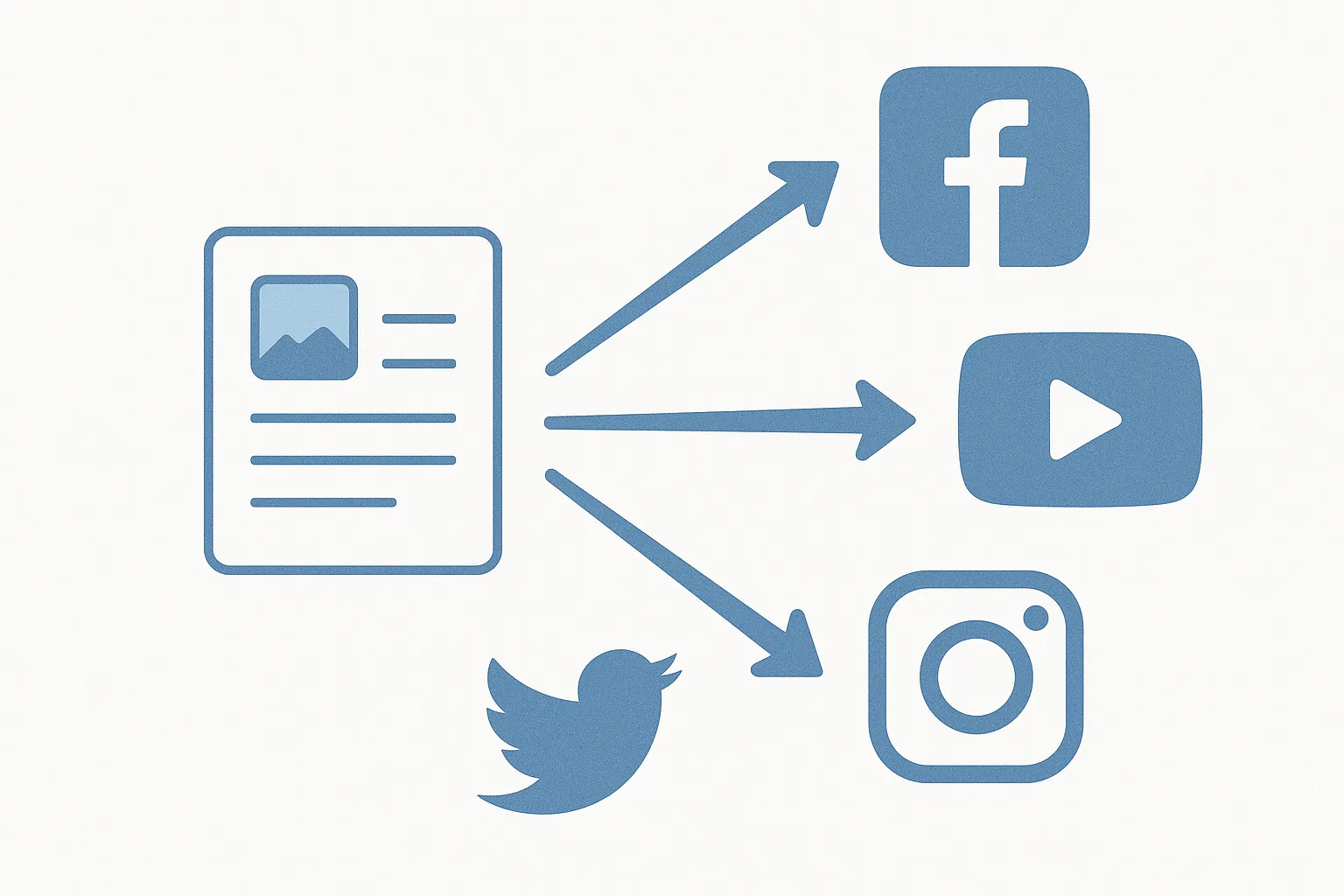
If you've spent any time trying to grow on social media, you've probaly heard the term "cross-posting" thrown around. Maybe a creator you follow mentioned it in a video. Maybe you read it in some marketing blog. Or maybe you just got tired of manually uploading the same video to five different apps and thought "there has to be a better way." Spoiler: there is. And it's called cross-posting.
But here's the thing — cross-posting is one of those terms that everyone uses slightly differently. Some people mean literally copying and pasting the exact same post everywhere. Others mean something more nuanced, like adapting content for each platform while keeping the core idea the same. And then there's the crowd that insists cross-posting is lazy and will tank your engagement. So who's right?
This guide is going to break down everything you need to know about cross-posting on social media. What it actually means, how it works in practice, when you should do it, when you definately shouldn't, and how to set up a cross-posting workflow that saves you hours without sacrificing quality. Whether your a solo creator, a small business owner, or managing social for a brand, this is the guide I wish I'd had when I started.
Key Takeaways
- Cross-posting means publishing the same or similar content across multiple social media platforms — it ranges from identical copy-paste to thoughtfully adapted versions of the same core content.
- Done right, cross-posting saves 5-10 hours per week while maintaining consistent presence on every platform that matters to your audience.
- The biggest mistake is zero-effort cross-posting — pasting the same caption with TikTok watermarks on Instagram or LinkedIn hashtags on Twitter. Small adaptations make a massive difference.
- Most platforms don't penalize cross-posted content directly, but they do penalize content that feels out of place or includes competitor branding (like watermarks).
- Cross-posting tools like cross-post, Buffer, and Hootsuite automate the distribution process so you can focus on creating great content instead of uploading it six times.
- The ideal approach combines cross-posting for most content (80%) with platform-native content for your highest-priority platforms (20%), balancing efficiency with engagement.
What Exactly Is Cross-Posting on Social Media?
At its simplest, cross-posting is the practice of publishing the same piece of content — a video, an image, a text post — across multiple social media platforms. Instead of creating unique content for Instagram, then separate content for TikTok, then something else entirely for YouTube Shorts, you create one piece of content and distribute it everywhere.
Think of it like syndication in traditional media. A newspaper column that runs in multiple papers is syndicated. A TV show that airs on multple networks is syndicated. Cross-posting is basically the social media version of the same concept — one piece of content, many distribution channels.
But here's where it gets interesting. Cross-posting isn't actually one thing. It exists on a spectrum, and where you fall on that spectrum dramatically affects your results.
The Cross-Posting Spectrum: From Lazy to Smart
Not all cross-posting is created equal. There are really four distinct levels, and the differences between them matter more than most people realize:
| Level | What It Looks Like | Time Investment | Results |
|---|---|---|---|
| Level 1: Identical | Exact same content, caption, and hashtags on every platform. No changes whatsoever | Minimal (1-2 min) | Poor — often penalized or ignored |
| Level 2: Light Adaptation | Same content, but captions tweaked per platform. Remove hashtags from X, add them on Instagram | Low (5-10 min) | Decent — 30-40% better than identical |
| Level 3: Smart Adaptation | Same core content, but captions rewritten for each platform's tone. Platform-specific CTAs and hashtag strategies | Moderate (15-25 min) | Good — approaches native content performance |
| Level 4: Full Repurposing | Same idea, but reformatted: video becomes carousel, long caption becomes tweet thread, etc. | High (30-60 min) | Excellent — feels native on each platform |
When most social media experts warn against cross-posting, they're talking about Level 1. When successful creators praise cross-posting as a time-saver, they're usually operating at Level 2 or 3. The sweet spot for most people is Level 3 — smart adaptation. You keep the same core content but spend an extra 15-20 minutes making it feel right on each platform.
How Does Cross-Posting Actually Work?
The mechanics of cross-posting are pretty straightforward, but the workflow makes a huge difference in how efficient it is. Let me walk through the two main approaches.
Manual Cross-Posting
This is the old-school method that most people start with. You create your content — say, a 30-second video — and then you manually upload it to each platform one at a time. Open Instagram, upload, write caption, add hashtags, post. Open TikTok, upload, write caption, add sounds, post. Open YouTube, upload, write title and description, post. Repeat for X, Threads, Bluesky, Pinterest.
It works, technically. But it's painfully slow. Even if each upload only takes 3-4 minutes, doing it across 6-7 platforms means spending 20-30 minutes just on distribution for a single piece of content. If you're posting daily, thats 2-3 hours per week spent on nothing but uploading. Not creating. Not engaging. Just uploading.
The other problem with manual cross-posting is that it's hard to be consistent. When the process is tedious, you start skipping platforms. "I'll post to Pinterest later" becomes "I haven't posted to Pinterest in three weeks." Sound familiar? Yeah, me too.
Automated Cross-Posting with Tools
The smarter approach is using a cross-posting tool that lets you upload once and publish to multiple platforms simultaneously. These tools connect to your social accounts via APIs and handle the distribution for you.
The workflow looks something like this:
- Create your content (video, image, text)
- Open your cross-posting tool
- Upload the media once
- Write your captions — most tools let you customize per platform
- Select which platforms to publish to
- Choose to publish immediately or schedule for later
- Hit publish. Done.
What used to take 20-30 minutes now takes 3-5 minutes. And because you can see all platforms in one view, you're less likely to forget about any of them. Tools like cross-post are built specifically for this workflow — you connect your accounts, create your post, select your destinations, and it handles the rest. Other options include Buffer, Later, and Hootsuite, though they vary in which platforms they support and how there pricing works.
Why Do People Cross-Post? The Real Benefits
Cross-posting isn't just a time-saver (though that's reason enough for most people). There are several strategic reasons why creators and businesses cross-post their content.
Does Cross-Posting Save Time?
Obviously, yes. But let's put some actual numbers on it because the savings are bigger than most people realize.
Let's say you post once per day on 6 platforms. Without cross-posting, you'd need to create 6 unique posts daily — thats at minimum 6 separate upload sessions, 6 different captions, and potentially 6 different pieces of media. Even if each post takes only 15 minutes to create and upload (which is optimistic), thats 90 minutes per day or about 10.5 hours per week.
With smart cross-posting, you create one piece of content (let's say 30-45 minutes for a quality short-form video), spend 15 minutes adapting captions for each platform, and 5 minutes in your cross-posting tool setting up distribution. That's about an hour total. Per day. For all 6 platforms.
That's a savings of roughly 30 minutes per day, or about 3.5 hours per week. Over a month, you're saving 14+ hours. Over a year, that's more than 180 hours — or about 22 full working days. Think about what you could do with 22 extra days per year. You could build products, engage with your community, create a course, go on vacation... literally anything is a better use of time than manually uploading the same video to six apps.
Does Cross-Posting Help You Reach More People?
Here's something that gets overlooked: the audiences on different platforms don't overlap as much as you'd think. Research from various studies suggests that only about 10-20% of your followers follow you on more than one platfrom. That means 80-90% of your TikTok audience has never seen your Instagram content, and vice versa.
When you only post on one or two platforms, you're leaving a massive amount of potential audience untouched. Cross-posting ensures that your content reaches people wherever they happen to spend their time. Someone who primarily uses YouTube Shorts but never opens Instagram still gets to see your content. Someone who lives on Threads but doesn't use TikTok still gets your insights.
It's not about being everywhere for the sake of vanity metrics. It's about meeting your audience where they actually are, because they're not all in the same place.
How Does Cross-Posting Improve Consistency?
Every social media algorithm rewards consistency. Post regularly, and the algorithm shows your content to more people. Go silent for a week, and your reach drops. This is true on literally every platform — Instagram, TikTok, YouTube, X, all of them.
The problem is that creating unique content for multiple platforms is exhuasting. And when it gets exhausting, you start skipping days. Then you skip a week. Then suddenly you haven't posted on Pinterest in two months and your reach there is basically zero.
Cross-posting solves this by making it trivially easy to maintain presence everywhere. Even if you're having a low-energy week and can only create one piece of content, cross-posting ensures that one piece still goes out to all your platforms. Your consistency stays intact, your algorithms stay happy, and your audience keeps seeing your face.
When Should You Cross-Post? And When Shouldn't You?
Cross-posting isn't always the right move. There are situations where it makes perfect sense and situations where it can actually hurt you. Knowing the difference is what separates strategic cross-posting from lazy copy-pasting.
When Cross-Posting Makes Sense
- Evergreen educational content. Tips, tutorials, how-to's, and educational content tends to perform well across platforms because the value is universal. A video explaining "5 Lightroom editing tricks" works on TikTok, Instagram Reels, YouTube Shorts, and Pinterest with minimal adaptation.
- Announcements and launches. When you're launching a product, service, or event, you want maximum reach. Cross-posting your announcement ensures it reaches your audience on every platform simultaneously.
- Short-form video. The 9:16 vertical video format is accepted natively by TikTok, Instagram Reels, YouTube Shorts, and Pinterest Idea Pins. This is the most naturally cross-postable content format that exists right now.
- When you're a solo creator or small team. If you don't have a team of content creators, each dedicated to a specific platform, cross-posting is how you maintain a multi-platform presence without burnign out.
- Content that doesn't rely on platform-specific features. If your content doesn't need TikTok duets, Instagram carousels, or LinkedIn document posts to work, it's probably a good candidate for cross-posting.
When You Should NOT Cross-Post
- Platform-specific content. A TikTok duet doesn't work on Instagram. A LinkedIn article doesn't work on X. Content designed around a specific platform's features should stay on that platform.
- Trend-based content. If you're jumping on a TikTok trend, that content is designed for TikTok's audience and context. Posting a TikTok trend video on LinkedIn is going to confuse your professional audience.
- When the content references another platform. "Link in bio" on X doesn't make sense. "Check out my TikTok for the full video" on Instagram signals to Instagram's algorithm that you're driving people away. Avoid cross-platform references in cross-posted content.
- Highly personal or community-specific content. If you have a tight-knit community on one platform, inside jokes and community references won't translate. That content should stay where it belongs.
- When you can clearly tell it's cross-posted. If the content has a TikTok watermark, or the caption references Instagram features on a platform that isn't Instagram, it signals laziness. Better to skip that platform than post something that clearly wasn't meant for it.
Does Cross-Posting Hurt Your Engagement?
This is probably the most common concern people have about cross-posting, and it deserves a thorough answer because the truth is more nuanced then a simple yes or no.
The Short Answer
No, cross-posting itself doesn't hurt engagement. Bad cross-posting hurts engagement. The distinction matters.
What Actually Hurts Engagement?
The things that actually tank your engagement when cross-posting aren't about the cross-posting itself — they're about being lazy with it:
- Watermarks from competing platforms. Instagram has confirmed that it deprioritizes content with TikTok watermarks. TikTok does the same with Instagram branding. Always export clean videos without watermarks before cross-posting. This is non-negotiable.
- Wrong caption format. Instagram captions can be long and detailed with lots of hashtags. X/Twitter captions need to be under 280 characters (or 25,000 if you have Premium, but shorter still performs better). LinkedIn captions should be professional. Posting an Instagram-style caption with 30 hashtags on LinkedIn looks ridiculous.
- Wrong aspect ratio or dimensions. Posting a horizontal YouTube video as an Instagram Reel without reformatting it is going to look terrible. Make sure your content matches the platform's preferred format.
- Ignoring platform culture. Each platform has its own vibe. TikTok is casual, raw, personality-driven. LinkedIn is professional, insight-driven, thoughtful. Pinterest is visual, aspirational, search-oriented. Ignoring these cultural norms makes your content feel out of place even if the technical format is correct.
What The Data Actually Shows
There's a persistent myth that platforms can somehow "detect" cross-posted content and penalize it. This is mostly false. Platforms can detect watermarks from competitors (visual recognition), and they can detect if a video has been previously uploaded to their own platform (duplicate detection). But they cannot tell if you also uploaded the same video to a competing platform.
Multiple studies and real-world experiments have shown that clean, well-adapted cross-posted content performs within 10-15% of fully native content on most platforms. For many creators, that 10-15% performance gap is absolutely worth the 5-10 hours per week saved in content creation time.
The math is simple. If cross-posting gets you 85% of the engagement at 30% of the time investment, the return on time is massively in favor of cross-posting. You can use the hours you save to engage with comments, build community, plan strategy, or simply avoid burnout — all of which contribute to better long-term performance than marginally better engagement on individual posts.
How to Cross-Post the Right Way: A Step-by-Step Guide
Alright, let's get practical. Here's how to set up a cross-posting workflow that actually works. I'm going to walk through the complete process from content creation to publication.
Step 1: Create Your Core Content
Start by creating your best version of the content without thinking about specific platforms. Focus on the message, the value, and the quality. If it's a video, film it in 9:16 vertical format (this is the most universally accepted format). If it's an image, design it in a square or vertical format. If it's text, write the full version first.
Save this as your "master" piece. This is the version everything else gets adapted from.
Step 2: Adapt Captions Per Platform
This is where the magic happens and where most people get lazy. Take your master caption and create variations for each platform:
- Instagram: Can be longer (up to 2,200 characters). Use 5-10 relevant hashtags. Include a call-to-action. Emoji usage is normal and expected.
- TikTok: Keep it shorter, more casual. Use 3-5 hashtags focused on searchable keywords. The caption is less importent here — the video does the heavy lifting.
- YouTube Shorts: Title is what matters most. Write a compelling title that makes people click. Description can be longer but most won't read it.
- X/Twitter: Short, punchy, opinionated. 1-2 hashtags max, or none. No emoji walls. Ask a question or make a bold statement to drive replies.
- Threads: Conversational, casual. Similar to Twitter but can be a bit longer. Community-oriented. No hashtags needed usually.
- Bluesky: Similar to X but the culture is different — more earnest, less snarky. Keep it genuine.
- Pinterest: SEO-focused. Write a keyword-rich description. Think of Pinterest as a search engine, not a social network. What would someone search to find this content?
- LinkedIn: Professional tone. Lead with an insight or lesson. Story-based captions perform well. No hashtag walls — 3-5 relevant professional hashtags is plenty.
This adaptation step should take 10-15 minutes once you get the hang of it. It feels slow at first but becomes second nature after a couple weeks.
Step 3: Set Up Your Cross-Posting Tool
Choose a cross-posting tool and connect all your social accounts. Most tools support the major platforms — Instagram, TikTok, YouTube, X/Twitter, and more. cross-post supports Instagram, YouTube, TikTok, X, Threads, Bluesky, and Pinterest from a single dashboard, which covers the platforms most creators need. For more on automating your social media workflow, we have a dedicated guide.
Step 4: Upload and Distribute
Upload your media to the tool, enter your platform-specific captions, select your destinations, and schedule or publish. Most tools let you preview what the post will look like on each platform before it goes live, which is helpful for catching formatting issues.
Step 5: Stagger Your Publishing Times
Don't publish everything at the same time. Each platform has different optimal posting times, and your followers who follow you on multiple platforms will appreciate not seeing the exact same content appear simultaneously in every feed. Stagger your posts by a few hours, or even across different days. Check out our guide to the best posting times for platform-specific recommendations.
Which Platforms Are Best for Cross-Posting?
Not all platforms are equally friendly to cross-posted content. Some are very tollerant, others are more finicky. Here's how each major platform handles cross-posted content based on real-world testing and creator feedback:
| Platform | Cross-Post Friendly? | Key Consideration | Adaptation Effort Needed |
|---|---|---|---|
| YouTube Shorts | ✓ Very friendly | Focus on a strong title. Clean video exports only | Low |
| ✓ Very friendly | SEO-focused descriptions. Think search, not social | Low-Medium | |
| Threads | ✓ Very friendly | Conversational tone. No special requirements | Low |
| Bluesky | ✓ Very friendly | Authenticity matters. Keep it genuine | Low |
| X/Twitter | ✓ Friendly | Shorten captions. Be concise and opinionated | Medium |
| TikTok | Moderate | NO competing watermarks. Casual, fast pacing preferred | Medium-High |
| Instagram Reels | Moderate | NO TikTok watermarks. Visual quality matters a lot | Medium-High |
| Moderate | Professional tone is non-negotiable. Casual content flops | High |
The general pattern is clear: newer and smaller platforms (Threads, Bluesky) and search-oriented platforms (Pinterest, YouTube) are very accepting of cross-posted content. The big social platforms (Instagram, TikTok) are pickier and reward content that feels native to their ecosystem. LinkedIn is in its own category — it's less about algorithm penalties and more about audience expectations.
What About Cross-Posting Different Content Types?
Different types of content cross-post with varying degrees of sucess. Let's break down the major content formats:
Is Short-Form Video the Best Content to Cross-Post?
Yes, without question. Short-form vertical video (9:16 aspect ratio, under 60 seconds) is the most universally accepted content format across platforms. TikTok, Instagram Reels, YouTube Shorts, and Pinterest Idea Pins all natively support it. You can even post short videos natively on X, Threads, Bluesky, and LinkedIn.
This is why short-form video has become the default content format for creators who cross-post. You create one video and it works everywhere. The main adaptations needed are caption/hashtag changes and ensuring you export clean files without platform watermarks.
Can You Cross-Post Images Effectively?
Images cross-post well across Instagram (feed posts), X, Threads, Bluesky, Pinterest, and LinkedIn. The main consideration is dimensions — Instagram prefers square (1:1) or vertical (4:5), Pinterest wants tall vertical (2:3), and X/LinkedIn are flexible but horizontal or square works best.
If your designing images specifically for cross-posting, square (1:1) is the safest universal format. It won't be perfectly optimal for any single platform, but it looks acceptable on all of them.
Does Text-Based Content Cross-Post Well?
Text content is the trickiest to cross-post because platform norms for text vary dramatically. A 300-word LinkedIn post would be bizarre on X. A punchy one-liner that works on X would look thin on LinkedIn. A casual Threads post might feel too informal for LinkedIn.
For text content, you almost always need Level 3 adaptation — rewriting for each platform's tone and length norms. The core idea can be the same, but the expression needs to change. This is more like repurposing than true cross-posting. For a deeper dive into this, read our guide on repurposing content across platforms.
Cross-Posting Tools: What Are Your Options?
There are a bunch of tools available for cross-posting, and they range from simple schedulers to full-blown social media management platforms. Here's an honest breakdown of the main options:
| Tool | Platforms Supported | Per-Platform Captions | Scheduling | Queue Feature | Best For |
|---|---|---|---|---|---|
| cross-post | Instagram, YouTube, TikTok, X, Threads, Bluesky, Pinterest | ✓ | ✓ | ✓ | Creators wanting simple, fast multi-platform publishing |
| Buffer | Instagram, Facebook, X, LinkedIn, TikTok, Pinterest, Threads, Bluesky, YouTube | ✓ | ✓ | ✓ | Small businesses and marketers |
| Hootsuite | Instagram, Facebook, X, LinkedIn, TikTok, Pinterest, YouTube | ✓ | ✓ | ✓ | Larger teams and enterprises |
| Later | Instagram, Facebook, TikTok, Pinterest, LinkedIn, X | ✓ | ✓ | ✓ | Visual-first creators, Instagram-focused |
| Publer | Instagram, Facebook, X, LinkedIn, TikTok, Pinterest, Google Business, YouTube | ✓ | ✓ | ✓ | Agencies managing multiple brands |
The right tool depends on your specific needs. If your primarily doing cross-posting across the major creator platforms (Instagram, TikTok, YouTube, X), a simpler tool focused on those platforms will be faster and easier to use than a massive enterprise suite. If you need advanced analytics, team collaboration, and client management, a more full-featured tool makes sense.
Common Cross-Posting Mistakes (and How to Avoid Them)
I've seen so many creators and businesses make the same cross-posting mistakes over and over. Here are the most common ones and how to avoid them. If you want an even more detailed breakdown, we wrote a whole post on cross-posting do's and don'ts.
Mistake 1: Leaving Watermarks On
This is the biggest and most easily avoidable mistake. Downloading a video from TikTok (with the TikTok watermark) and uploading it to Instagram Reels is a guaranteed way to get your reach crushed. Instagram has explicitly said they deprioritize content with visible watermarks from competing platforms. TikTok does the same with Instagram content.
Fix: Always save the original file from your editing software before uploading to any platform. If you need to download from a platform, use a watermark-free download tool.
Mistake 2: Using the Same Hashtags Everywhere
Hashtag strategies vary significantly between platforms. Instagram uses 5-30 hashtags (5-10 is currently optimal). TikTok uses 3-5 searchable keywords. X uses 1-2 at most. LinkedIn uses 3-5 professional tags. Pinterest doesn't really use hashtags — it uses keyword-rich descriptions. Posting an Instagram-style hashtag block on X or LinkedIn makes you look like you don't understand the platform.
Fix: Maintain a platform-specific hashtag strategy. You can keep a simple spreadsheet or note with your go-to hashtags for each platform and swap them out when adapting captions.
Mistake 3: Ignoring Aspect Ratios
Posting a horizontal video as an Instagram Reel or TikTok looks terrible. The video will either be tiny with huge black bars or awkwardly cropped. Similarly, posting a vertical video as a YouTube thumbnail without proper formatting looks unprofessional.
Fix: Film in 9:16 vertical for short-form platforms. If you need horizontal for YouTube long-form or other uses, film with enough space to crop to vertical without loosing important elements.
Mistake 4: Posting Everything at the Exact Same Time
If someone follows you on both Instagram and TikTok and sees the same video appear on both platforms at the same moment, it feels robotic and spammy. It also means you're not optimizing for each platform's peak times.
Fix: Stagger your posts by at least a few hours. Better yet, use your cross-posting tool to schedule each platform at its optimal time. The content is the same, but the timing is tailored.
Mistake 5: Never Engaging on Secondary Platforms
Some creators cross-post religiously but only engage (reply to comments, participate in conversations) on one or two platforms. Their other platforms become ghost towns where content is published but no one's home. Audiences notice this quickly and stop engaging because they know they wont get a response.
Fix: Spend at least 5-10 minutes per day quickly scanning comments on your cross-posted content across all platforms. You don't need to respond to everything, but showing signs of life matters. Even a few likes or short replies signal that you're present.
How Does Cross-Posting Fit Into a Broader Content Strategy?
Cross-posting isn't a strategy by itself — it's a distribution method that should fit within a larger content strategy. Here's how it typically fits in for different types of creators and buisnesses:
For Solo Creators
Cross-posting is your lifeline. Without it, maintaining a presence on more than 2-3 platforms is nearly impossible. The typical solo creator workflow looks like:
- Batch create 5-7 pieces of core content per week (usually short-form video)
- Cross-post each piece to 5-7 platforms with adapted captions
- Create 1-2 platform-native pieces per week for your primary platform
- Spend 15-20 minutes daily on engagement across all platforms
This workflow takes about 5-7 hours per week total and maintains a consistent, growing presence across all your platforms. Without cross-posting, the same coverage would take 15-20+ hours. For more on batching content efficiently, see our guide on batch content creation.
For Small Businesses
Small businesses usually have a social media manager (often part-time or wearing multiple hats) who needs to maximize output with limited hours. Cross-posting lets them maintain brand presence across all relevant platforms without needing a full team.
The key difference for businesses is that platform-specific adaptation needs to be more careful. Brand voice consistency matters more for businesses than for individual creators. The adaptation should change the format and tone, but the core brand messaging should remain consistent everywhere.
For Agencies and Teams
Agencies managing multiple clients' social accounts use cross-posting as a baseline efficiency tool. The workflow often involves creating core content, then having specialists adapt it for specific platforms. Cross-posting handles the 80% distribution while platform specialists handle the 20% native content.
What's the Difference Between Cross-Posting and Cross-Promotion?
These terms sound similar but mean different things, and confusing them can lead to mistakes.
Cross-posting is publishing the same content on multiple platforms. The content lives natively on each platform.
Cross-promotion is using one platform to promote your presence on another platform. "Follow me on TikTok for daily tips" posted on Instagram is cross-promotion. Sharing a YouTube link on X is cross-promotion.
Cross-promotion is risky because platforms generally don't like you sending their users to competitors. Instagram's algorithm reportedly deprioritizes posts that include links or mentions of competing platforms. Cross-posting, by contrast, is platform-neutral — you're putting native content on each platform without referencing the others.
How Will Cross-Posting Evolve in the Future?
Cross-posting has gotten dramatically easier over the past few years, and the trend is accelerating. Here's what I expect to see in the near future:
- AI-powered caption adaptation. Tools will increasingly use AI to automatically rewrite captions for each platform's tone and format, reducing the manual adaptation step to a quick review rather than a rewrite.
- Better platform API support. Platforms are gradually opening up their APIs to allow more direct publishing from third-party tools. Threads and Bluesky already have robust APIs. As more platforms follow suit, cross-posting tools will become even more seamless.
- Smart scheduling. Tools will analyze your past performace data and automatically schedule posts at optimal times for each platform, removing another manual step from the process.
- Content format auto-adaptation. Imagine uploading a horizontal video and having the tool automatically create cropped vertical versions, with proper framing, for each short-form platform. This technology is already emerging.
The trajectory is clear: cross-posting is becoming easier, smarter, and more automated. The creators who adopt it early and build efficient workflows now will have a significant competitive advantage as these tools continue to improve.
Frequently Asked Questions
Is Cross-Posting the Same as Reposting?
Not exactly. Cross-posting means publishing your own content across multiple platforms. Reposting (or resharing) typically means sharing someone else's content on your own profile. Cross-posting is a content distribution strategy; reposting is a content curation strategy. They serve different purposes.
Can Cross-Posting Get You Shadowbanned?
No. There is no evidence that any major platform shadowbans accounts specifically for cross-posting content. What can trigger reduced reach is posting content with competitor watermarks, using bot-like posting patterns (dozens of posts in seconds), or violating platform-specific content guidelines. Clean, well-adapted cross-posting does not trigger any known penalties.
How Many Platforms Should You Cross-Post To?
There's no magic number, but most creators find that 4-7 platforms is the sweet spot. Fewer than 4 and you're probably not reaching enough of your potential audience. More than 7 and you're stretching yourself too thin for meaningful engagement. Start with the platforms where your target audience is most active and expand from there as your workflow becomes more efficient.
Should You Post to All Platforms at the Same Time?
No, and this is a common mistake. Stagger your posts across platforms for two reasons. First, each platform has different peak engagement times. Second, followers who follow you on multiple platforms will see duplicate content simultaneously, which feels spammy. Space your cross-posts out by at least a few hours, ideally posting on each platform during its optimal engagement window.
Does Cross-Posting Violate Any Platform's Terms of Service?
No. Cross-posting your own original content is completely permitted on every major social media platform. What can violate terms of service is automated behavior that mimics spam (mass posting, fake engagement) or using unauthorized third-party tools that access platforms without proper API credentials. Legitimate cross-posting tools use official APIs and oporate within each platform's terms.
What's the Best Content Type for Cross-Posting?
Short-form vertical video (under 60 seconds, 9:16 aspect ratio) is by far the most cross-postable content format. It's natively supported by TikTok, Instagram Reels, YouTube Shorts, and Pinterest Idea Pins, and can also be posted on X, Threads, Bluesky, and LinkedIn. Images work well too but may need dimension adjustments. Text content requires the most adaptation between platforms.
How Do You Cross-Post Without It Looking Lazy?
The secret is adaptation. Even small changes — adjusting your caption for each platform's tone, using platform-appropriate hashtags, making sure your media is clean and properly formatted — make the difference between content that feels native and content that feels copy-pasted. Nobody will know (or care) that the same video also lives on other platforms as long as the version they see on their platform feels like it belongs there.
Can You Cross-Post Stories and Temporary Content?
Stories are trickier to cross-post because they're designed to feel immediate and in-the-moment. Cross-posting a clearly pre-produced Story feels inauthentic. However, you can create Story content that works across Instagram Stories, Facebook Stories, and YouTube Shorts. The key is keeping it casual and not over-produced so it maintains the spontaneous feel that Story format demands.
The Bottom Line
Cross-posting on social media is, simply put, the most efficient way to maintain a multi-platform presence without loosing your mind. It's not lazy, it's not spammy, and it doesn't kill your engagement — as long as you do it with a minimum level of care and adaptation.
The formula is straightforward: create great content, adapt it thoughtfully for each platform, use a cross-posting tool to handle distribution, and spend the time you save on engagement and community building. That's it. No complicated frameworks, no elaborate content calendars, no need for a team of ten. Just smart distribution of good content.
If you're still manually uploading the same video to six different apps every day, please stop. Your time is worth more than that. Set up a cross-posting workflow, reclaim those hours, and put them toward the things that actually grow your audience — creating better content and connecting with real people.
Ready to simplify your social media?
Post to Instagram, YouTube, TikTok, X, Threads, Pinterest, and Facebook from one dashboard.
Get Started Free →