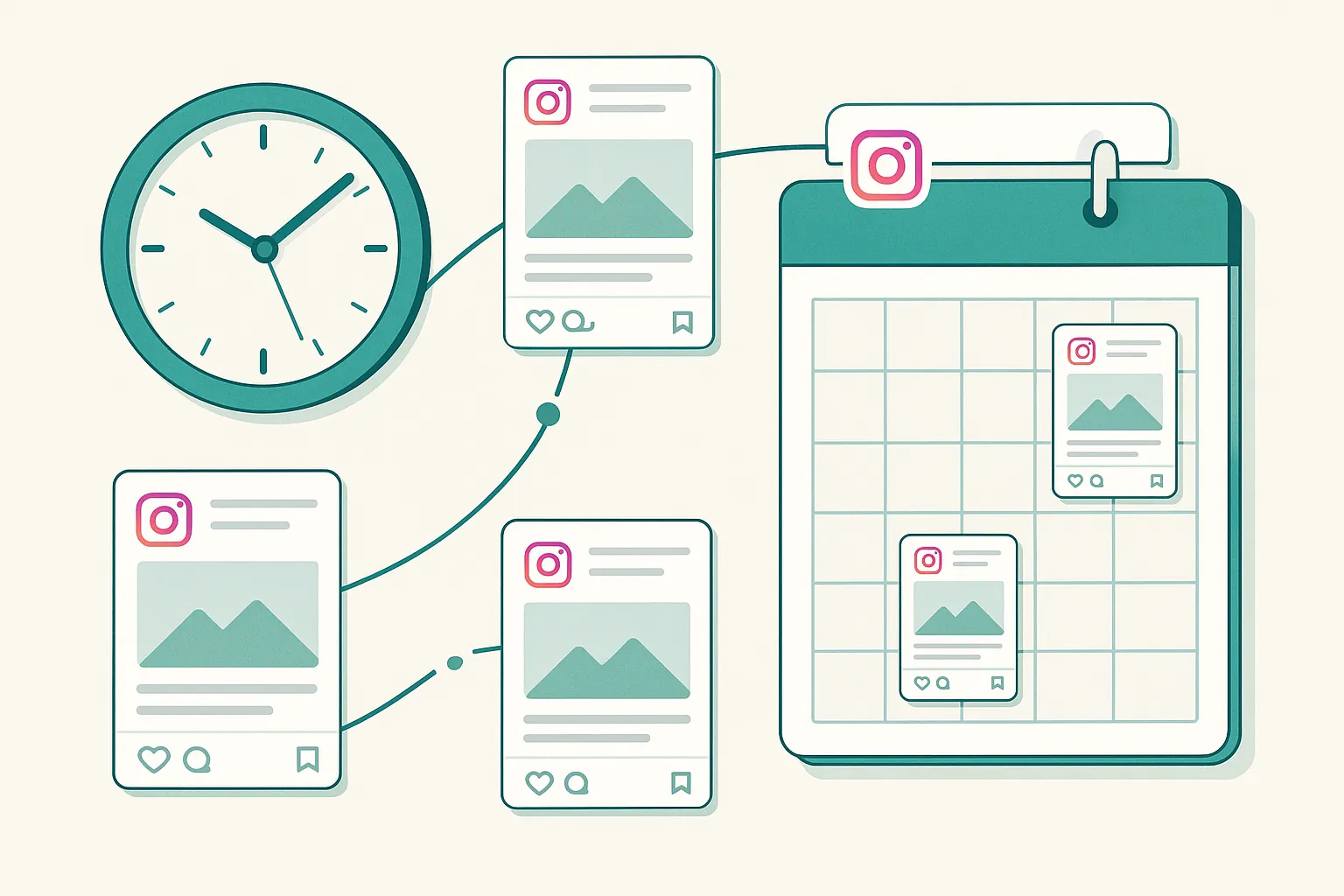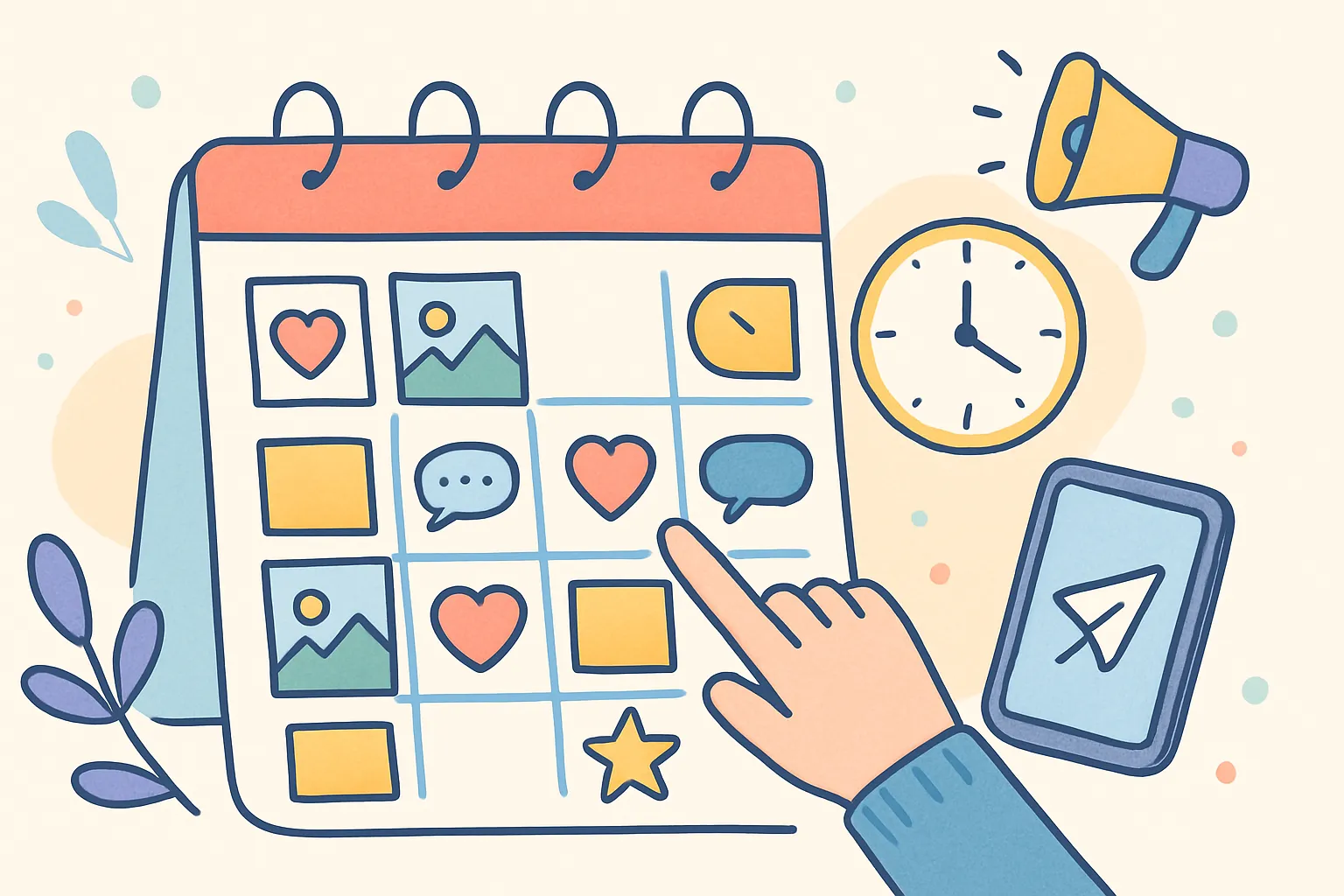
Manually logging into five platforms every day to post the same content is a waste of your time. You know it, and yet many creators and businesses still do it — because setting up automation feels like one more thing to learn.
Here is the truth: automating your social media posting takes about 30 minutes to set up and saves you hours every week. The ROI is absurd. But smart automation means knowing what to automate and what still needs a human touch. Get the balance right, and you reclaim 5-10 hours per week without sacrificing authenticity or engagement.
This is the complete guide to social media automation — from basic scheduling to advanced queue strategies, content recycling, and building a workflow that runs on autopilot while keeping your brand human.
Key Takeaways
- Automation handles the repetitive logistics of publishing — it should never replace your voice, creativity, or community engagement
- Scheduling and queuing content in batches can reduce your weekly social media time from 10+ hours to roughly 3 hours
- Queue-based posting is the most powerful and underused automation feature — define time slots once, then just feed content into the queue
- The ideal workflow combines a weekly 1-2 hour batch creation session with 15-20 minutes of daily manual engagement
- Always leave room for spontaneous, real-time content alongside scheduled posts to keep your feed feeling human
- Review scheduled content regularly — context changes, and a lighthearted post during a crisis will damage your reputation
What Does Social Media Automation Actually Mean?
Social media automation is the use of tools and systems to handle the repetitive, logistical parts of social media management so you can focus on the creative and strategic parts. It is not a bot pretending to be you. It is not fake engagement. It is not set-it-and-forget-it-forever. It is the intelligent delegation of mechanical tasks to software.
Think of automation the way a chef thinks about a dishwasher. The dishwasher handles the repetitive, time-consuming cleanup so the chef can focus on cooking. The chef still creates the food, plates it beautifully, and interacts with diners. The dishwasher just handles what does not require creative thought.
Social media automation works the same way. You still write the captions, film the videos, and engage with your community. Automation handles the when and where of publishing.
What Can You Automate on Social Media?
Here is what can be safely and effectively automated:
- Scheduling and publishing — Write posts in advance, set the time, and let the tool publish for you across every platform at the optimal moment
- Cross-platform posting — Create content once and publish to multiple platforms simultaneously, with platform-specific caption adjustments
- Content queues — Set recurring time slots (Monday/Wednesday/Friday at 9 AM) and feed content into a queue that publishes automatically in the next available slot
- Recurring post series — Evergreen content that cycles on a schedule, keeping your feed active with proven content
- Analytics reports — Automated weekly or monthly performance summaries that track what is working without manual data pulling
- First-touch responses — Automated acknowledgments for DMs or comments that let people know you will respond personally soon
- Content repurposing workflows — Automatically converting blog posts to social posts, podcast episodes to quote graphics, or long videos to short clips
What Should You Never Automate?
Equally important is knowing what automation should not touch:
- Replying to comments and DMs — Automated replies feel robotic and damage trust. People can tell immediately when a response is canned versus genuine. Engage personally or not at all
- Trend-jacking and real-time content — Timely, reactive content needs a human to execute in the moment. By the time you schedule a trend response, the trend has moved on
- Community building — Joining conversations, supporting other creators, building relationships, participating in niche discussions. This is where your personality matters most
- Crisis management — Never automate responses to complaints, negative feedback, or sensitive situations. These require judgment, empathy, and real-time decision-making
- Personalized outreach — Automated DMs to new followers are universally despised. They scream "I do not actually care about you." Never do this
| Task | Automate? | Why |
|---|---|---|
| Scheduling posts | ✓ | Pure logistics — no creativity needed |
| Cross-platform publishing | ✓ | Eliminates duplicate manual uploads |
| Queue management | ✓ | Maintains consistent posting cadence |
| Comment replies | No | Requires authentic human connection |
| DM conversations | No | Personal interaction builds trust |
| Trend participation | No | Timing and context require human judgment |
| Analytics summaries | ✓ | Data collection is repetitive |
| Content recycling | ✓ | Re-queuing proven content is mechanical |
| Crisis responses | No | Requires empathy and real-time judgment |
How Do Scheduling Tools Work?
The core of social media automation is a scheduling tool. Understanding how they work helps you choose the right one and get the most out of it.
The Basic Scheduling Workflow
- Connect your social accounts — Link your Instagram, TikTok, YouTube, X, Threads, Bluesky, Pinterest, LinkedIn, or other accounts via secure OAuth. This means the tool never stores your password — it uses an official, secure handshake with each platform
- Create your content — Write your caption, upload media (photos, videos, carousels), and format the text
- Select platforms — Choose which platforms this post goes to. Optionally customize the caption for each platform
- Set the time — Schedule for a specific date and time, add to a queue, or post immediately
- The tool publishes automatically — At the scheduled time, your content goes live across all selected platforms without any action from you
This turns what used to be a daily 30-minute task into a weekly 1-hour batch session. Instead of logging into 5-7 apps every day, uploading the same content multiple times, and writing captions on the fly, you do everything once and the software handles the rest.
How Does OAuth Connection Work?
When you connect a social account to a scheduling tool, the tool redirects you to the platform's own login page. You log in directly with the platform (Instagram, TikTok, etc.), and the platform gives the tool a secure token to post on your behalf. The scheduling tool never sees or stores your password.
This is the same technology that powers "Sign in with Google" buttons across the web. It is the standard for secure third-party access and is far safer than giving a tool your login credentials directly.
What Are Content Queues and Why Are They So Powerful?
Queue-based posting is the most powerful automation feature most people do not use. It is the difference between scheduling every post to a specific date and time versus defining a publishing schedule and letting the system fill in the details.
How Do Content Queues Work?
- Set your posting schedule — for example, Monday/Wednesday/Friday at 9 AM and 5 PM
- Add content to the queue in any order
- Posts publish automatically in the next available slot, in the order you added them
- When the queue is empty, nothing publishes until you add more content
- When you add new content, it slots into the next open time slot automatically
Why Are Queues Better Than Manual Scheduling?
Queues solve several problems that manual scheduling creates:
- You do not need to decide when each specific post goes live — The queue handles timing. You just create the content and drop it in
- You can batch-create 20 pieces of content and let the queue drip them out over weeks — Create once, distribute automatically over an extended period
- Adding new content is instant — No need to check your calendar for an open slot, no date/time decisions. Just add it to the queue
- If you are on vacation, the queue keeps your accounts active — As long as there is content in the queue, posts keep going out on schedule
- Rearranging is easy — Want to move something to the front? Just drag it. No date changes needed
- You can prioritize different content types — Some queues let you interleave categories, so you automatically alternate between educational posts, promotional posts, and engagement posts
Queues work especially well for evergreen content — tips, tutorials, quotes, and educational posts that are not tied to a specific date. For time-sensitive content (event announcements, product launches, seasonal posts), manual scheduling still makes sense. The ideal setup uses both: queues for your steady content stream and scheduled posts for specific moments.
Queue Strategy: The Content Drip Method
Here is a strategy that works well for creators who batch-create content:
- Spend one day creating 15-20 pieces of content (or more if you are efficient)
- Load them all into your queue
- Set queue slots for 4-5 posts per week
- Your content drips out automatically for 3-4 weeks
- During those weeks, you only need to spend time on engagement and spontaneous posts
- When the queue gets low, do another batch day
This method works because it separates the creative work from the publishing work entirely. You are never in a position where you need to simultaneously create and publish under time pressure.
How Do You Build an Effective Automation Workflow?
Having the right tools is only half the equation. You also need a workflow — a repeatable process that keeps your social media running efficiently week after week. Here is a practical weekly workflow that balances automation with authenticity.
Weekly Batch Session (1-2 Hours)
This is your main content creation and scheduling session. Block it on your calendar and protect it like any other important meeting.
- Review what performed well last week and identify content patterns worth repeating
- Create or curate all content for the upcoming week (if not already batch-created for the month)
- Write captions for each post, customizing for platform where needed
- Select platforms for each post and configure any platform-specific settings
- Schedule time-sensitive posts and add evergreen content to the queue
- Review what is already in the queue and reorder if needed
- Check the calendar view to confirm there are no gaps or bunching
Daily Engagement (15-20 Minutes)
This is the part that cannot and should not be automated. It is where you show up as a human.
- Reply to comments on published posts within the first few hours of publishing
- Respond to DMs with genuine, personalized replies
- Engage with other accounts in your niche — comment on their posts, share their content, participate in conversations
- Share relevant Stories or real-time content that cannot be planned
- Monitor for any issues with scheduled posts (failed uploads, context changes that require pausing a post)
Weekly Review (15 Minutes)
A quick end-of-week check to close the loop and inform next week's strategy.
- Check analytics to see what performed best and worst
- Note which content types, topics, and posting times drove the most engagement
- Identify any comments or DMs that require follow-up
- Adjust next week's content plan based on what you learned
- Confirm the queue has enough content for the coming week
This structure means you are spending roughly 3 hours per week on social media — down from the 10+ hours many creators spend doing everything manually. The time savings come primarily from eliminating context switching (jumping between apps) and decision fatigue (figuring out what to post in the moment).
Monthly Deep Session (2-3 Hours)
Once a month, take a longer view:
- Review monthly analytics across all platforms
- Identify your top 5 performing posts and analyze why they worked
- Update your content strategy based on data
- Batch-create content for the coming month if you follow a monthly batch schedule
- Audit your queue to remove any content that is no longer relevant or performing well
- Review and update your posting schedule (queue time slots) based on platform analytics
How Do You Maintain Authenticity While Automating?
The biggest concern creators have about automation is sounding robotic or losing their personal touch. This is a valid concern — but it is completely avoidable if you follow the right principles.
Rules for Authentic Automation
- Write content that sounds like you — Automation handles when and where your content posts, not what it says. Your voice should be the same whether you post manually at 9 AM or schedule it three days in advance. If you would not say it in person, do not schedule it
- Do not auto-post identical content everywhere — Adjust captions for platform culture. What works as a tweet does not necessarily work as an Instagram caption. A quick tweak to tone and length takes 2 minutes per platform and makes the difference between "this was made for me" and "this was blasted everywhere"
- Leave room for spontaneity — Not every post needs to be scheduled. Sharing something in the moment — a reaction, a behind-the-scenes clip, a real-time update — keeps your feed feeling human. Aim for 70-80% scheduled content and 20-30% spontaneous content
- Engage manually every day — Automation publishes your content. You still need to show up and interact with your community. The posts are the conversation starter. Your replies and engagement are the actual conversation
- Review scheduled content before it goes live — Context changes. A lighthearted post scheduled during a global crisis will look tone-deaf. Always have the ability to pause, reschedule, or delete scheduled content on short notice
- Match posting frequency to your engagement capacity — If you schedule 3 posts per day but only have time to respond to comments on one, you are automating too much. Your posting frequency should match how much engagement you can handle personally
The Authenticity Test
Before scheduling any post, ask yourself: "If someone knew this was scheduled three days ago, would that change how they receive it?" For most content (tips, tutorials, opinions, product posts), the answer is no — the value is in the content itself, not when it was written. For reactive content (responding to news, trend-jacking, personal updates), the answer might be yes — and that content should be posted in real-time.
What Are the Most Effective Advanced Automation Strategies?
Once you have basic scheduling mastered, these advanced strategies can further reduce your time investment while improving results.
Content Recycling
Evergreen content can be re-queued after a set interval. A tip that performed well 3 months ago is new to most of your current audience because organic reach typically only shows your content to 5-15% of followers. Re-share it with an updated caption or slightly different visual.
Effective content recycling strategies include:
- Quarterly re-queue — Every 3 months, review your top-performing evergreen posts and add the best ones back into your queue with fresh captions
- Format transformation — A text post that performed well becomes a carousel. A carousel becomes a video. A video becomes a quote graphic. Same insight, new format, new reach
- Platform rotation — Content that did well on Instagram gets adapted and posted to LinkedIn. Content from TikTok gets repurposed for YouTube Shorts. Each platform's audience is largely unique
- Seasonal cycling — Holiday tips, seasonal advice, and annual event content can be refreshed and reused year after year with minor updates
Platform-Specific Scheduling
Different platforms have different peak engagement times. Instead of publishing everywhere at once, use your analytics to schedule posts for each platform at its optimal time. This might mean:
- LinkedIn posts go out at 8 AM on Tuesday through Thursday
- Instagram posts go out at 11 AM and 7 PM daily
- TikTok posts go out at 6 PM when your audience is most active
- X posts go out at 9 AM, 12 PM, and 5 PM to catch different engagement windows
Most good scheduling tools let you set different queue times per platform, so you create the content once and the tool publishes it at the optimal time for each audience.
Bulk Upload
If you batch-create content — which you should — bulk upload features let you upload dozens of pieces of content at once and assign them to queue slots or scheduled times in minutes. Instead of uploading and configuring posts one by one, you prepare everything in advance and upload in a single session.
This is especially valuable for:
- Content creators who produce 15-30 posts in a monthly batch session
- Agencies managing multiple client accounts
- E-commerce brands with extensive product content
- Educators with pre-built course content libraries
Webhook and RSS Automation
For businesses with established content engines, tools like Zapier or Make can auto-create social posts from triggers:
- New blog post published triggers a social post with the headline and link
- New product added to your store creates an announcement post
- Email newsletter sent generates a "new newsletter" post
- Podcast episode published creates audiogram posts across platforms
- YouTube video uploaded creates promotional clips for other platforms
This ensures your social presence stays updated without manual intervention and creates a seamless content pipeline from your primary content (blog, podcast, video) to your social distribution channels.
AI-Assisted Content Preparation
While you should never let AI write your final content (audiences can tell and platforms may deprioritize it), AI tools are excellent for the preparation stage:
- Brainstorming content ideas and hooks based on your niche
- Generating first-draft captions that you then rewrite in your voice
- Creating variations of a caption for different platforms
- Analyzing your top posts to identify patterns
- Suggesting hashtags based on your content and niche
The key principle: AI behind the scenes, you in front of the audience.
What Should You Look for in a Social Media Automation Tool?
The social media tool market is crowded, with dozens of options ranging from free to hundreds of dollars per month. Here is what actually matters when you are evaluating tools:
| Feature | Why It Matters | Watch Out For |
|---|---|---|
| Platform support | Must cover every platform you use now and might use soon | Tools that only support 2-3 networks lock you in |
| Queue system | Slot-based queue posting saves the most time long-term | Some tools only offer manual date/time scheduling |
| Calendar view | Seeing your week/month at a glance prevents gaps and bunching | List-only views make planning harder |
| Bulk upload | Essential for batch creators who prepare content in advance | Many tools lack this entirely |
| Scheduling flexibility | Post now, schedule later, add to queue, save as draft — you need all four | Tools with only schedule or post-now are limiting |
| Simple pricing | Predictable monthly cost you can budget for | Per-platform or per-post pricing that escalates quickly |
| Media support | Photos, videos, carousels, and multi-image posts | Tools that only support images or have strict file size limits |
| Analytics | Centralized performance data across platforms | Analytics locked behind premium tiers |
A tool like cross-post covers these bases — supporting 7+ platforms including Instagram, TikTok, YouTube, X, Threads, Bluesky, and Pinterest from a single dashboard, with queue slots, scheduling flexibility, and a calendar view for planning. The key advantage of consolidating all your platforms into one tool is that cross-platform consistency becomes automatic rather than something you have to manage manually.
Free vs. Paid Tools: What is the Real Difference?
Free scheduling tools exist, but they come with significant limitations:
- Platform limits — Most free plans restrict you to 2-3 connected accounts
- Post limits — Free tiers often cap you at 10-30 scheduled posts per month, which is not enough for consistent posting
- Missing features — Queues, bulk upload, analytics, and calendar views are typically paid features
- Branding — Some free tools add their watermark or branding to your posts
For anyone serious about social media, a paid tool pays for itself within the first week through time savings alone. If you value your time at even $20/hour and automation saves you 5 hours per week, that is $400/month in reclaimed time for a tool that costs $15-30/month.
How Do You Set Up Automation for the First Time?
If you are starting from zero, here is a step-by-step setup process that gets you operational within 30 minutes:
- Choose your tool — Pick a scheduling tool that supports all your platforms. Sign up and complete any onboarding
- Connect all your social accounts — Go through the OAuth flow for each platform. This typically takes 2-3 minutes per account
- Set up your queue schedule — Define which days and times your content should publish. Start with 3-5 posts per week and adjust based on performance
- Create or gather your first week of content — Write 5-7 posts with captions and media. Focus on getting started, not on perfection
- Schedule or queue everything — Load your content into the tool, assign it to queue slots or specific dates
- Set a daily 15-minute engagement alarm — Remind yourself to check in and engage with your community each day
- Review at the end of the week — Check what published, how it performed, and what to adjust
That is it. Within 30 minutes, you have a system that will publish content on your behalf for the next week. Repeat the process, refine your content, and within a month you will wonder how you ever managed without automation.
How Do You Automate Social Media for Multiple Accounts?
Managing automation across multiple accounts — whether you are a multi-brand business, an agency, or a creator with separate personal and professional accounts — adds complexity. Here are the key considerations:
- Separate queues per account — Each account should have its own queue schedule and content pipeline. Mixing content between accounts is a recipe for posting the wrong thing to the wrong audience
- Centralized dashboard — Use a tool that shows all accounts in one view. Switching between multiple tools or login sessions defeats the purpose of automation
- Content tagging — Tag or categorize content by account, brand, or client so you can quickly filter and manage the right content
- Approval workflows — If multiple people are involved, set up a review process so content is approved before it enters the queue
- Distinct brand voices — Automation makes it easy to accidentally use the wrong tone for the wrong account. Keep brand guidelines accessible for each account
What Are Common Automation Mistakes to Avoid?
These pitfalls trip up both beginners and experienced social media managers:
- Set and forget — Scheduling content does not mean you can ignore your social media entirely. You still need to engage, monitor, and adjust. Automation handles publishing, not relationship building
- Over-automation — Scheduling 5 posts per day across 7 platforms when you only have time to engage with one platform's comments. Scale your automation to match your engagement capacity
- Ignoring context — A scheduled post about productivity tips during a natural disaster or major tragedy makes you look oblivious. Always have a way to quickly pause scheduled content
- Identical cross-posting — Posting the exact same caption with the exact same hashtags to every platform signals laziness to your audience. Spend 2 minutes adapting each post
- Neglecting queue maintenance — Old content sitting in your queue for months can become outdated, irrelevant, or even inaccurate. Review your queue monthly and remove anything stale
- Not testing posting times — Setting queue slots to 9 AM and never experimenting. Your optimal posting times change as your audience grows and platform algorithms evolve
- Automating engagement — Using bots to auto-like, auto-comment, or auto-follow. Every major platform actively detects and penalizes this. It can get your account suspended or banned
Automation does not replace your creativity — it protects it. By handling the logistics, it frees you to spend your energy on what actually matters: creating content your audience values and building real relationships with the people who consume it.
How Does Social Media Automation Save Time? A Real Example
Here is a concrete comparison of the manual approach versus the automated approach for a creator active on 5 platforms posting 5 times per week:
| Task | Manual (Weekly) | Automated (Weekly) |
|---|---|---|
| Content creation | 5 hours (creating daily) | 2 hours (batch session) |
| Uploading to each platform | 2.5 hours (30 min x 5 days) | 20 minutes (bulk upload) |
| Caption writing per platform | 1.5 hours | 30 minutes (adapting master captions) |
| Engagement | 1.5 hours | 1.5 hours (unchanged — still manual) |
| Analytics review | 45 minutes | 15 minutes (centralized dashboard) |
| Total | 11.25 hours | 4.6 hours |
That is a savings of nearly 7 hours per week — or 28 hours per month — from automation alone. Over a year, that is 350+ hours reclaimed. Enough time to create a course, start a side project, or simply live your life without social media eating all of it.
How Do You Scale Automation as Your Business Grows?
Automation needs evolve as you grow. Here is how to scale your setup at each stage:
Solo Creator (1-3 Platforms)
- Basic scheduling tool with queue support
- Weekly batch creation sessions
- Simple content calendar in a spreadsheet or the tool's calendar view
- Manual engagement daily
Growing Creator/Small Business (4-7 Platforms)
- Cross-posting tool with multi-platform support like cross-post
- Bi-weekly or monthly batch creation
- Content pillar system for balanced topic coverage
- Platform-specific queue schedules optimized from analytics
- Content recycling system for evergreen posts
Established Brand/Agency (7+ Platforms, Multiple Accounts)
- Enterprise scheduling with team collaboration features
- Approval workflows and content review processes
- Webhook/RSS automation for content pipelines
- Dedicated team members for engagement and community management
- Advanced analytics and reporting
The Bottom Line
Smart social media automation saves hours every week without sacrificing authenticity. Schedule your content, queue your posts, and batch your creation. Then spend the time you have reclaimed on the things that automation cannot do: engaging with your community, responding to trends, and building genuine relationships with your audience.
The formula is simple: automate the logistics, humanize the interactions. Create in batches, publish on autopilot, engage in person. This separation of concerns is what allows successful creators and businesses to be active on 5-7 platforms without it becoming a full-time job.
Start by scheduling next week's content in one sitting. Once you experience the relief of not worrying about "what should I post today?" for an entire week, you will never go back to manual posting.
Frequently Asked Questions
Does scheduling posts hurt engagement compared to posting manually?
No. Platforms do not penalize scheduled content. The post goes live at the designated time and enters the algorithm the same way a manual post would. In fact, scheduling often improves engagement because you can publish at optimal times even when you are not available, and you have more time to craft quality content when batching rather than rushing.
How far in advance should I schedule social media posts?
One to two weeks in advance is the sweet spot for most creators. This gives you enough runway to avoid daily scrambling while staying close enough to current events to remain relevant. Some evergreen content can be queued weeks or even months in advance, but time-sensitive content should be scheduled no more than a few days out. Always review upcoming scheduled content weekly to make sure nothing has become irrelevant or tone-deaf.
Can I automate posting to Instagram Reels and TikTok?
Yes. Most modern scheduling tools support video publishing to both Instagram Reels and TikTok through their official APIs. The process is the same as scheduling any other post — upload your video, write the caption, set the time, and the tool publishes it for you. Some platforms have minor limitations (like not supporting certain interactive features through the API), but for standard video posts, automation works fully.
Will my audience know my posts are automated?
Not unless you tell them. Scheduled posts look identical to manually published posts on every platform. There is no "posted via scheduling tool" label. The only giveaway is if your content feels generic or templated — which is a content quality issue, not an automation issue. Write content that sounds like you, and no one will know or care that it was scheduled three days ago.
How many social media accounts can I realistically manage with automation?
With proper automation and a good tool, a solo creator can comfortably manage 5-7 platform accounts. The limiting factor is not publishing (automation handles that) but engagement — responding to comments, DMs, and community interaction. If you find yourself unable to meaningfully engage on all your platforms, consider prioritizing 3-4 and maintaining the rest with cross-posted content and minimal engagement.
Is it worth paying for a social media scheduling tool?
Almost always yes. If you are active on more than one platform and post more than twice a week, the time savings from even a basic paid tool will exceed its cost within the first week. The question is not whether to invest in a tool, but which one fits your needs. Start with a tool that covers all your platforms, offers queue-based posting, and has a straightforward pricing structure.
What happens if a scheduled post fails to publish?
Good scheduling tools notify you when a post fails to publish, whether due to an API issue, an expired account connection, or a content policy violation. The post stays in your queue or scheduled list and you can retry it. This is why checking your tool daily (even just for 2 minutes) is important — to catch and fix any failed posts before they create gaps in your publishing schedule.
Can I still post spontaneously if I use automation?
Absolutely, and you should. Automation handles your planned content — the consistent, strategic posts that maintain your presence. Spontaneous posts (real-time reactions, behind-the-scenes moments, trend responses) complement your scheduled content and keep your feed feeling alive and human. The best social media presences blend both: a reliable stream of planned content with spontaneous moments that show personality.
Ready to simplify your social media?
Post to Instagram, YouTube, TikTok, X, Threads, Pinterest, and Facebook from one dashboard.
Get Started Free →