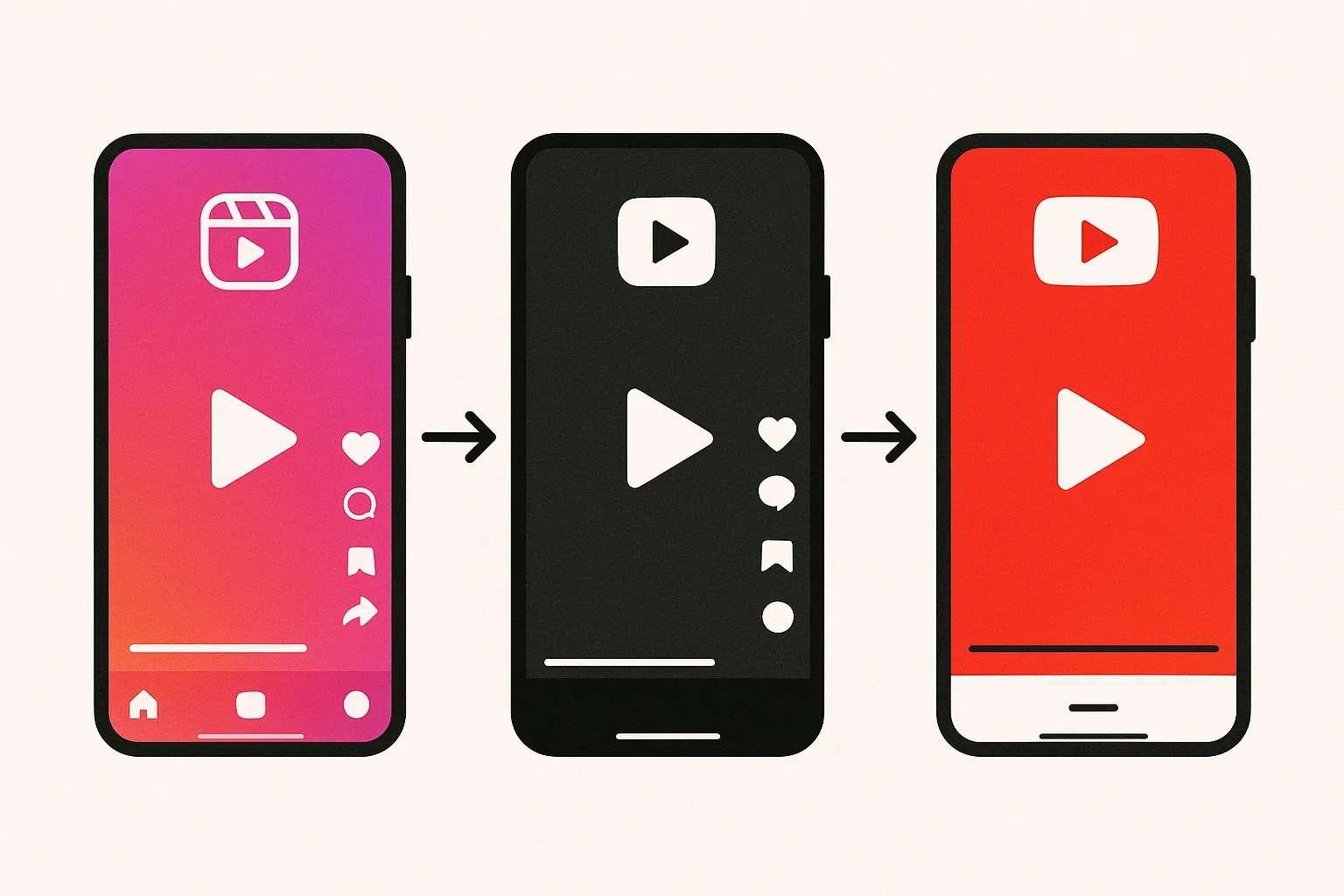
If you manage more than two social media accounts, you already know the pain. Log into Instagram, upload your video, write the caption, add hashtags. Now do the same thing on TikTok. And YouTube Shorts. And X. And Threads. And maybe Bluesky and Pinterest too while your at it. By the time you've posted to everything, thirty minutes have evaporated and you haven't even started actually engaging with anyone.

The solution is blindingly obvious: use an app that lets you post to all social media at once. One upload, one caption, hit publish, and it goes everywhere. These tools have been around for years now, but the landscape in 2026 looks completely diffrent from even two years ago. New platforms like Bluesky and Threads have reshuffled the deck. TikTok's API has opened up. Some legacy tools have stagnated while newer ones have moved fast.

I've spent the last few weeks testing and comparing the major cross-posting tools on the market right now. This is the comprehensive breakdown — features, pricing, platform support, and who each tool is actually built for. No fluff, no affiliate bias. Just an honest comparison to help you pick the right one.

Key Takeaways

What Makes a Good Cross-Posting App?

Before diving into the individual tools, lets establish what actually matters when evaluating these apps. Not every feature is equally important, and marketing pages love to pad their feature lists with stuff that sounds impressive but you'll never touch.

Platform Coverage

This is the most basic requirement and surprisingly the place where many tools fall short. You need the app to support every platform your posting to — not just the big three. In 2026, a solid cross-posting tool should cover at minimum: Instagram (feed posts, Reels, Stories), TikTok, YouTube (Shorts and long-form), X/Twitter, and Facebook. Bonus points for Threads, Bluesky, Pinterest, and LinkedIn. If even one of your core platforms is missing, you'll still be manually posting there, which defeats the purpose.

Media Handling

Can you upload videos, images, and carousels? What are the file size limits? Does the tool handle format conversion or do you need to pre-format everything yourself? Some tools choke on videos over 100MB, which is a deal-breaker for YouTube content. Others dont support carousel posts for Instagram, which is wild considering how important carousels are for engagement.

Scheduling and Queues

Basic scheduling (pick a date and time) is table stakes. What separates good tools from great ones is queue-based posting — you define time slots (say, Monday/Wednesday/Friday at 10 AM and 6 PM) and then just dump content into the queue. The tool automatically publishes the next piece of content at the next available slot. This is massively more efficient than manually scheduling every single post. For a deeper dive on scheduling strategies, check out our complete scheduling guide.

Pricing and Value

The social media tool market is weirdly split. You've got free tools that are too limited to be useful, mid-range tools at $15-30/month that cover most needs, and enterprise tools at $100+ that pack features 95% of users dont need. The key is finding where you fall on that spectrum and not overpaying for features you wont use.

The 8 Best Apps to Post to All Social Media at Once

Alright, lets get into it. I've organized these from what I consider most relevant for typical creators and small businesses down to more specialized or enterprise options. Each tool has been tested with real posting workflows, not just browsed through marketing pages.

1. cross-post

cross-post is a relatively newer entrant that's built specifically around the cross-posting use case. Where some tools started as scheduling platforms and bolted on multi-platform support later, cross-post was designed from the ground up for people who want to post the same content to multiple platforms with minimal friction.

The platform coverage is strong: Instagram, YouTube, TikTok, X/Twitter, Threads, Bluesky, and Pinterest. That Bluesky and Threads support is notable because many established tools still havent added these platforms. The interface is clean and streamlined — you connect your accounts, create a post, select your destinations, and publish or schedule. Theres also queue-based posting with customizable time slots and a bulk upload feature for batching large amounts of content.

What I like most about cross-post is the focus. It doesn't try to be an analytics platform, a CRM, a content ideation tool, and a kitchen sink. It does cross-posting and does it well. The dashboard shows your connected accounts, upcoming scheduled posts, and a calendar view. Thats it. No feature bloat, no overwhelming interface.

Platforms: Instagram, YouTube, TikTok, X/Twitter, Threads, Bluesky, Pinterest
Pricing: Paid plans starting low, with pricing based on usage rather than arbitrary tier limitations
Best for: Creators and small businesses who post to 4+ platforms and want a focused, no-bloat cross-posting tool

2. Buffer

Buffer is one of the OG social media tools, and it's evolved considrably over the years. The current iteration is clean, reliable, and particularly beginner-friendly. The free plan gives you 3 channels with 10 scheduled posts per channel — enough to try it out but not enough for serious use. Paid plans start around $6/month per channel.

Buffer's strength is simplicity. The composer is intuitive, the scheduling calendar is easy to read, and there's not a ton of stuff cluttering the interface. They've also added an AI assistant for caption generation, which is hit-or-miss but occasionally useful for getting past writer's block. The analytics are basic but functional — you can see what posts performed best and when your audience is most active.

The downsides? Platform support has gaps. Last I checked, Bluesky support was limited, and Threads integration was still being developed. The per-channel pricing model can add up quick if you have 7+ accounts. And the free tier is really just a trial in disguise — 10 scheduled posts per channel doesn't last long.

Platforms: Instagram, Facebook, X/Twitter, LinkedIn, Pinterest, TikTok, YouTube, Threads, Bluesky (limited)
Pricing: Free (3 channels, 10 posts each), paid from ~$6/channel/month
Best for: Beginners who value simplicity and dont need advanced features

3. Hootsuite

Hootsuite is the enterprise gorilla in this space. It's been around since 2008 and has grown into a full-scale social media management platform with scheduling, analytics, social listening, team collaboration, ad management, and basically everything else you can think of. For large teams and agencies managing dozens of accounts, it's still the industry standard.

But for solo creators and small businesses? Hootsuite is overkill. The interface feels heavy compared to lighter tools. The pricing starts at around $99/month for the Professional plan (1 user, 10 social accounts), which is steep unless you're actually using the advanced features. And the learning curve is real — there's a lot of menus, tabs, and settings to navigate before you even get to the "create a post" screen.

That said, if you need robust analytics, team approval workflows, or social listening capabilities, Hootsuite delivers. The platform coverage is excellent — they support basically everything. And the Streams feature (real-time feeds of mentions, hashtags, and conversations) is genuinely useful for brands doing community management.

Platforms: Instagram, Facebook, X/Twitter, LinkedIn, Pinterest, TikTok, YouTube, Threads
Pricing: From ~$99/month (Professional), enterprise plans available
Best for: Agencies, large teams, and businesses that need enterprise-grade social management

4. Later

Later originally started as a visual Instagram planner — you'd drag and drop photos onto a grid to preview how your feed would look before posting. They've since expanded to support multiple platforms, but that visual-first DNA is still what makes Later unique. If Instagram is your primary platform and aesthetics matter to you, Later's visual planner is unmatched.

The platform has grown to include TikTok, X/Twitter, Facebook, LinkedIn, Pinterest, and YouTube. Scheduling is straigtforward, and they've added a Linkin.bio feature for creating a clickable landing page from your Instagram grid. The analytics are decent, with best-time-to-post recommendations and content performance tracking.

The limitations are that Later still feels most natural for image-heavy content. Video support has improved but it's not as seamless as some competitors. The free plan is very restrictive — 1 social set (1 profile per platform) with 5 posts per social profile. And pricing for the full-featured plans has crept up over the years. Still, if Instagram is your bread and butter, Later deserves a close look.

Platforms: Instagram, TikTok, Facebook, X/Twitter, LinkedIn, Pinterest, YouTube
Pricing: Free (very limited), paid from ~$25/month
Best for: Instagram-focused creators who prioritize visual feed planning

5. Publer

Publer is a solid mid-range option that doesn't get as much attention as it deserves. It supports a wide range of platforms including some that other tools overlook — Google Business Profile, Telegram, and WordPress in addition to the usual suspects. The free plan is more generous than most: 3 social accounts, no limit on scheduled posts, and access to most features.

The interface is functional if not the prettiest. What Publer does really well is bulk scheduling — you can upload a CSV file or connect an RSS feed to auto-generate posts, which is incredibly useful for content repurposing workflows. Theres also a built-in Canva integration for designing graphics without leaving the platform, and a watermark feature for adding your branding to images automatically.

Where Publer falls short is polish. The UI feels a bit dated compared to Buffer or Later, and some of the more advanced features have quirks that take getting used to. Customer support responses can be slow. But on pure feature-to-price ratio, Publer punches above its weight. For a more detailed look at how to automate your posting workflow, we've got a full guide on that.

Platforms: Instagram, Facebook, X/Twitter, LinkedIn, Pinterest, TikTok, YouTube, Google Business, Telegram, WordPress
Pricing: Free (3 accounts), paid from ~$12/month
Best for: Budget-conscious users who want broad platform coverage and bulk scheduling

6. SocialBee

SocialBee's unique selling point is content categories. Instead of just scheduling individual posts, you organize your content into categories (like "promotional," "educational," "behind-the-scenes," "curated content") and then set up a posting schedule where each time slot pulls from a specific category. This ensures your content mix stays balanced without you having to manually curate the variety.

It's a genuinely clever approach that solves a real problem — many creators fall into the trap of posting the same type of content over and over. SocialBee's category system forces diversity. You can also set posts to recycle, so evergreen content automaticaly gets re-queued after it's been published. This is powerful for content that doesn't have a shelf life.

The downside is complexity. SocialBee has a steeper learning curve than most tools on this list because the category system, while powerful, requires upfront setup. You need to think about your content strategy before you can use the tool effectively. The interface has improved over the years but still feels busier than it needs to be. Platform support is solid though not as broad as Publer.

Platforms: Instagram, Facebook, X/Twitter, LinkedIn, Pinterest, TikTok, YouTube, Google Business, Bluesky
Pricing: From ~$29/month (Bootstrap plan)
Best for: Content strategists who want automated content rotation and category-based scheduling

7. Metricool

Metricool has been quietly building a strong product that combines scheduling with analytics in a way thats more integrated than most competitors. The analytics dashboard is arguably the best of any tool in this price range — you get cross-platform performance data, competitor analysis, hashtag tracking, and ad campaign analytics all in one place. If data drives your decisions, Metricool is worth a serious look.

The scheduling side is competent but not exceptional. You get a calendar view, best-time recommendations, and auto-posting to most major platforms. The free plan is reasonable: 1 brand (set of accounts) with 50 posts per month, which is actually usable for light posting schedules. What's nice is they don't artificially gate features behind higher tiers — most features are availble on all plans, with the main limitation being number of brands and posts.

Platform coverage is good: Instagram, Facebook, X/Twitter, LinkedIn, Pinterest, TikTok, YouTube, Threads, Bluesky, and even Twitch. The Threads and Bluesky support puts it ahead of several competitors. The interface is modern and clean, though the analytics depth can be overwhelming if all you want is to schedule posts and move on.

Platforms: Instagram, Facebook, X/Twitter, LinkedIn, Pinterest, TikTok, YouTube, Threads, Bluesky, Twitch
Pricing: Free (1 brand, 50 posts/month), paid from ~$22/month
Best for: Analytics-focused users who want deep performance insights alongside scheduling

8. Sprout Social

Sprout Social is the Rolls Royce of social media management. Its also priced like one — plans start at $249/month per user. This is not a tool for individual creators. Its built for marketing teams, agencies, and enterprises that need advanced workflow management, CRM-level social engagement tracking, custom reporting dashboards, and team collaboration features.

I'm including it for completness because it does come up in conversations about cross-posting tools, and if you're at a company with a dedicated social media team and budget, Sprout delivers tremendous value. The publishing workflow supports post approval chains, content libraries, asset management, and collaborative drafting. The analytics go far beyond what any other tool on this list offers.

But lets be real — if your reading an article titled "Best Apps to Post to All Social Media at Once," Sprout Social is probably not what you're looking for. Its enterprise software, not a creator tool.

Platforms: Instagram, Facebook, X/Twitter, LinkedIn, Pinterest, TikTok, YouTube, Threads
Pricing: From ~$249/month per user
Best for: Enterprise teams with dedicated social media departments and serious budgets

The Big Comparison Table

Here's everything side by side. This should make the differences much more clear than reading through individual reviews.

Feature cross-post Buffer Hootsuite Later Publer SocialBee Metricool Sprout Social
Instagram
TikTok
YouTube
X / Twitter
Threads Limited No No No
Bluesky Limited No No No No
Pinterest
LinkedIn No
Facebook No
Queue Posting No No
Bulk Upload No No No
Calendar View
AI Caption Writer No
Advanced Analytics Basic Basic Basic Basic Basic
Team Collaboration No Paid only Paid only Paid only Paid only
Starting Price Low ~$6/ch/mo ~$99/mo ~$25/mo ~$12/mo ~$29/mo ~$22/mo ~$249/mo

Which Platform Coverage Actually Matters in 2026?

Here's a question I see creators agonizing over: "Do I really need to be on all these platforms?" The honest answer is no — you dont need to be everywhere. But you probaly should be on more platforms than you think.

The days of building your entire audience on one platform are over. Algorithm changes, policy shifts, or even entire platform bans (remember TikTok's near-ban situation?) can wipe out your reach overnight. Diversification isn't just nice to have anymore — it's insurance. Even if you have a primary platform where most of your audience lives, cross-posting your content to 3-4 secondary platforms takes minutes when you use the right tool and provides a safety net.

That said, platform coverage in your cross-posting tool matters most for the platforms you actively use. If you're not on LinkedIn, you don't need LinkedIn support. Focus on the platforms in your actual content strategy and make sure your chosen tool covers them all.

The Emerging Platform Problem

One thing to watch is how quickly a tool adds support for new platforms. Threads launched in mid-2023 and some tools still dont have full support. Bluesky went mainstream in late 2024 and adoption among scheduling tools has been spotty at best. When the next new platform emerges (and it will), you want a tool that moves fast to add support.

Newer, more agile tools like cross-post tend to be faster at adding emerging platforms because they have less legacy architecture to work around. Enterprise tools like Hootsuite and Sprout Social are slower by nature — they have to test extensively, update documentation, train support teams, and coordinate releases across larger organizations. This isn't a knock on them, it's just the reality of being a large company.

Free vs. Paid: Is It Worth Paying for a Cross-Posting Tool?

Lets talk money. Every tool on this list has either a free tier or a free trial, which is great for testing. But should you actually pay for one of these tools, or can you get by on a free plan?

The honest answer: if you post to more than 3 platforms regularly, you'll almost certainly need a paid plan. Free tiers universally cap you at 3 social accounts, which covers maybe half your platforms. They also typically limit scheduled posts (10-50 per month), disable features like queue posting and bulk upload, and may add watermarks or branding.

The math works out heavily in favor of paying. If a tool costs $15/month and saves you 30 minutes per day on manual posting, that's roughly 15 hours per month. You're paying $1/hour for your time back. Unless your time is literally worth less then a dollar an hour, the paid tool pays for itself immediately.

Pro Tip: Most tools offer annual billing at a significant discount (typically 20-30% off). If you've been using a tool for 2+ months and are happy with it, switch to annual billing to save money. Just make sure the tool is actually working for you first — don't commit to a year upfront.

What About Using Native Platform Tools Instead?

A fair question. Instagram, TikTok, YouTube, and Facebook all have native scheduling built into their creator tools. These are free and support every feature their platform offers (which third-party tools sometimes can't access due to API limitations). So why use a cross-posting app at all?

The answer is workflow. Native tools are great for single-platform management but terrible for cross-posting. You still have to log into each platform individually, upload your media to each one, write your caption in each one, and schedule in each one. The time savings come from doing it once, not from doing it seven times across seven different interfaces. If you're genuinely only on one or two platforms, native tools are fine. Once you hit three or more, a cross-posting app becomes a no-brainer. For more on this topic, we've explored the step-by-step process of posting to all platforms at once.

How Do These Tools Handle Video Content?

Video is the dominant content format in 2026, and how a cross-posting tool handles video can make or break the experience. Here's what to check:

File size limits. Some tools cap uploads at 100MB or even 50MB, which is not enough for YouTube long-form videos. If you create long-form content, make sure the tool can handle files of 500MB or more. Most of the tools on this list handle at least 250MB, but check the specifics for your use case.

Format support. MP4 is universal, but what about MOV, WebM, or AVI? Most tools accept MP4 and MOV at minimum. A few support broader format ranges but may convert everything to MP4 internally anyway.

Aspect ratio handling. Instagram Reels wants 9:16, YouTube prefers 16:9, and Twitter/X accepts both. Some tools let you upload multiple versions of the same video (one vertical, one horizontal) for different platforms in the same post. This is a feature worth looking for if you create content in multiple formats.

Video thumbnails. Can you set a custom thumbnail? YouTube practically requires it, and Instagram Reels benefit from one too. Not all tools surface this option during post creation.

Should You Customize Captions Per Platform?

Here's a debate that comes up constantly in the cross-posting world: should you post the exact same caption everywhere, or tailor it per platform?

The pragmatic answer is that slight customization is ideal but identical captions are fine for most creators. The 80/20 rule applies here — posting the same caption across all platforms gets you 80% of the results with 20% of the effort. The remaining 20% of results from platform-specific optimization takes 80% more effort (writing unique captions for every platform, adjusting tone, changing hashtag strategies, etc.).

That said, some cross-posting tools make per-platform customization easier than others. Buffer and SocialBee let you edit the caption for each platform individually during post creation. cross-post supports this as well. With Hootsuite, you can create platform-specific drafts. If customization matters to you, make sure the tool supports it without requiring you to create entirely seperate posts for each platform.

Pro Tip: At minimum, adjust hashtags per platform. Instagram posts can use 20-30 hashtags, X/Twitter should use 1-3, LinkedIn benefits from 3-5, and TikTok works best with 3-5 trending ones. Hashtag strategy alone makes a meaningful differece in reach.

What Features Are Overhyped?

Let me save you some time by calling out features that sound great on marketing pages but rarely deliver value in practice:

AI content generation. Nearly every tool has bolted on AI caption writing. In practice, the outputs are generic and require so much editing that you might as well have written the caption yourself. Its a nice party trick but not a reason to choose one tool over another.

Content curation / RSS feeds. Some tools let you auto-import content from RSS feeds or curate third-party content. In theory, this fills your content calendar. In practice, auto-curated content rarely matches your brand voice and can make your feed look impersonal. Its a feature that sounds useful until you try it.

Social listening. Unless your a brand with serious PR concerns, you probably dont need real-time monitoring of brand mentions across the internet. Basic notifications from each platform handle this for individual creators.

Link shorteners. Built-in link shortening used to be a selling point. With direct links working fine everywhere and tools like Linktree handling bio links, built-in shorteners are rarely necessary.

My Recommendations by Use Case

After testing all these tools, here's who I'd recommend what to:

Solo Creator, Budget-Conscious

Go with cross-post or Publer. Both offer strong multi-platform support at accessible price points. cross-post is more focused on the cross-posting workflow itself, while Publer gives you more features like RSS integration and bulk CSV upload. If you want simplicity, cross-post. If you want flexibility, Publer.

Beginner, Just Getting Started

Buffer is hard to beat for onboarding simplicity. The interface is the most intuitive of any tool on this list, and the free plan lets you test the waters with 3 accounts. Once you outgrow it, you can migrate to something with more platform coverage.

Instagram-Focused Creator

Later's visual planner is genuinely unique and valuable if Instagram feed aesthetics are central to your brand. The grid preview and drag-and-drop planning is something no other tool replicates well.

Content Strategist / Serious Planner

SocialBee's category-based scheduling is powerful if you think about your content in terms of content pillars and want to ensure a balanced mix. The setup takes more time upfront but pays dividends in content consistency.

Data-Driven Marketer

Metricool gives you the best analytics of any tool in the sub-$50/month range. If performance data drives your content decisions, this is your best bet.

Agency or Large Team

Hootsuite or Sprout Social. There's really no substitute for enterprise-grade tools when you need team workflows, approval chains, and comprehensive reporting across dozens of accounts. Budget accordingly.

How to Switch Between Cross-Posting Tools?

One concern I hear a lot is: "What if I pick the wrong tool? Will I lose all my scheduled content?" The good news is that switching cross-posting tools is relatively painless because your content doesn't actually live in the tool — it lives on the social platforms themselves. Your published posts aren't affected at all. The only thing you lose is any content that's currently scheduled but hasn't been published yet.

When switching tools, here's the process:

The whole process takes maybe an hour, even with a full content calendar. Don't let fear of switching keep you locked into a tool that doesn't serve you well. Most tools also offer onboarding help or migration assistance if you ask there support team.

Is It Worth Using Multiple Cross-Posting Tools?

Short answer: no. Using two scheduling tools simultaneously creates confusion, double-posting risks, and makes your workflow more complex instead of simpler. Pick one tool, commit to it, and build your workflow around it. The whole point of a cross-posting app is to centralize your publishing — using multiple tools defeats that purpose entirely.

The one exception is using a cross-posting tool alongside native platform tools. For example, you might use cross-post for your daily posting workflow but occasionally use YouTube Studio directly when you need to set up a premiere or use advanced YouTube-specific features that no third-party tool can access. Thats a perfectly reasonable hybrid approach.

What's Coming Next in Cross-Posting Tools?

The cross-posting tool space is evolving fast. Here are some trends I'm watching:

Better AI integration. Current AI caption generation is mediocre, but it's improving. Expect tools to offer AI that actually learns your brand voice over time, suggests posting times based on your specific audience (not generic data), and helps with content repurposing (turning a YouTube video into X threads, Instagram carousels, etc.).

Platform convergence. As more social platforms add similar features (short-form video, stories, text posts), cross-posting tools will get better at adapting single pieces of content to each platform's specific format and requirements automatically.

Decentralized platform support. Bluesky is built on the AT Protocol, Mastodon on ActivityPub. As decentralized social media grows, expect cross-posting tools to add support for these protocols natively rather than platform-by-platform.

Video-first workflows. With video dominating every platform, tools will need to evolve beyond text-and-image composers. Expect built-in video trimming, caption generation, and format conversion to become standard features rather then premium add-ons.

Frequently Asked Questions

What is the best free app to post to all social media at once?

For a completely free option, Publer's free tier is the most generous — 3 social accounts with no limit on scheduled posts. Buffer's free plan works too but limits you to 10 scheduled posts per channel, which runs out quickly. Most free tiers are designed to get you hooked before upgrading, so set expectations accordingly. If your on a tight budget, check out our roundup of free social media tools for creators.

Can I post to Instagram, TikTok, and YouTube from one app?

Yes, every tool on this list supports all three of these platforms. This is the most common combination creators need and it's well-covered across the board. The differences show up in how each tool handles the specific requirements of each platform — things like video format restrictions, caption length limits, and thumbnail options.

Do cross-posting tools affect engagement or reach?

This is a persistent myth that refuses to die. There is no credible evidence that posting via a third-party tool hurts your reach or engagement compared to posting natively. All major tools use official platform APIs, and platforms do not penalize API-published content. What can affect engagement is posting identical content across platforms without any customization — but thats a strategy issue, not a tool issue.

Is it better to post natively or use a scheduling tool?

Using a scheduling tool is objectively better for consistency and time management. The only advantage of native posting is access to platform-specific features that API's sometimes can't replicate (like interactive stickers in Instagram Stories). For standard feed posts, Reels, and Shorts, there is no advantage to posting natively.

How many social media accounts should I connect?

Connect every account where you actively publish content. There's no downside to connecting more accounts — you dont have to post to all of them every time. When creating a post, you simply select which platforms to publish to. Having all accounts connected just gives you the option.

Can I schedule Instagram Reels and TikTok videos with these tools?

Yes, all tools on this list support scheduling Reels and TikTok videos via their respective APIs. The functionality has improved dramatically since 2024 when TikTok expanded API access for third-party tools. You can upload your video, write your caption, add relevant tags, and schedule it to go live at your chosen time — all from the cross-posting tool.

What happens if a scheduled post fails to publish?

Most tools will notify you via email or in-app notification if a scheduled post fails. Common reasons for failure include expired authentication tokens (you need to reconnect the account), platform outages, content that violates platform guidelines, or file format issues. Good tools will let you retry the post or edit and reschedule it. Some tools like cross-post show a clear status indicator for each post so you can quickly spot and fix failures.

Do these tools work for personal accounts or just business accounts?

Most platforms require a business or creator account for API access. Instagram, for example, requires a Professional account (Business or Creator) for scheduling through third-party tools. TikTok and YouTube work with any account type. If your running personal accounts, you may need to switch them to creator/business accounts first — which is free and takes 30 seconds on every platform.

The cross-posting tool landscape in 2026 is mature and competitive, which is great news for users. Whether your a solo creator posting Reels and TikToks or a marketing team managing a dozen brand accounts, there's a tool that fits your needs and budget. The key is being honest about what you actually need — and not overpaying for features you'll never touch.

cross-post Team

We help creators and businesses manage their social media presence across Instagram, YouTube, TikTok, X, Threads, Bluesky, and Pinterest — all from one dashboard.

Ready to simplify your social media?

Post to Instagram, YouTube, TikTok, X, Threads, Bluesky, and Pinterest from one dashboard.

Get Started Free →