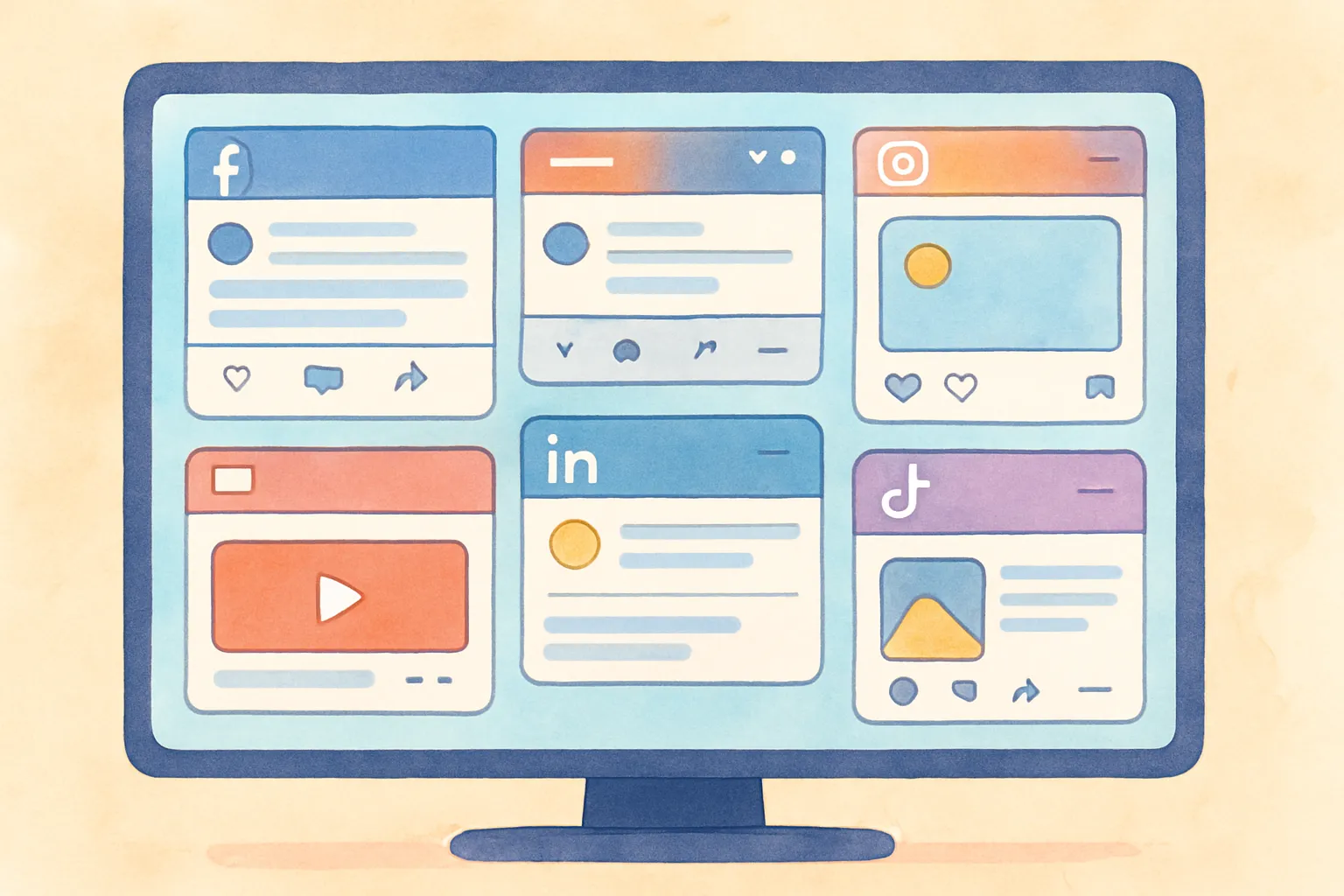
Managing one social media account is straightforward. Managing five or more across Instagram, TikTok, YouTube, X, Threads, Bluesky, and Pinterest is a different challenge entirely. Different apps, different upload flows, different content specs, different comment sections, different analytics dashboards. The operational overhead compounds with every account you add, and without a system in place, the daily workload becomes unsustainable remarkably fast.
But plenty of creators and businesses handle 7+ accounts without losing their minds. The difference is not talent or team size. It is systems. The right workflows, tools, and habits turn multi-account management from an overwhelming daily grind into a structured, sustainable process. This guide covers everything you need to know about how to manage multiple social media accounts efficiently, from content calendars and time blocking to cross-posting workflows, delegation strategies, security hygiene, and burnout prevention.
Key Takeaways
- Systems beat effort. The creators managing 7+ accounts successfully are not working harder. They have workflows that eliminate repetitive tasks and reduce daily decision-making.
- A content calendar is non-negotiable. Planning even one week ahead eliminates daily scrambling and ensures consistent posting across all platforms.
- Time blocking saves 40-60% of the time compared to scattered, ad-hoc social media management throughout the day.
- Cross-posting with small tweaks lets you maintain presence on 5-7 platforms without creating unique content for each one.
- Delegate mechanics, keep strategy. Scheduling, uploading, and routine engagement can be handed off. Creative direction and voice should stay with you.
- Security hygiene is critical. Multiple accounts mean multiple attack surfaces. Use unique passwords, 2FA, and OAuth-based tools.
- Burnout is the biggest threat. Without deliberate boundaries, social media management expands to consume every waking hour. Structured breaks and firm engagement windows protect your mental health and your content quality.
Why Does Multi-Account Management Get So Messy?
The core problem with managing multiple social media accounts is not creating content. Most creators and businesses can generate ideas and produce posts without too much difficulty. The problem is the operational overhead that multiplies with every platform you add. Understanding exactly where the friction comes from helps you solve it systematically rather than simply powering through with brute effort until you burn out.
What Are the Biggest Pain Points of Managing Multiple Accounts?
The friction in multi-account management comes from six primary sources, each of which compounds the others:
- Context switching — Jumping between apps kills focus and eats time. Research shows that every time you switch tasks, it takes an average of 23 minutes to fully regain focus. If you are switching between 5 social media apps throughout the day, you are losing hours to transition time alone. That is not an exaggeration. A creator who checks Instagram, opens TikTok, switches to X, responds on Threads, and then goes back to Instagram has performed four context switches in what feels like a quick scan. Multiply that by five or six cycles per day, and you have effectively lost your entire productive morning to transition overhead.
- Inconsistent posting — When posting is tedious and manual, you skip platforms or go silent for days. Algorithms penalize inconsistency. Your audience forgets you. The platforms you neglect become progressively harder to grow because the algorithm has stopped distributing your content. Inconsistency creates a compounding negative effect: lower distribution leads to lower engagement, which leads to less motivation to post, which leads to even longer gaps between posts. Breaking this cycle once it starts requires significantly more effort than preventing it in the first place.
- Missed engagement — Comments and DMs pile up across platforms and you cannot keep up. Unanswered comments reduce your engagement rate, which reduces algorithmic distribution, which creates a downward spiral. On platforms like Instagram, responding to comments within the first hour significantly boosts post reach. When you are managing seven platforms, getting to every comment within an hour is physically impossible without a system. The comments that go unanswered are not just missed conversations; they are missed signals to the algorithm that your content is generating active discussion.
- Duplicate effort — Uploading the same video seven times manually, reformatting captions for each platform, adjusting hashtags separately. This is pure operational waste that adds no creative value. The time spent logging into each platform individually, navigating to the upload screen, waiting for the file to process, pasting and reformatting the caption, adding platform-specific hashtags, and then repeating the entire process for the next platform adds up to 20-30 minutes per post across 7 platforms. For someone posting daily, that is 2-3 hours per week spent on an entirely mechanical task.
- Analytics fragmentation — Performance data spread across separate dashboards means you never get a unified picture of what is actually working. You might be killing it on TikTok and wasting time on a platform that delivers nothing, but you would never know without consolidated data. Each platform presents metrics differently, uses different definitions for engagement, and surfaces different time periods by default. Comparing performance across platforms requires manually exporting data from each one, normalizing the metrics, and building your own analysis. Without this comparison, you are making resource allocation decisions based on gut feeling rather than data.
- Password and access management — Keeping track of login credentials across 7+ platforms, especially when team members need access, creates security risks and administrative headaches. Every additional account is another credential to manage, another potential entry point for unauthorized access, and another platform where a compromised password could lead to account takeover. When team members join or leave, updating access across every platform is a time-consuming process that frequently gets missed.
Each of these problems is solvable. The key is addressing them systematically rather than trying to power through with brute effort. The sections that follow provide specific, actionable solutions for each one.
How Do I Build a Content Calendar for Multiple Accounts?
A content calendar is the foundation of efficient multi-account management. Before touching any tool or app, map out what you are posting and when. Without a calendar, every day starts with the question "What should I post today?" and that daily decision fatigue is what causes inconsistency. A calendar transforms social media management from a reactive scramble into a proactive execution of a predetermined plan.
Your content calendar does not need to be complex. A spreadsheet works fine. A Notion board works. Your scheduling tool's calendar view works. The format matters less than the habit. What matters is that you include these elements:
- Post date and time per platform, if you are optimizing posting times based on audience activity
- Content type — video, image, text, carousel, Story
- Caption or copy — At minimum a draft or key talking points
- Which platforms it goes to — Not every post needs to go everywhere
- Content pillar — The theme or category (education, entertainment, promotion, behind-the-scenes, etc.)
- Media assets — Links to the photos, videos, or graphics ready for upload
- Status tracking — Idea, draft, created, scheduled, published
How Far Ahead Should I Plan My Social Media Content?
Planning even one week ahead changes everything. You stop making daily decisions about what to post and start executing a plan instead. Most social media management tips come back to this fundamental principle: plan first, create second, publish third.
The ideal planning horizon depends on your situation:
- One week ahead — The minimum for sanity. Gives you a clear daily plan and eliminates morning scrambling. If you are just starting to build your content planning habit, one week is the right starting point. It is achievable, it shows immediate results, and it builds the discipline you need for longer planning horizons.
- Two weeks ahead — The sweet spot for most creators and small businesses. Enough runway to batch-create content efficiently without plans going stale. Two weeks gives you a comfortable buffer so that a sick day, an unexpected meeting, or a creative dry spell does not immediately result in missed posts.
- One month ahead — Ideal if you have predictable content themes (seasonal business, editorial calendar, product launch schedule). Plan the structure monthly, fill in specifics weekly. Monthly planning is particularly effective when combined with batch creation days, where you produce an entire month of content in one or two focused sessions.
- Beyond one month — Only plan broad themes and tentpole events this far out. Specific post ideas go stale quickly. Quarterly planning should be limited to campaign themes, product launch dates, seasonal content arcs, and major cultural moments you want to participate in. The individual post ideas should be filled in no more than two weeks before they go live.
Leave 20-30% of your calendar open for reactive content: trending topics, timely comments, audience interactions, and spontaneous ideas. A rigid calendar that ignores real-time opportunities is almost as bad as no calendar at all. The calendar should provide structure, not a straitjacket. Some of your best-performing content will be unplanned responses to something happening in your industry or on a specific platform.
What Tools Should I Use for Content Calendar Management?
The tool you use for your content calendar matters far less than the consistency with which you use it. That said, different tools suit different workflows:
- Spreadsheets (Google Sheets, Excel) — Maximum flexibility, zero cost. Best for solo creators who want full control over their calendar layout. The downside is that spreadsheets do not integrate with publishing tools, so you have a planning layer and a separate execution layer.
- Project management tools (Notion, Trello, Asana) — Good for visual planning with kanban boards or calendar views. Better than spreadsheets for team collaboration. Still requires a separate publishing tool for the actual posting.
- Scheduling tools with calendar views — Combines planning and execution in one place. You can see your calendar, create posts, and schedule them without switching tools. This is the most efficient option for most creators because the plan and the execution live in the same system.
If you are managing 5+ accounts, a scheduling tool with a built-in calendar view eliminates the gap between planning and publishing. You plan directly in the tool, create the post, set the platforms and timing, and schedule it. No copying from a spreadsheet to a separate app.
How Does Time Blocking Work for Social Media Management?
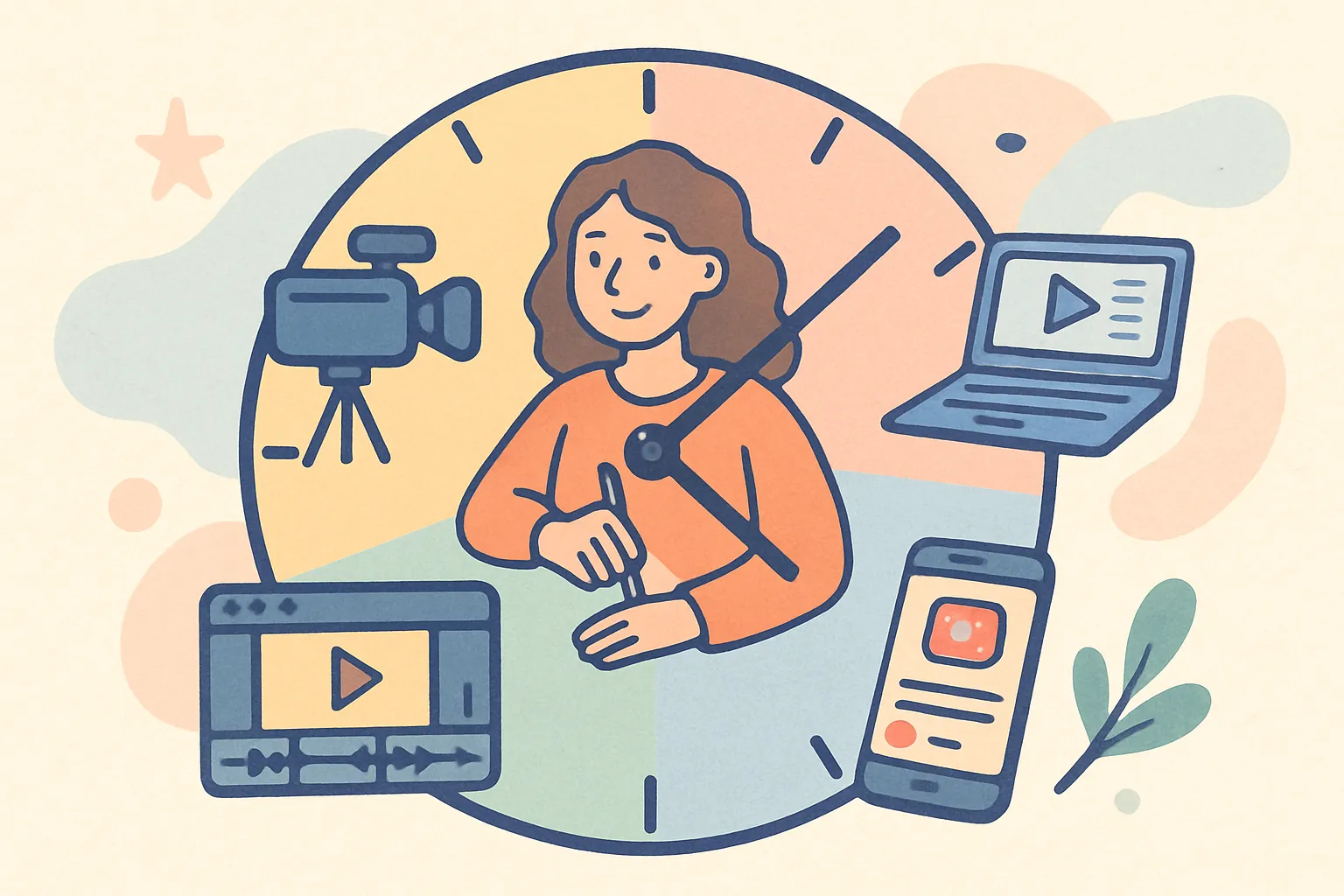
The biggest time sink for creators managing multiple accounts is scattered effort. Ten minutes checking Instagram here, fifteen minutes replying to TikTok comments there, a quick tweet, a LinkedIn update, all day long. This scattered approach makes social media feel like it consumes your entire day, even though the actual productive time might be under two hours.
Time blocking consolidates social media work into focused sessions. Instead of context-switching all day, you batch similar tasks together and handle them in dedicated blocks. The psychological benefit is equally important: when your social media work is contained in defined blocks, the rest of your day is genuinely free from the pull of notifications and the nagging feeling that you should be posting something.
What Does a Sample Weekly Time-Blocked Schedule Look Like?
Here is a practical weekly schedule that covers 5-7 platforms in roughly 5.5 hours per week:
| Day | Time Block | Activities |
|---|---|---|
| Monday | 2 hours | Content creation: film, photograph, or write all posts for the week. Stay in creation mode, do not edit or upload yet. |
| Tuesday | 1 hour | Edit and finalize content, write all captions and variations, add hashtags, schedule everything across platforms. |
| Daily (Mon-Fri) | 20 minutes | Engagement: reply to comments, respond to DMs, interact with your community across all platforms. |
| Friday | 30 minutes | Review: check what performed well, note patterns, decide what to do more of next week. Adjust upcoming scheduled posts if needed. |
This gives you roughly 5.5 hours per week managing 5+ accounts. Compare that to the ad hoc approach where you spend 30-60 minutes scattered throughout every day (3.5-7 hours per week) and still miss posts, skip platforms, and feel behind.
Why Does Batching Content Creation Save So Much Time?
Batching works because of how the human brain handles creative tasks. When you sit down to create content, there is a warmup period before you reach peak creative output. If you create one post, stop, do something else, and come back to create another post later, you pay that warmup cost every single time. Batching means you pay the warmup cost once and then ride the creative momentum through multiple posts.
Practical batching tips that maximize efficiency:
- Group similar content types together. Film all videos in one session. Write all captions in another session. Design all graphics in a third session. Switching between creation modes (video, writing, design) incurs its own context-switching cost.
- Prepare your assets before the creation session. Have your talking points outlined, your shooting locations ready, and your design templates open. Preparation time and creation time should be separate blocks.
- Set a target number, not a time limit. Saying "I will create 7 posts" is more productive than "I will create content for 2 hours." The target gives you a concrete finish line, which keeps focus sharp.
- Do not edit during creation. Film everything first. Write all drafts first. Editing is a different cognitive mode that interrupts the creative flow. Separate creation from refinement.
How Do I Handle Engagement Across Multiple Platforms Efficiently?
The daily engagement block is where most people struggle. Here is how to make 20 minutes cover 5+ platforms:
- Prioritize by platform importance. Check your highest-growth platform first. If TikTok drives 60% of your audience growth, it gets the most engagement time. Allocate time proportionally to each platform's value to your goals.
- Reply to comments on recent posts first. Comments in the first 1-2 hours after posting have the biggest impact on algorithmic distribution. If a post went live that morning, prioritize those comments over older posts with stale comment sections.
- Use notification filters. Most platforms let you filter notifications by type. Focus on comments and DMs. Ignore like notifications, which are informational but do not require action. The notification screen is designed to keep you on the platform; filtering it ruthlessly keeps your engagement time focused and efficient.
- Batch DM responses. Reply to all DMs in one sitting rather than checking throughout the day. DMs rarely require immediate responses, and batching them is far more efficient than interrupting other work every time one arrives.
- Set a timer. Twenty minutes means twenty minutes. Without a timer, engagement time expands to fill whatever time you allow it. The constraint forces efficiency. When the timer goes off, close the apps and move on. The comments that did not get a reply today will still be there tomorrow, and the world will not end.
- Keep a swipe file of response templates. For frequently asked questions, common compliments, and routine interactions, have pre-written responses that you can personalize quickly. This eliminates the "blank page" problem for comment replies and cuts response time in half.
How Do I Manage Notifications Without Losing My Mind?
Notifications are the single biggest threat to a time-blocked schedule. Every buzz, badge, and banner is a temptation to break out of your current task and check a social media app. Managing notifications proactively is essential:
- Turn off push notifications for social media apps entirely. Check notifications during your scheduled engagement blocks, not in real time. If an urgent issue arises (account compromise, PR crisis), you will hear about it through other channels.
- Use notification summaries. Both iOS and Android offer scheduled notification summaries that batch alerts and deliver them at a specific time. Set your summary to arrive just before your daily engagement block.
- Mute group chats and comment threads that are no longer relevant. Platforms often keep notifying you about conversations that have moved on. Muting stale threads reduces notification noise significantly.
- Separate personal and professional devices if possible. If your personal phone is also your social media management tool, the temptation to check accounts outside of work hours is constant. Even using different browser profiles or app instances can create helpful separation.
What Is the Best Cross-Posting Workflow?
When you are active on multiple platforms, you need a system for turning one piece of content into multiple posts efficiently. The goal is not to create seven unique pieces of content. It is to create one core piece and adapt it quickly for each platform. Here is the workflow that makes this practical and sustainable.
Step 1: Create the Core Content
Start with your richest content format, usually video. Film one video that works as a TikTok, Reel, and YouTube Short. This is your base asset. Shoot in 9:16 vertical format at the highest resolution your device supports. Create it in a third-party editing app rather than within any platform's native editor, so the export is clean and platform-agnostic. This last point is critical: content created inside TikTok's editor will have TikTok-specific elements baked in. Content created inside Instagram will have Reels-specific elements. A clean export from a third-party editor gives you maximum flexibility for distribution.
If your core content is text or image-based, write the most detailed version first (your LinkedIn post or blog entry) and then extract shorter versions from it. Writing long and then cutting is always easier than writing short and then trying to expand. The detailed version contains all the ideas; the shorter versions are simply tighter edits of the same material.
Step 2: Adapt for Each Platform
Not every platform needs a unique version, but small tweaks dramatically improve performance compared to zero-effort copy-paste. These adaptations take 2-3 minutes per platform and should become second nature:
- Instagram — Same video, add relevant hashtags (5-10 focused hashtags outperform 30 generic ones), include a call-to-action directing to your bio link or product. Instagram captions can be longer and more reflective. Use the first line as a hook because only the first two lines are visible before the "more" cutoff.
- TikTok — More casual caption, trending hashtags if relevant, consider adding trending audio if it fits naturally. TikTok captions should be shorter and more keyword-rich for searchability. TikTok's search function is increasingly important for discovery, so think about what search terms your target audience would use.
- YouTube Shorts — Same video works directly. Shorter, more descriptive title. Add to a relevant playlist to encourage binge-watching. YouTube titles function differently from captions on other platforms because they are the primary text element visible in the feed.
- X/Twitter — Shorter caption, more conversational and opinionated tone. Consider whether the video adds value or if the point can stand as text alone. X rewards strong opinions and punchy delivery. A 280-character caption that sparks debate will often outperform a carefully crafted long-form post.
- Threads — Casual, community-oriented text. Can post without the video if the insight stands alone as a text post. More intimate tone than other platforms. Threads rewards conversational content that invites replies, so end with a question or an open-ended statement when possible.
- Bluesky — Similar to X but you can be more niche and specific. The audience is more tech-savvy and appreciates depth. Custom feeds mean your content can reach highly targeted audiences. Bluesky's decentralized structure means your content can be surfaced through community-curated feeds, making niche topics particularly effective.
- Pinterest — Vertical image or video with SEO-optimized description. Include keywords people would actually search for on Pinterest. Add to relevant boards for category organization. Pinterest is fundamentally a search engine, not a social feed, so your content strategy should be keyword-driven rather than trend-driven.
Step 3: Publish from One Place
Use a cross-posting tool to publish to all platforms simultaneously. Upload your media once, select your platforms, paste your platform-specific captions, and hit schedule or publish. What used to take 30 minutes of logging into separate apps, uploading files, copying and pasting captions, and adjusting settings now takes 30 seconds.
A tool like cross-post connects your accounts across Instagram, TikTok, YouTube, X, Threads, Bluesky, and Pinterest, letting you manage everything from a single dashboard. You upload your media once, write your captions, select your target platforms, and schedule or publish immediately. This eliminates the most tedious part of multi-account management: the repetitive uploading and formatting that adds zero creative value.
How Do I Handle Platform-Specific Features When Cross-Posting?
One common objection to cross-posting is that it ignores platform-specific features like TikTok Duets, Instagram Collab posts, or X quote tweets. This is a valid point, but it misses the bigger picture. Cross-posting handles your baseline content distribution. Platform-specific features are used for your native content, the 20% of posts that are created specifically for one platform.
Think of cross-posting as your content distribution backbone. It ensures every platform stays active and receives consistent content. Platform-specific features are your engagement amplifiers. They are used strategically on your highest-priority platforms to deepen connection and leverage unique functionality. Trying to use every platform-specific feature on every platform is the fastest path to burnout and inconsistency.
How Do I Choose the Right Social Media Management Tool?
The social media management tool market is crowded, and most tools are designed for enterprise marketing teams with budgets and needs that do not match individual creators or small businesses. Here is what actually matters when you are managing multiple accounts as a creator or small team.
What Features Actually Matter?
- Platform coverage — Does it support all the platforms you use? Some tools only cover 3-4 platforms, which means you are still managing the remaining accounts manually. Look for tools that cover Instagram, TikTok, YouTube, X, Threads, Bluesky, and Pinterest at minimum. If you have to use two different tools to cover all your platforms, you have not solved the problem; you have just moved it.
- Scheduling and queues — Can you schedule posts in advance? Can you set up recurring time slots (queue-based scheduling) where you drop content in and it publishes at the next available slot? Queue-based scheduling is significantly faster than manually setting dates and times for every post because you define your posting schedule once and then simply add content to the queue in order.
- Platform-specific captions — Can you write different captions for different platforms within the same post? This is essential for proper cross-posting with adaptations. Tools that only allow one caption for all platforms force you into the zero-effort copy-paste approach that underperforms.
- Media handling — Can it handle video files in the sizes you need? Does it support multiple images for carousels? Some tools have restrictive file size limits that make video uploading painful. If you are creating high-resolution video content, check the file size limits before committing to a tool.
- Simple pricing — Many tools charge per account or per platform, which gets expensive fast at 5+ accounts. A flat rate regardless of connected accounts is more predictable and usually more affordable. Calculate the actual monthly cost based on your specific number of accounts, not the base price shown on the pricing page.
- Speed and reliability — If the tool is slow, crashes, or fails to publish posts on time, you will stop using it within a week and revert to the manual approach. Reliability matters more than features. A tool with fewer features that publishes every post on time is infinitely more valuable than a feature-rich tool that fails silently.
How Do Social Media Management Tools Compare?
| Consideration | Enterprise Tools (Hootsuite, Sprout) | Mid-Market Tools (Buffer, Later) | Creator-Focused Tools (cross-post) |
|---|---|---|---|
| Monthly Cost | $99-500+ | $15-100 | $5-30 |
| Platform Coverage | Broad (6-10+) | Moderate (4-6) | Varies (5-7+) |
| Learning Curve | Steep | Moderate | Minimal |
| Best For | Marketing teams, agencies | Small businesses, marketers | Individual creators, small brands |
| Scheduling + Queues | ✓ | Usually | ✓ |
| Per-Account Pricing | Often | Sometimes | Rarely |
| Bulk Upload | ✓ | Varies | Often |
| Analytics Dashboard | Comprehensive | Basic to moderate | Focused on key metrics |
Do not over-invest in features you will not use. Team collaboration tools, approval workflows, and enterprise analytics are wasted spend for a solo creator. The best tool is the one you will actually use consistently, not the one with the longest feature list. Trial every tool you are considering for at least a week before committing. The first session will tell you whether the interface and workflow suit how you actually work.
How Do I Build a Content Repurposing System?
Cross-posting is about distributing the same content across platforms. Repurposing goes further: it is about extracting multiple distinct content pieces from a single creation effort. When you combine cross-posting with repurposing, one content session produces material for weeks. This is the single highest-leverage strategy for anyone managing multiple accounts.
What Is the Content Pyramid Method?
The content pyramid starts with one substantial "pillar" piece and breaks it down into progressively smaller content pieces:
- Pillar content (top) — A 10-minute YouTube video, a detailed blog post, or a podcast episode. This is your most comprehensive treatment of a topic. The pillar content is where you invest the most creation time and energy, because it is the source material for everything else.
- Mid-tier content (middle) — 3-5 short-form video clips extracted from the pillar. An Instagram carousel summarizing the key points. A Twitter/X thread covering the highlights. A LinkedIn post that reframes the topic for a professional audience. Each mid-tier piece should stand alone as valuable content, not feel like a teaser for the pillar.
- Micro content (base) — Individual quotes as text posts. Single tips as short videos. Behind-the-scenes of creating the pillar content. Poll questions inspired by the topic. Comment responses that expand on points from the pillar. These are the quickest to create and the most numerous. They keep your feed active between pillar content drops.
From one 10-minute video, you can realistically create 15-25 individual posts across 7 platforms. That is an entire week (or more) of daily content from a single creation session. This math is what makes multi-account management sustainable: you are not creating 7 times the content. You are creating one piece and distributing it 7 different ways.
How Do I Adapt Content Tone Across Platforms?
The same insight needs different packaging for different platforms. This is not about changing your message. It is about matching the delivery to the audience's expectations on each platform. Here is how tone should shift:
- LinkedIn — Professional but personable. Story-based format. Open with a hook, deliver insight through narrative, end with a clear takeaway. Use line breaks for readability. Avoid jargon unless your audience is highly specialized. LinkedIn rewards vulnerability and honesty more than most creators expect.
- TikTok — Casual, direct, energetic. Get to the point immediately. Speak like you are talking to a friend. Raw and authentic beats polished and corporate. The first second determines whether someone watches or scrolls. Lead with the most interesting, surprising, or provocative element of your content.
- Instagram — Somewhere between LinkedIn and TikTok. Can be personal and reflective. Medium-length captions work well. Hashtags still matter for discovery. Instagram rewards aesthetic quality more than other platforms, so visual presentation matters even for casual content.
- X/Twitter — Punchy, opinionated, provocative. Lead with your strongest take. Economy of words is a virtue. Threads for depth. The best X content feels like you are overhearing a smart friend's opinion at a dinner party.
- Threads — Conversational and community-oriented. Less polished than Instagram. More personal than X. Good for asking questions and starting discussions. Threads rewards genuine interaction more than broadcasting, so content that invites replies outperforms content that makes statements.
- Pinterest — SEO-focused. Write descriptions like you are optimizing for search, because you are. Use keywords naturally. Describe what the viewer will learn or gain. Pinterest content should be evergreen and practical because it can drive traffic for months or years after posting.
- Bluesky — Similar to X in format. Tends toward niche communities and deeper conversations. Less performance-driven, more authenticity-driven. Bluesky's custom feeds mean that highly specific content can find its audience more effectively than on other platforms.
How Do I Delegate Social Media Management Without Losing My Voice?
Once you are managing more than 5 accounts, you will eventually need help. The question is how to delegate effectively without your social presence losing its personality and authenticity. Bad delegation results in generic, lifeless content. Good delegation frees you to focus on the creative and strategic work only you can do.
What Should I Delegate First?
Delegate the mechanical tasks first and keep the creative tasks until you have a team member who truly understands your voice:
- Scheduling and uploading — The most mechanical part of social media management. Anyone can schedule a pre-approved post. This alone saves 2-3 hours per week. Using a tool like cross-post makes this even easier for team members because all platforms are managed from one dashboard rather than requiring separate logins to each platform.
- Community management — Replying to routine comments and DMs following a response guide. Create templates for common responses (thank yous, product questions, shipping inquiries) and empower your team to use them. Start by having team members draft responses for your review before sending. As trust builds, they can respond independently for routine interactions.
- Analytics reporting — Pulling weekly numbers into a simple dashboard or report. Define the metrics you want tracked and the format you want them in, then let someone else compile them. The key is providing a clear template so the reporting is consistent week over week, making trend analysis possible.
- Content repurposing — Turning one video into clips, images, and text posts. Once you establish the repurposing framework, this is a highly delegatable task. Provide examples of how you want long-form content broken down and what makes a good clip. The creative decisions are yours; the execution can be someone else's.
- Hashtag and trend research — Monitoring trending topics, identifying relevant hashtags, and flagging content opportunities. This research supports your creative decisions without requiring your creative judgment. A team member can present you with a weekly brief of trending topics and hashtag performance that takes them an hour to compile and takes you five minutes to review.
What Should I Keep Doing Myself?
- Voice and strategy — The creative direction, brand positioning, and editorial decisions should stay with you or your core team. This is what makes your social presence distinctive. Strategy is the hardest thing to delegate because it requires deep understanding of your brand, your goals, and your audience.
- High-stakes engagement — Responding to press inquiries, handling complaints, partnership discussions, and any interaction that could significantly impact your reputation. These conversations require judgment and nuance that cannot be captured in a template.
- Content ideation — Generating the ideas, even if someone else executes them. The ideas are what differentiate your content from everyone else's. You can crowdsource ideas from your team, but the final editorial decision on what gets created should be yours.
- On-camera presence — If your personal brand is built on you appearing in content, that cannot be delegated. But everything around the on-camera performance (editing, uploading, scheduling, engagement) can be. Your job is to show up, deliver the content, and then hand it off.
How Do I Create a Brand Guide for Delegated Social Media?
Create a simple brand guide that enables team members to act confidently without checking every decision with you. Include:
- Tone examples — 10-15 examples of posts that capture your voice perfectly. Include what makes each one good. Annotate these examples with notes like "This works because it is direct and uses humor" or "This captures our brand because it acknowledges the problem before offering the solution."
- Approved responses — Templates for common comment and DM scenarios. Include 3-5 variations of each to prevent robotic repetition. Cover scenarios like product questions, compliments, complaints, spam, and requests for collaboration.
- Topics to avoid — Political topics, competitor mentions, sensitive subjects, anything off-limits for your brand. Be specific. "Avoid politics" is vague. "Never comment on elections, political candidates, or partisan legislation" is clear and actionable.
- Visual guidelines — Preferred filters, colors, fonts, photo styles, and aesthetic standards for each platform. Include examples of on-brand and off-brand visuals so the standard is clear without being subjective.
- Escalation criteria — Clear rules for when a team member should flag something for your personal attention rather than responding themselves. Examples: any comment from a verified account, any complaint about product safety, any message from a journalist, any situation where the team member is unsure how to respond.
Keep this document to 2-3 pages. A 50-page brand bible will not be read. A concise reference guide will actually be used. Review and update it quarterly as your voice evolves and new scenarios arise.
How Do I Keep Multiple Social Media Accounts Secure?
Managing multiple social media accounts introduces security risks that solo-account users do not face. One compromised account can cascade into breaches across other platforms if security practices are weak. The operational convenience of managing many accounts must be balanced against the security discipline required to protect them.
What Are the Security Best Practices for Multi-Account Management?
- Use unique, strong passwords for every account. Never reuse passwords across platforms. Store them in a password manager like 1Password, Bitwarden, or Dashlane. Generated passwords of 16+ characters are effectively unbreakable through brute force. Password reuse is the single most common way that a breach on one platform leads to account takeovers on others.
- Enable two-factor authentication on every platform, no exceptions. Use an authenticator app (Google Authenticator, Authy) rather than SMS-based 2FA, which is vulnerable to SIM-swapping attacks. For high-value accounts, hardware security keys (YubiKey) provide the strongest protection. Two-factor authentication is the single most effective security measure available for social media accounts.
- Use OAuth-based tools that connect via official APIs rather than storing your login credentials. OAuth tokens grant limited, revocable access without exposing your actual password. This is how tools like cross-post connect to your social accounts securely. If a tool asks for your actual username and password rather than redirecting you to the platform's official login page, do not use it.
- Review connected apps quarterly. Go through each platform's "Connected Apps" or "Third-Party Access" settings and revoke access for any tools you are no longer using. Old, forgotten connections are common attack vectors. Set a quarterly reminder to audit connected apps across all platforms.
- Use separate email addresses for your personal and business social accounts. If your personal email is compromised, your business accounts remain protected. This creates a security boundary that limits the blast radius of any single compromise.
- Monitor login activity. Most platforms provide a log of recent login sessions including device, location, and IP address. Review these periodically and revoke any sessions you do not recognize. Unusual login locations or devices are the first indicator of unauthorized access.
- Establish team access protocols. If team members need access, use platform-native team roles (Instagram's professional account roles, Facebook Page roles) rather than sharing login credentials. When someone leaves the team, revoke their access immediately. Delayed revocation is one of the most common causes of unauthorized post-departure access.
What Should I Do If a Social Media Account Gets Compromised?
Account compromise happens despite best precautions. Having a response plan ready saves critical time:
- Change the password immediately on the compromised account and any other account that uses the same password (which should be none if you followed the advice above).
- Revoke all active sessions to force log out from any device the attacker may be using.
- Check and remove any unauthorized changes to the account: new email addresses, phone numbers, connected apps, or bio changes.
- Enable or re-enable two-factor authentication if it was disabled during the attack.
- Contact the platform's support team through their official account recovery process if you have been locked out.
- Notify your audience if any unauthorized content was posted, so they know it was not from you.
- Audit all other accounts for signs of compromise, since attackers who gain access to one account often attempt the others.
How Do I Avoid Burnout While Managing Multiple Accounts?
The most common failure mode for multi-account managers is not strategy failure. It is exhaustion. The combination of constant content creation, endless engagement, and the psychological weight of never feeling "done" leads to burnout that makes creators abandon platforms entirely.
Burnout in social media management is so common because the work never has a clear endpoint. There are always more comments to reply to, more content to create, more platforms to check. Without deliberate boundaries, the work expands to fill all available time. Unlike a project with a deadline, social media management is an infinite game. You are never finished. That psychological reality requires intentional management.
What Are Practical Ways to Prevent Social Media Burnout?
- Set firm boundaries on engagement time. Pick specific times for engagement and stick to them. Do not check notifications outside those windows. Social media will still be there when you return. The impulse to constantly check is driven by dopamine loops, not actual necessity. Nothing on social media is so urgent that it cannot wait for your next scheduled engagement block.
- Batch ruthlessly. Create content in focused blocks, not one post at a time throughout the day. Batching puts you in a creative flow state that produces better content faster. Context-switching between creation and other work prevents you from reaching that flow state. The difference in content quality between batched and scattered creation is often dramatic.
- Accept imperfection. A good post published beats a perfect post stuck in drafts. Perfectionism is the enemy of consistency, and consistency is what builds audiences. Your audience cares less about production quality than you think they do. They care about the value, the insight, the entertainment, and the authenticity of what you share.
- Take scheduled breaks. Pre-schedule a week of evergreen content and step away periodically. Many successful creators take one week off per month or one week per quarter. Their audiences do not disappear during these breaks, especially if evergreen content keeps posting automatically. Scheduled breaks prevent the accumulation of fatigue that leads to unplanned, guilt-laden breaks.
- Measure what matters and ignore the rest. Do not obsess over every platform's metrics. Identify the 2-3 platforms that drive your actual goals (revenue, leads, audience growth) and focus your emotional energy there. The other platforms can receive lower-effort cross-posted content without you stressing over their performance.
- Separate consumption from creation. Scrolling other people's content and creating your own are completely different activities. Mixing them leads to comparison anxiety and creative paralysis. When you sit down to create, do not open your feed. When you are consuming content for inspiration, do not pressure yourself to create.
- Recognize diminishing returns. There is a point where adding another post, another platform, or another hour of engagement produces negligible additional results. Identify that point and stay below it. More is not always better. A creator posting 3 excellent posts per week will outperform one posting 7 mediocre posts per week every time.
- Build in recovery days. If Monday and Tuesday are your heavy creation and scheduling days, keep Wednesday lighter. Alternate between high-intensity and low-intensity days to prevent cumulative fatigue from building up over the course of a week.
What Are the Warning Signs of Social Media Burnout?
Catch burnout early before it forces you to abandon your platforms entirely. These warning signs indicate you need to simplify your approach:
- Dreading posting or feeling resentful about your content calendar
- Quality declining because you are rushing to meet self-imposed quotas
- Checking analytics obsessively and tying your self-worth to post performance
- Neglecting other areas of your life or business because social media feels all-consuming
- Going silent on platforms for days or weeks because you cannot face the workload
- Feeling anxious or guilty when you are not actively working on social media
- Comparing yourself to other creators and feeling inadequate rather than inspired
- Losing interest in the topics you create content about because the creation process has become joyless
If you recognize these signs, it is time to simplify. Reduce posting frequency, drop your lowest-performing platform, delegate more, or take a structured break. Sustainability matters more than intensity. A creator who posts consistently for three years will build a larger audience than one who posts aggressively for six months and then disappears for the rest of the year.
How Do I Get Started Managing Multiple Accounts?
If you are currently managing multiple accounts with no system, the transition to an organized workflow can feel overwhelming. Do not try to implement everything at once. Start with these steps in order:
- Audit your accounts. List every account you manage, its purpose, and its performance. Be honest about which platforms are actually delivering value and which you are maintaining out of obligation. Write down the follower count, average engagement rate, and most importantly, the tangible outcomes each platform produces (traffic, leads, sales, partnerships).
- Eliminate or pause low-value platforms. If a platform is not serving your goals and you are maintaining it out of guilt or FOMO, pause it. You can reactivate later if circumstances change. Going from 7 accounts to 5 accounts reduces your workload by 28% with potentially zero impact on results. This is the single highest-impact change you can make immediately.
- Build your content calendar. Pick one day this week to plan next week's content. Map out what you will post, where, and when. Even a rough plan is infinitely better than winging it. Your first calendar will be imperfect. That is fine. The act of planning matters more than the plan being perfect.
- Set up a cross-posting tool and connect all your accounts. This single step eliminates more repetitive work than any other change you can make. Connecting all your platforms to one tool typically takes 15-20 minutes and saves hours every week going forward.
- Schedule your first week of content in one sitting. Experience the efficiency of batch scheduling. Once you see how much time it saves compared to daily posting, you will never go back. Time yourself during this first session so you have a concrete measurement of how long it takes to schedule a full week of content.
- Block 20 minutes daily for engagement. Set a timer. Cover all platforms within that window. This constraint forces you to prioritize high-value interactions over aimless scrolling. The timer is non-negotiable. It transforms engagement from an open-ended, anxiety-producing activity into a contained, productive task.
- Review and iterate weekly. At the end of your first week, assess what worked and what did not. Adjust your workflow. The goal is continuous improvement, not perfection on day one. Keep a simple log of what you changed each week so you can see how your system evolves over time.
Within two weeks of implementing this system, you will spend less time on social media while posting more consistently and engaging more effectively. That is the whole point: better results with less effort through better systems.
How Do I Scale From Managing 3 Accounts to 7+?
Adding platforms gradually is smarter than launching on everything simultaneously. Each new platform should be added only after your existing workflow absorbs it without strain. Here is a practical scaling approach:
Phase 1: Master Your Core Platforms (1-3 accounts)
Establish your workflow, voice, and content strategy on your primary platforms. Build the habits of batch creation, scheduled posting, and time-blocked engagement. Do not add more platforms until this workflow feels automatic. The temptation to expand before your foundation is solid is strong, but adding platforms before you have a reliable system for your existing ones just multiplies chaos.
Phase 2: Add Cross-Post Platforms (4-5 accounts)
Add platforms where your existing content works with minimal adaptation. If you are already creating short-form video for TikTok and Instagram Reels, adding YouTube Shorts and Pinterest requires almost no extra creative effort. The content is the same; you are just expanding distribution. Each new platform in this phase should add no more than 5 minutes per post to your workflow. If it takes longer, you are either adapting too much or the platform requires native content that does not fit this phase.
Phase 3: Add Text-Based Platforms (6-7 accounts)
Add X, Threads, Bluesky, or LinkedIn. These platforms require text adaptations of your visual content, which adds a small amount of work per post but reaches entirely different audiences. A caption variation for each text platform takes 2-3 minutes per post. The audiences on text-based platforms are often different from the audiences on video-based platforms, which means this expansion gives you access to people you could not reach with video alone.
Phase 4: Optimize and Delegate
Once you are active on 7+ platforms, optimization and delegation become essential. Drop platforms that are not performing. Delegate mechanical tasks. Double down on the 2-3 platforms driving the most results. Use your cross-posting tool to maintain presence on remaining platforms with minimal additional effort. This is the phase where the data from your analytics reviews becomes critical for making smart allocation decisions about where to invest your limited time and energy.
How Do I Measure Success Across Multiple Platforms?
Tracking performance across 5-7 platforms requires a consolidated approach. Checking each platform's native analytics individually is time-consuming and makes comparison difficult. Here is how to build a simple but effective measurement system:
What Metrics Should I Track Across All Platforms?
Focus on a small set of metrics that are comparable across platforms:
- Reach or impressions — How many people saw your content. This is the top-of-funnel metric that tells you whether the algorithm is distributing your posts.
- Engagement rate — Interactions (likes, comments, shares, saves) divided by reach. This tells you how compelling your content is to the people who see it. A high engagement rate signals to algorithms that your content should be distributed more widely.
- Growth rate — Follower change week over week, expressed as a percentage. Raw follower count is less useful because a gain of 100 followers means different things for an account with 500 followers versus one with 50,000.
- Conversion metric — One metric per platform that measures the action you care about most: link clicks, profile visits, DMs, or sales. This connects social media activity to business outcomes.
Record these four metrics weekly in a spreadsheet. Over time, patterns emerge that reveal which platforms and content types deliver the best results. This data should directly inform how you allocate your time across platforms.
Frequently Asked Questions
How Many Social Media Accounts Can One Person Realistically Manage?
With the right tools and workflows, one person can effectively manage 5-7 social media accounts while spending 5-6 hours per week on social media management. Beyond 7 accounts, quality starts to decline unless you have help. The key variable is not the number of accounts but whether you are using a cross-posting tool and batch creation workflow. Without these, even 3 accounts can feel overwhelming. With them, 7 accounts is genuinely manageable for a solo operator.
Should I Post the Same Content on Every Platform?
Post the same core content (video, image, key message) across platforms, but adapt captions, hashtags, and tone for each. A video can be identical across TikTok, Instagram Reels, and YouTube Shorts, but the accompanying text should match each platform's culture. Zero-effort copy-paste performs 30-50% worse than adapted cross-posts on most platforms. The extra 2-3 minutes per platform to customize the caption is the highest-return time investment in your entire workflow.
What Is the Best Time to Post on Social Media?
Optimal posting times vary by platform, audience, and geography. As general guidelines: weekday mornings (8-10 AM) and evenings (6-8 PM) in your audience's primary time zone tend to perform well across most platforms. However, your specific best times can only be determined by testing and reviewing your own analytics data. Start with general best practices, then optimize based on your results. Most scheduling tools allow you to analyze when your audience is most active and adjust your posting schedule accordingly.
How Do I Handle Comments Across Multiple Platforms?
Prioritize comments by platform importance and recency. Respond to comments on your primary growth platforms first. Use notification filtering to focus on comments and DMs rather than likes or follows. Batch your responses during your daily engagement block rather than responding in real-time throughout the day. For routine questions, keep a swipe file of response templates you can quickly personalize. The goal is meaningful interaction, not exhaustive coverage of every single notification.
Is It Worth Being on Platforms Where I Have a Small Audience?
Yes, if the platform reaches people who are not on your primary platforms, and if maintaining it requires minimal extra effort thanks to cross-posting. A small but engaged audience on a secondary platform can become a significant growth channel over time. However, if a platform requires substantial unique content creation and is not delivering results after 6 months, it is reasonable to pause it and redirect that effort elsewhere. The cost-benefit calculation changes when cross-posting makes the cost of maintaining an additional platform nearly zero.
How Do I Maintain Authenticity While Cross-Posting?
Authenticity comes from your ideas, perspective, and voice, not from whether you manually uploaded to each platform separately. Audiences care about the quality and relevance of your content, not the mechanical process of how it was published. Adapt your tone for each platform, engage genuinely with comments, and share your actual opinions. Cross-posting the distribution does not compromise authenticity as long as the content itself reflects your real perspective. No audience member has ever thought "this post was great, but I noticed it was published using a scheduling tool, so I no longer trust this creator."
What Should I Do When a Platform's Algorithm Changes?
Algorithm changes are inevitable and constant. The best defense is diversification across multiple platforms so no single algorithm change can devastate your reach. When a change happens, observe how your content performance shifts over 2-3 weeks before making major strategy adjustments. Short-term fluctuations often stabilize. Focus on the fundamentals that survive every algorithm change: creating genuinely valuable content that people want to engage with. Algorithms change; human psychology does not. Content that is useful, entertaining, or emotionally resonant will perform well regardless of algorithmic shifts.
How Do I Track Performance Across Multiple Platforms?
Use a simple weekly scorecard tracking 2-3 key metrics per platform: reach or impressions, engagement rate, and one conversion metric (link clicks, profile visits, DMs, or sales). Record these in a spreadsheet weekly. Over time, patterns emerge showing which platforms and content types deliver the best results. This data should drive your content allocation decisions. Spend more time and effort on what the data shows is working, and reduce investment in platforms that consistently underperform despite consistent effort.
Can I Automate Social Media Management Entirely?
You can automate distribution (scheduling and cross-posting) and reporting (analytics dashboards). You cannot and should not automate engagement (replying to comments and DMs) or creation (producing original content). The parts of social media that build genuine audience relationships require a human touch. Automation should handle the mechanical tasks so that you have more time and energy for the human tasks. Tools handle the distribution; you handle the connection.
The Bottom Line
Managing multiple social media accounts successfully is a systems problem, not a talent problem. The creators and businesses who maintain consistent, high-quality presences across 5-7 platforms are not working 12-hour days on social media. They are using content calendars, time blocking, batch creation, cross-posting tools, and smart delegation to compress the work into structured, efficient sessions.
Start with the basics: plan your content, batch your creation, use a tool to cross-post, and block time for engagement. Within two weeks, you will spend less time posting and more time on the work that actually grows your audience. That is the whole point: better results with less effort through better systems.
The gap between struggling with multiple accounts and thriving across them is not a talent gap. It is a systems gap. Close it, and multi-platform management becomes the sustainable, productive process it should be.
Ready to simplify your social media?
Post to Instagram, YouTube, TikTok, X, Threads, Pinterest, and Facebook from one dashboard.
Get Started Free →