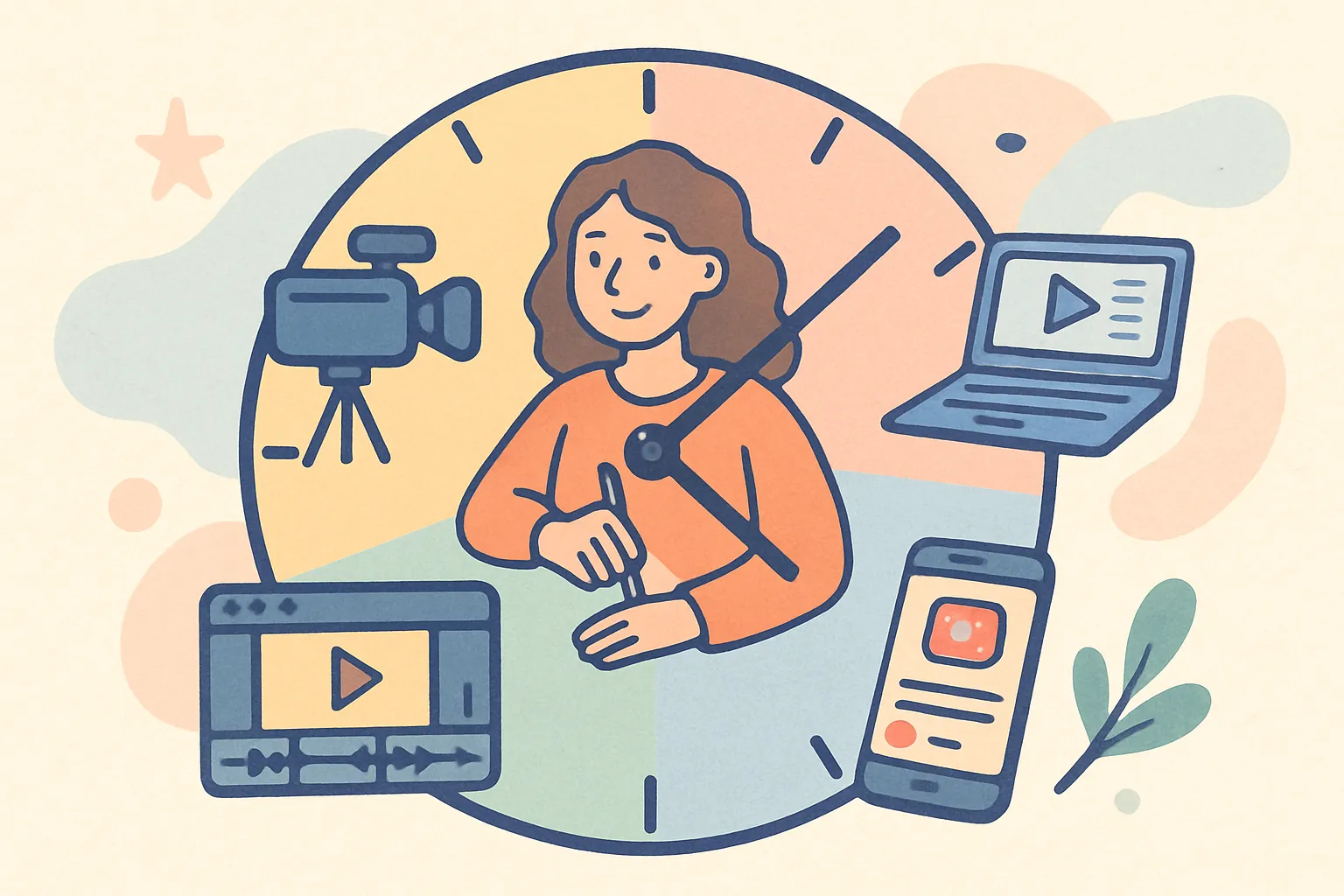
Every successful content creator has a routine. Not because they're disciplined robots, but because creating content for social media without a structure means you'll spend half your day deciding what to do and the other half doing it badly. Routines aren't constraints — they're the scaffolding that lets your creativity actually happen instead of getting lost in the chaos of decision fatigue and context switching.
A content creator daily routine isn't about rigid schedules or military precision. It's about giving your creative work the best possible conditions to actually happen, consistently, without burning out by Thursday. Whether you're full-time or creating on the side, the principles are the same — only the time allocation changes.
Key Takeaways
- Separate your day into distinct blocks: planning, creating, editing, engaging, learning, and admin. Context switching between these kills productivity
- Batch filming is non-negotiable. Shoot 3-5 videos in one session instead of one per day. You set up equipment once and stay in creative flow
- Protect your morning creative energy. Do not start the day by scrolling social media as a consumer — it kills your creative momentum
- Engagement is not optional. Spending 45-60 minutes daily on genuine engagement is one of the highest-ROI activities for growth
- Schedule content in advance so your posting consistency doesn't depend on your daily motivation
- Plan for rest. Burnout is the number one reason creators quit. Scheduled rest days are as important as scheduled creation days
Why Does Having a Content Creator Schedule Matter So Much?
The biggest myth about creators is that they work when inspiration strikes. In reality, the people growing fastest treat content like a job — because it is one. They batch their filming, protect their editing time, and carve out blocks for the less glamorous stuff like replying to comments and analyzing what's working. Professional creators who appear effortless online are running on tight, repeatable systems behind the scenes.
Without a routine, you end up doing everything in scattered 20-minute chunks between other obligations. A bit of filming here, some half-hearted editing there, a quick scroll through comments while making dinner. The result is content that takes twice as long to produce and is half as good as it could be.
With a routine, you get into flow states that produce better work in less time. Research shows it takes 23 minutes on average to regain full focus after an interruption. If you're switching between filming, editing, captioning, and replying to emails all day, you're losing hours to context-switching overhead. Dedicated blocks eliminate that waste.
The science behind creative routines
Studies on creative professionals consistently show that the highest-quality creative work happens in uninterrupted blocks of 90-120 minutes. This aligns with the brain's natural ultradian rhythm — cycles of approximately 90 minutes of high focus followed by 20-minute rest periods. The most productive creators — whether they know the science or not — build their routines around these natural energy cycles.
The other critical finding is that willpower is finite. Decision fatigue is real. By the time you've decided what to film, where to film it, what to wear, what angle to use, and what to say in the first line, you've burned through a significant portion of your daily decision-making capacity. A routine pre-decides most of these things, preserving your mental energy for the actual creative work.
What Should a Full-Time Content Creator's Daily Routine Look Like?
Here's a comprehensive daily framework that you can adapt to your schedule. We'll start with the full-time version, then show how to compress it for part-time creators.
The morning block: Planning and strategy (7:00 AM - 9:00 AM)
Start the day before you open any social media app as a consumer. This is critical. The moment you start scrolling, you lose creative momentum. Your brain shifts from "creator mode" to "consumer mode," and getting back takes 30+ minutes. Professional writers, musicians, and artists have known this for centuries — the first hours of the day are for creation, not consumption.
What to do in the morning block
- Review your content calendar — What's scheduled today? What's due this week? Any gaps to fill? If you use a scheduling tool, check what's queued and confirm it still feels right. Sometimes you'll spot a post that needs a small tweak or a caption that doesn't quite land
- Check analytics from yesterday's posts — Not to obsess over numbers, but to spot patterns. Did that carousel outperform your Reel? Did a particular caption style drive more saves? Did a specific posting time work better? Log insights in a simple spreadsheet or notes app. These patterns accumulate into strategic intelligence over weeks
- Script or outline today's content — Even a rough bullet list makes filming 3x faster. For talking-head videos, write your hook (first line), 3-5 main points, and closing CTA. For tutorials, list each step. You don't need a word-for-word script, but structure prevents rambling and wasted takes
- Prepare equipment and locations — Charge batteries, set up lighting, clear your filming space, lay out any props or products. Preparation done now saves interruptions during your creative block
- Review trending topics — Spend 10 minutes (timed) scanning what's trending in your niche. Is there a trend you can authentically participate in? A news story you can comment on? A popular audio you can use? Note ideas but don't go down rabbit holes
This block should take 60-90 minutes. You're not creating yet — you're setting the stage so creation goes smoothly. Think of it as a chef doing mise en place before cooking. The actual cooking is faster and better because everything is prepped and organized.
The creation block: Batch filming (9:00 AM - 12:00 PM)
This is the core of the daily routine for content creators. Morning energy is typically highest, natural light is best, and you haven't been drained by emails and meetings yet. This is your most valuable block — protect it ruthlessly.
Batch filming beats daily filming. Instead of filming one video per day, shoot 3-5 pieces of content in a single session. Change outfits between takes if you want them to look like different days. This approach works because:
- You only set up your equipment once
- You stay in "performance mode" instead of switching contexts
- You build a content backlog for days when you can't film — sickness, travel, low energy days
- You can theme your filming — all tutorials in one batch, all behind-the-scenes in another
- Your "camera personality" improves throughout the session as you warm up
- You can compare multiple takes and choose the best one, improving quality
Aim for 2-3 focused hours. Professional creators who post daily typically batch-film 2-3 times per week, not every single day. A Monday/Wednesday/Friday filming schedule, with editing and other tasks filling the other days, is one of the most sustainable approaches.
Batch filming workflow
- Set up your space — Lighting, camera position, audio check, background tidied (10 minutes)
- Warm up — Film a throwaway piece to get comfortable on camera. Don't use this one — it's just practice (5 minutes)
- Film in topic clusters — If you're filming three tutorial videos, do them back to back while you're in that headspace. Then switch outfits and film your behind-the-scenes content (2 hours)
- Review footage immediately — Skim through clips to make sure nothing is out of focus, audio is clean, and you covered all your points. Re-shoot anything that didn't work while you're still set up (15 minutes)
- Organize files — Name your files descriptively and sort them into folders. Future you will thank present you (10 minutes)
The editing block: Post-production (1:00 PM - 3:00 PM)
After lunch, switch to editing. This is a different type of work — detail-oriented, technical, less physically demanding. For most creators, afternoons suit editing better than mornings because editing requires focus but not peak creative energy.
Efficient editing workflow
- Rough cut first — Trim the fat from all your clips before polishing anything. Remove long pauses, false starts, and tangents. Get the skeleton of the video right before adding details. This prevents the common trap of spending 20 minutes perfecting the color grade on a clip you end up cutting entirely
- Captions and text overlays — Add these early since they shape the video's pacing. Auto-caption tools like CapCut save enormous time here. Adjust positioning, timing, and style. In 2026, videos without captions lose a significant portion of their audience since many viewers watch on mute
- B-roll and transitions — Insert supporting footage, cut-away shots, and transitions. Keep transitions simple — jump cuts and simple fades are the standard for social media. Elaborate transitions often feel over-produced
- Color and audio — Apply your standard color preset for brand consistency. Adjust audio levels, remove background noise, add background music at appropriate levels (usually 15-20% volume of the main audio)
- Thumbnails and cover frames — Create these while the content is fresh in your mind. For YouTube, the thumbnail is arguably more important than the video itself for click-through rate. For Instagram, the cover frame determines whether someone stops scrolling
- Write captions — Draft captions, hashtags, and descriptions for each piece. Include relevant keywords for social SEO. Write your hook line first — it's the only line most people read before deciding to expand the caption
If you batch-filmed three videos in the morning, you don't need to edit all three today. Edit one fully and rough-cut the others. Spread the editing across the week. This prevents editing fatigue and lets you approach each piece with fresh eyes.
Time management for editing
Set a time limit for each piece of content. A 30-second TikTok or Reel should take 30-60 minutes to edit, including captions and thumbnails. A 10-minute YouTube video might take 2-4 hours. If you're consistently exceeding these times, you're likely over-editing. Perfectionism is the enemy of consistency — a "good enough" video posted today is worth more than a perfect video posted never.
The engagement block: Community building (3:00 PM - 4:00 PM)
This is the block most creators skip, and it's one of the most impactful for growth. Every platform's algorithm rewards accounts that actively engage, not just post and disappear. The engagement block isn't just "being nice" — it's a strategic growth activity with measurable returns.
What engagement time looks like
- Reply to every comment on your last 2-3 posts — thoughtful replies, not just emojis. Each reply counts as additional engagement on the post, boosting its algorithmic reach. A post with 10 comments where you reply to each one shows 20 comments worth of engagement
- Respond to DMs — Especially questions about your content. These are your most engaged followers and the most likely to become advocates, customers, or collaborators. Treat every DM as a relationship opportunity
- Engage with others in your niche — Leave genuine comments on 10-15 posts from other creators. Not "Nice post!" but actual thoughts that add to the conversation. This is your primary discovery mechanism — people who read your insightful comment will check your profile. Spending 20 minutes on strategic commenting can drive more profile visits than a new post
- Check mentions and tags — Re-share user-generated content, thank people who mention you, and engage with anyone discussing your content or niche. This encourages more mentions and sharing
- Engage in community spaces — If you're active in Discord servers, Facebook groups, or subreddits related to your niche, spend 10 minutes contributing to discussions. Don't promote — just be helpful. People will check your profile naturally
Set a timer for 45-60 minutes. When it goes off, close the apps. Engagement is productive; mindless scrolling disguised as "research" is not. The timer is non-negotiable — without it, engagement time bleeds into hours of scrolling that feel productive but aren't.
The learning block: Skill development (4:00 PM - 5:00 PM)
The content landscape changes constantly. Creators who stop learning get left behind. Dedicate 30-60 minutes daily (or at least three times a week) to improving your craft. The best creators treat skill development as a non-optional part of their work, not something they do "when they have time."
What to spend learning time on
- Study creators ahead of you — Not to copy, but to understand what's working in your niche right now. Analyze their hooks, their editing style, their caption structure, their posting patterns. Deconstruct excellence
- Learn a new editing technique — One new transition, effect, or tool per week adds up fast. Over 6 months, that's 25+ new techniques in your toolbox. YouTube tutorials on CapCut, DaVinci Resolve, or your editor of choice are free and comprehensive
- Read about platform changes — Algorithm updates, new features, policy changes that affect your strategy. Follow industry newsletters, creator-focused accounts, and platform official blogs
- Explore adjacent skills — Copywriting, photography, public speaking, SEO, data analysis — they all feed back into your content. A creator who can write great captions has an edge. A creator who understands SEO gets discovered more easily. A creator who studies data makes better strategic decisions
- Consume content outside your niche — The most creative ideas come from cross-pollination. Watch how creators in completely different niches solve the same problems you face. A cooking creator's editing style might inspire your fitness content
The creators who grow fastest aren't the ones with the best equipment. They're the ones who improve 1% every week while everyone else stays static. Over a year, that compounds to a 67% improvement. Two years, 180%. The gap becomes enormous.
The evening block: Scheduling and admin (5:00 PM - 6:00 PM)
End the working day with logistics. This is the admin work that keeps the machine running. It's not glamorous, but it's the difference between a sustainable creator career and a chaotic one.
- Schedule completed content — Upload to your scheduling tool, set optimal posting times for each platform. Using a tool like cross-post lets you schedule across all your platforms at once, saving the time of logging into each platform separately. Queue your content for the next few days so you're never scrambling to post in real-time
- Update your content calendar — Mark what's done, note what's in progress, flag any content gaps for tomorrow. A visual calendar showing your week at a glance prevents the panic of "I have nothing to post tomorrow"
- Handle business tasks — Invoice brand deals, respond to collaboration emails, update your media kit, manage subscriptions and tools, track income and expenses. These tasks expand as your career grows, so getting them done daily prevents backlog
- Plan tomorrow's priorities — Spend 5 minutes writing down the three most important things for tomorrow. Just three. This primes your brain overnight and means you start tomorrow with clarity instead of indecision
How Do You Adapt This Schedule If You Have a Full-Time Job?
Not everyone can dedicate 8 hours a day to content. If you have a full-time job and create on the side, compress the schedule. The blocks matter more than the specific times. What matters is separating planning from creation from editing from engagement, so each gets focused attention.
The part-time creator schedule
- Mornings (before work, 6:00 - 7:00 AM) — 30 minutes of planning and engagement. Review analytics, reply to comments, plan the day's tasks. This is a compressed version of the morning and engagement blocks
- Lunch break (12:00 - 12:45 PM) — Draft captions and scripts. Outline content ideas. This is thinking work that doesn't require equipment or a quiet space
- Evenings (7:00 - 9:00 PM) — 1-2 hours of filming and editing. This is your creation block. Protect it from other obligations
- Weekends (Saturday or Sunday, 3-4 hours) — One batch session to create the week's content. This is your power session where you film multiple pieces, do deep editing, and schedule content for the coming week
This totals roughly 10-12 hours per week. It's enough to maintain consistent posting on 1-2 platforms if you're efficient with your time and ruthless about batch creation.
Making the part-time schedule work
Part-time creators need to be even more intentional than full-time ones because every minute counts. Here are specific strategies:
- Simplify your content format. Complex multi-angle shots with custom animations aren't sustainable on a part-time schedule. Talking-head videos, screen recordings, and simple carousels are formats that can be created quickly without sacrificing quality
- Batch aggressively. Your weekend session should produce 5-7 pieces of content. That's enough for a full week of posting on your primary platform plus some cross-posting
- Automate everything possible. Schedule posts in advance. Use auto-caption tools. Create templates for your carousel designs so you're not starting from scratch each time
- Lower your production threshold. A clear, well-lit talking-head video filmed on your phone with natural window light is good enough. Don't let production perfectionism prevent you from posting consistently
How Do You Create a Weekly Content Plan?
A daily routine works best within a weekly framework. Planning your week in advance prevents the daily stress of "what should I post?" and ensures your content pillars get equal representation.
Sample weekly content plan
| Day | Content Type | Pillar | Format | Primary Block |
|---|---|---|---|---|
| Monday | Educational tip | Pillar 1 | Short video / Reel | Film + Edit |
| Tuesday | Behind-the-scenes | Pillar 3 | Story series / Thread | Light filming + Edit |
| Wednesday | In-depth tutorial | Pillar 2 | Carousel / Long video | Film + Edit |
| Thursday | Trending topic response | Pillar 1 or 2 | Short video | Quick film + Edit |
| Friday | Engagement / Q&A | Community | Live / Story Q&A | Engagement heavy |
| Saturday | Batch filming session | All pillars | Multiple formats | Creation heavy |
| Sunday | Rest + Planning | N/A | N/A | Light admin only |
What Are the Most Common Mistakes in a Creator's Daily Routine?
Even creators with established routines fall into common traps. These mistakes don't just waste time — they erode the quality of your content and your mental health.
Starting the day by scrolling
This is the single most destructive habit for creators. When you start your day consuming other people's content, two things happen: you deplete your creative energy on consumption instead of creation, and you unconsciously absorb other people's ideas, making your own content less original. Your best creative energy is in the first hours after waking. Spend it creating, not scrolling.
Fix: Put your phone on Do Not Disturb until your morning planning block is done. If you need to check something specific, write it on a note and check it after your creation block.
Editing one video for 4 hours
Perfectionism kills output. A video edited for 4 hours isn't 4x better than one edited for 1 hour — it's maybe 10% better, at the cost of three other pieces of content you could have created. Your audience doesn't notice the difference between "good" and "perfect." They notice consistency and value.
Fix: Set a hard time limit for each edit. 30-60 minutes for short-form content, 2-3 hours for long-form. When the timer goes off, export what you have. Ship it. Your future posts will be better because you'll have practiced more.
Skipping engagement
Posting without interacting tells the algorithm (and your audience) that you don't care about community. Creators who spend 100% of their time creating and 0% engaging grow slower than those who split 70/30 between creation and engagement.
Fix: Make engagement a non-negotiable block in your daily routine. Treat it with the same importance as your creation block. It directly impacts your reach, your audience loyalty, and your content ideas (comments are a gold mine for content inspiration).
Never taking a day off
Burnout is the number one reason creators quit. Schedule rest days the same way you schedule content. A creator who posts 5 times a week for a year will massively outperform one who posts 7 times a week for 3 months and then quits.
Fix: Build at least one full rest day into your weekly schedule. No filming, no editing, no analytics checking, no "just quickly replying to this comment." Your brain needs recovery time to generate fresh ideas. Creativity is a renewable resource, but only if you let it renew.
Not batching
Creating one piece of content per day is the least efficient way to work. Every day you're setting up equipment, finding your flow, getting into camera mode, and then packing it all up after producing one piece. The setup and teardown costs are the same whether you make one piece or five.
Fix: Dedicate 2-3 batch filming sessions per week instead of daily filming. One 3-hour session can produce an entire week's content. The quality is often better too, because you've warmed up and found your rhythm by piece number three.
Treating every platform differently
Many creators waste hours creating entirely unique content for each platform. While you should adapt your content (different captions, different formats), the core idea should be reused. One filming session can produce a TikTok, a Reel, a YouTube Short, a carousel, and a thread — all from the same idea.
Fix: Create your content with repurposing in mind. Film in vertical for short-form platforms. Capture extra footage for longer edits. Write captions that can be expanded for Instagram or trimmed for X. Use cross-post to distribute across platforms efficiently.
How Do You Prevent Creator Burnout?
Burnout isn't just feeling tired — it's losing the desire to create altogether. It's the point where content creation, which you once enjoyed, becomes a draining obligation. Every successful long-term creator has either experienced burnout or developed systems to prevent it. Prevention is much easier than recovery.
Signs of approaching burnout
- Dreading content creation instead of looking forward to it
- Content quality declining despite similar effort
- Feeling resentful toward your audience or the platform
- Procrastinating on content until the last possible moment
- Physical symptoms: fatigue, headaches, insomnia
- Feeling like you have nothing left to say about your niche
Burnout prevention strategies
- Build a content backlog. Having 2-3 weeks of content scheduled in advance means you can take a week off without your audience noticing or your consistency suffering. The backlog is your insurance policy against burnout
- Set boundaries with your audience. You don't owe anyone 24/7 availability. Decide when you engage and communicate those boundaries. "I reply to DMs on weekday afternoons" is reasonable
- Create content you enjoy. If you've built an audience around a content type you hate creating, something needs to change. You can gradually shift your content mix toward formats you enjoy without losing your audience
- Remember why you started. Reconnect with the original motivation. If you started creating because you loved teaching, and now you're spending all your time on admin and analytics, rebalance
- Take planned breaks. A week off every 2-3 months is not laziness — it's maintenance. Schedule it in advance and use your content backlog to maintain posting consistency during the break
What Tools Make a Content Creator's Routine More Efficient?
The right tools can compress hours of work into minutes. Here are the essentials by category.
Content creation tools
- Video editing: CapCut (free, mobile + desktop), DaVinci Resolve (free, professional-grade), or your platform's built-in editor
- Graphic design: Canva (free tier covers most needs) for carousels, thumbnails, and graphics
- Auto-captions: CapCut, Descript, or platform-native tools. Auto-captioning saves 15-30 minutes per video
- AI writing assistants: For brainstorming content ideas, generating caption drafts, and overcoming writer's block. Always edit AI output to match your voice
Scheduling and distribution tools
- Cross-platform scheduling: A tool that lets you publish to multiple platforms from one dashboard eliminates the need to log into each platform individually. This alone saves 30+ minutes per day
- Content calendar: Notion, Trello, or a simple Google Sheet. The tool matters less than actually using it
Analytics and research tools
- Platform native analytics: Free and sufficient for most creators. Instagram Insights, TikTok Analytics, YouTube Studio
- Trend monitoring: Google Trends, TikTok Creative Center, and manual observation of what's performing in your niche
Frequently Asked Questions
How many hours a day do content creators work?
Full-time content creators typically work 6-8 hours per day, with 2-3 hours on creation, 1-2 hours on editing, 1 hour on engagement, and 1-2 hours on planning, admin, and learning. Part-time creators can maintain consistent posting with 1-2 hours on weekdays and one 3-4 hour batch session on weekends, totaling 8-14 hours per week. The key is that creation time doesn't include scrolling, browsing, or "research" that's actually consumption.
What time should content creators wake up?
There's no universal "best" time. The important thing is that your highest-energy hours are dedicated to creation, not consumption or admin. For most people, that means early morning. But if you're a night owl who does your best creative work at 10 PM, build your routine around that. The schedule should fit your natural energy patterns, not someone else's idea of when a creator "should" wake up.
How do full-time content creators make money?
Full-time creators typically earn from multiple revenue streams: brand deals and sponsorships (often the largest source), ad revenue from platforms like YouTube, affiliate marketing, digital products (courses, templates, presets), memberships and subscriptions (Patreon, YouTube Memberships), coaching or consulting, and merchandise. Most successful full-time creators have 3-5 active revenue streams rather than relying on a single source.
Is it possible to be a content creator with a 9-5 job?
Yes, and most successful creators started this way. The compressed schedule described above (30 minutes before work, lunch break for planning, 1-2 hours in the evening, one batch session on weekends) is enough to maintain consistent posting on 1-2 platforms. Many creators built audiences of 10K-50K while working full-time before transitioning to full-time content creation. The key is batch creation and scheduling content in advance so you're never creating under time pressure.
How many pieces of content should I create per week?
For consistent growth, aim for 3-5 pieces per week on your primary platform. This is enough for the algorithm to learn your content and for your audience to remember you, without burning out. Quality matters more than quantity once you're past the initial growth phase. A creator who posts 3 excellent pieces per week will outgrow one who posts 7 mediocre pieces. Start with whatever frequency you can sustain for 90 days, then adjust based on your results and capacity.
What's the best day to film content?
The best day to film is whichever day you can protect 2-3 uninterrupted hours. Many full-time creators film Monday and Wednesday mornings, using the other weekdays for editing, engagement, and admin. Part-time creators often batch-film on Saturday or Sunday mornings. The specific day matters less than the consistency of having a regular filming day that you honor every week.
How do you come up with content ideas every day?
You don't need a new idea every day — you need a system for generating and storing ideas. Keep a running ideas list (notes app, voice memos, dedicated notebook) and add to it constantly. Ideas come from: comments on your posts (questions your audience asks), analytics (what topics perform best), competitor content (what's working in your niche), your own experiences, trending topics, and seasonal events. With 3-4 content pillars and an ideas list, you should always have 20+ ideas queued up.
Should I post every day or take weekends off?
This depends on your platform and capacity. On TikTok and X, daily posting can accelerate growth. On YouTube and LinkedIn, 3-5 posts per week is optimal. On Instagram, daily Reels plus Stories is ideal but 4-5 per week works well. Regardless of platform, you don't need to create every day — batch filming and scheduling let you maintain a daily posting schedule while only creating on 2-3 days per week.
The Bottom Line
A content creator routine isn't about being rigidly productive every minute. It's about creating structure so your creative work actually gets done — not squeezed into whatever time is left after everything else. The routine removes the daily decision of "what should I do right now?" and replaces it with "here's what I'm doing in this block."
Build your schedule around the blocks: plan, create, edit, engage, learn, admin. Adjust the times to fit your life. Protect the creation block above all else — that's where your content quality lives. Schedule your content in advance so consistency doesn't depend on daily motivation. And give yourself permission to iterate — your routine in month six will look nothing like your routine in month one, and that's exactly how it should work.
The creators who build sustainable careers aren't the ones who work the most hours. They're the ones who work the most intentionally.
Ready to simplify your social media?
Post to Instagram, YouTube, TikTok, X, Threads, Pinterest, and Facebook from one dashboard.
Get Started Free →