YouTube Shorts has evolved from an experimental feature into one of the most powerful growth engines on the internet. With over 70 billion daily views and counting, Shorts now drives more new subscriptions than any other content format on YouTube. If you are a creator, marketer, or business owner and you are not making Shorts, you are leaving growth on the table.
This is the most comprehensive guide to YouTube Shorts you will find anywhere. We cover the algorithm mechanics, creation strategies, monetization details, optimization techniques, analytics interpretation, and the exact steps you need to take whether you are starting from zero or scaling an existing channel. Every section is built on real data and tested strategies from creators who are actually growing with Shorts in 2026.
Key Takeaways
- YouTube Shorts get over 70 billion daily views and are YouTube's primary discovery and subscription-driving format in 2026
- The algorithm rewards watch completion above all else — Shorts between 38-50 seconds with strong hooks consistently outperform
- Shorts have the longest content lifespan of any short-form video platform, with videos gaining traction weeks or months after upload
- Monetization pays $0.03-$0.10 per 1,000 views through the revenue sharing model, but the real value is subscriber growth and funnel building
- Consistency matters more than perfection — posting 3-5 Shorts per week builds algorithmic trust and audience faster than sporadic uploads
- Cross-posting Shorts across TikTok, Instagram Reels, and other platforms using a tool like cross-post maximizes your reach from the same content
What Are YouTube Shorts?
YouTube Shorts are vertical videos in 9:16 aspect ratio that are 60 seconds or less. They live in a dedicated Shorts feed within the YouTube app — a full-screen, scrollable experience designed to compete directly with TikTok and Instagram Reels. But unlike those platforms, Shorts are deeply integrated with the broader YouTube ecosystem, which gives them unique advantages.
Here are the technical specifications you need to know:
| Specification | Requirement | Notes |
|---|---|---|
| Maximum length | 60 seconds | Videos over 60 seconds are classified as long-form |
| Aspect ratio | 9:16 (vertical) | Square (1:1) works but takes up less screen space |
| Resolution | 1080x1920 recommended | Higher resolutions are downscaled; lower resolutions look blurry |
| File format | MP4 recommended | MOV and WebM also supported |
| Title length | Under 40 characters recommended | Longer titles get truncated on mobile |
| Description | Up to 5,000 characters | Use keywords naturally for search visibility |
| File size | Up to 256 MB | Keep files compressed for faster uploads |
Shorts can be recorded directly in the YouTube app using the built-in camera, but the vast majority of successful creators film and edit externally using tools like CapCut, DaVinci Resolve, or their phone's native camera app. The YouTube camera is fine for casual content, but external editing gives you far more control over pacing, effects, captions, and overall quality.
How Does the YouTube Shorts Algorithm Work?
The Shorts algorithm operates on a fundamentally different model than YouTube's long-form recommendation system. Understanding these differences is critical because the tactics that grow a long-form channel often do not apply to Shorts at all. The Shorts algorithm is closer to TikTok's distribution model than to traditional YouTube, but with several important distinctions.
How Does YouTube Test Your Short?
When you upload a Short, YouTube shows it to a small sample of viewers in the Shorts feed — typically a few hundred to a few thousand people. These viewers are selected based on topic relevance, not whether they follow you. Based on how this test audience responds, YouTube decides whether to expand distribution to a larger group, and then a larger group again, in a cascading pattern.
This means your follower count is largely irrelevant for Shorts distribution. A channel with 50 subscribers can get 1 million views on a Short if the content performs well in testing. Conversely, a channel with 500,000 subscribers can get 200 views on a Short that fails the test phase. The algorithm is radically meritocratic.
What Signals Does the Algorithm Measure?
The algorithm evaluates several engagement signals during the testing phase, and each one carries different weight:
- Watch completion rate (most important) — The percentage of viewers who watch your entire Short from beginning to end. This is the single most important metric. A Short that 70% of viewers watch to completion will massively outperform one where only 30% finish it, even if the lower-completion Short has more total views initially
- Swipe-away rate — How quickly people scroll past your video. A high swipe-away rate in the first 2-3 seconds is the kiss of death for a Short. YouTube interprets early swipes as a strong negative signal
- Replay rate — How many viewers watch your Short more than once. Replays are an extremely strong positive signal because they indicate the content was compelling enough to warrant repeat viewing
- Engagement velocity — How quickly your Short accumulates likes, comments, shares, and saves after posting. Fast engagement in the first 30-60 minutes signals high quality to the algorithm
- Watch session extension — Whether viewers continue watching more Shorts (or any YouTube content) after finishing yours. YouTube rewards content that keeps people on the platform. If your Short causes someone to keep scrolling through more Shorts, YouTube attributes that session value to your video
- Like-to-view ratio — The percentage of viewers who actively like your Short. While less important than completion rate, a strong like ratio confirms quality
- Share rate — How often viewers share your Short via DM, other apps, or embed links. Shares are the strongest organic distribution signal
What Is the Shorts Discovery Window?
One of YouTube Shorts' most significant advantages over TikTok and Reels is the extended discovery window. On TikTok and Instagram, content typically sees most of its engagement within 24-48 hours of posting. After that initial burst, distribution drops dramatically.
YouTube Shorts operate on a much longer timeline. A Short that does not take off immediately can still go viral days, weeks, or even months later. YouTube continuously re-tests older content with new audience segments. If a Short starts performing well with a new group, the algorithm re-accelerates its distribution.
This means two things practically. First, do not judge a Short's performance based on its first 24 hours. Give it at least a week before drawing conclusions. Second, your back catalog of Shorts continues working for you over time, compounding your total views and subscriber growth in a way that TikTok and Reels simply do not.
How Does the Shorts Algorithm Differ From Long-Form YouTube?
The key differences between Shorts and long-form YouTube recommendations are worth understanding clearly:
| Factor | Shorts Algorithm | Long-Form Algorithm |
|---|---|---|
| Primary metric | Watch completion rate | Average view duration and watch time |
| Subscriber influence | Minimal — content-based distribution | Significant — subscribers see content first |
| Thumbnail impact | None — Shorts auto-play in the feed | Critical — thumbnails drive click-through rate |
| Search relevance | Growing — Shorts appear in search results | Major — search is a primary traffic source |
| Discovery speed | Can reach millions in hours | Typically builds over days to weeks |
| Content lifespan | Weeks to months | Months to years |
How Do You Make YouTube Shorts That Actually Perform?
Creating a high-performing Short requires deliberate attention to three distinct phases: the hook, the content delivery, and the ending. Each phase serves a specific purpose in the viewer's experience and directly impacts the algorithmic signals that determine distribution.
How Do You Hook Viewers in the First 3 Seconds?
The first 2-3 seconds of your Short determine whether someone watches or swipes. This is not an exaggeration — data from YouTube creator analytics consistently shows that Shorts with strong hooks have 40-60% better completion rates than those that start slowly. Your hook must accomplish one thing: give the viewer a reason to keep watching.
Here are the most effective hook types for YouTube Shorts in 2026:
- Start with the result — Show the finished product, the surprising outcome, or the payoff before explaining how you got there. "I turned this $5 thrift store find into this" while showing the amazing transformation immediately creates a curiosity gap. The viewer wants to see how it happened
- Open with a bold claim or question — "Did you know your iPhone can do this?" or "This is the biggest mistake beginners make with investing." Bold statements trigger a psychological need to verify or learn more
- Use pattern interrupts — An unexpected visual, an unusual camera angle, a sudden loud sound, or on-screen text that contrasts with what the viewer expects. Pattern interrupts work because the human brain is wired to pay attention to things that deviate from the norm
- On-screen text overlays — A bold text overlay like "3 things I wish I knew before buying a house" catches attention even when viewers are scrolling with sound off. Since roughly 40% of Shorts viewers watch without audio at some point, visual hooks matter enormously
- Jump straight into action — No intros, no "Hey guys," no branding screens. The most successful Shorts start mid-action or mid-sentence. Cut everything before the interesting part begins
How Do You Structure the Middle of a Short?
The body of your Short needs to deliver on whatever promise your hook made. If you said you would share three tips, share three genuinely useful tips. If you showed a result, explain the process. Broken promises destroy trust and tank your completion rate.
- Keep pacing tight — Cut every pause, every "um," every moment of dead air. Use jump cuts aggressively to maintain momentum. The average viewer attention span in a Shorts feed is brutally short, and any lull gives them permission to swipe
- Add captions or text overlays — Captions are not optional in 2026. They serve viewers watching without sound, improve accessibility, and add a visual element that keeps eyes on the screen. Auto-caption tools in CapCut or YouTube's built-in captioning make this effortless
- Use visual variety — Change camera angles, add B-roll, use zoom effects, switch between talking-head and demonstration shots. Visual changes every 2-3 seconds keep the brain engaged and prevent the content from feeling static
- Deliver genuine value — Every second should teach, entertain, or move the story forward. If you can remove a section without losing anything important, remove it. Padding is the enemy of completion rate
- Stack information density — The best Shorts pack an impressive amount of value into a short time. Think about how much you can teach or show in 45 seconds without feeling rushed. This density is what makes viewers feel like they got real value and prompts saves and shares
How Should You End a YouTube Short?
The ending of your Short matters more than most creators realize, for two reasons. First, a clean ending improves completion rate because viewers are not confused about when the video is over. Second, a good ending can trigger replays, comments, follows, or shares — all of which amplify distribution.
- Loop endings — Connect the last frame back to the first so the Short replays seamlessly. Viewers often watch a looped Short 2-3 times before realizing it has restarted, which dramatically boosts your replay and completion metrics
- Call to action endings — "Follow for more" or "Comment which tip you are trying first" gives viewers a clear next step. Keep CTAs brief — one action, not three
- Cliffhanger endings — "Wait until you see what happened next — Part 2 is on my channel." This drives profile visits and can funnel viewers to your other Shorts or long-form content
- Clean cut endings — Simply end on your final point with confidence. Do not let the video trail off with filler like "anyway, that's it." A definitive ending signals professionalism and respects the viewer's time
What Is the Optimal Length for a YouTube Short?
Data from early 2026 shows that Shorts between 38-50 seconds achieve the highest completion rates and algorithmic favor. They are long enough to deliver substantive value but short enough to maintain full attention through to the end.
That said, content should dictate length. A compelling 15-second Short will outperform a padded 45-second one every time. The worst thing you can do is stretch a 20-second idea into a 55-second video with filler. Viewers sense padding immediately, and swipe-away rate spikes the moment content stops being valuable.
Here is a general guideline by content type:
- Quick tips or facts: 15-25 seconds
- Mini tutorials: 30-45 seconds
- Storytelling or demonstrations: 40-55 seconds
- Compilations or multi-point lists: 45-60 seconds
What Are YouTube Shorts Best Practices for 2026?
Beyond the structural elements of individual Shorts, several strategic best practices determine your long-term success on the platform.
How Often Should You Post YouTube Shorts?
Post a minimum of 3 Shorts per week. Channels posting 5-7 Shorts per week see the fastest growth because each Short is an independent lottery ticket — more Shorts means more chances for the algorithm to find a winner that it can push to a massive audience.
However, quality must not be sacrificed for quantity. Three excellent Shorts per week will outperform seven mediocre ones. The ideal approach is to batch-create your Shorts in focused production sessions. Spend one day filming and editing 5-7 Shorts, then schedule them throughout the week using a tool like cross-post to maintain a consistent publishing cadence without the daily grind of creation.
Should You Use Trending Sounds on Shorts?
Trending audio is one of the most powerful discovery mechanisms on YouTube Shorts. Data from 2025-2026 shows that roughly 43% of Shorts that reach over 1 million views use trending sounds. YouTube's creation tool surfaces trending audio directly, making it easy to find sounds that are currently being promoted algorithmically.
When using trending sounds, adapt them to your niche rather than blindly following the trend. A business coach using a trending audio clip to deliver a business insight leverages the trend while staying on-brand. A business coach doing a random dance trend with no connection to their content confuses their audience and dilutes their brand.
How Should You Optimize Shorts Titles and Descriptions?
YouTube Shorts appear in search results — both on YouTube and on Google. This is a massive advantage that no other short-form platform offers. Optimizing your titles and descriptions for search gives your Shorts long-term discoverability beyond the feed.
- Titles: Keep them under 40 characters so they display fully on mobile. Include your primary keyword naturally. "3 Budgeting Tips That Actually Work" is better than "OMG YOU NEED TO SEE THIS"
- Descriptions: Write 100-300 words with natural keyword usage. Include relevant context, related topics, and a call to action. Think of the description as a mini SEO article
- Hashtags: Include #Shorts (though YouTube usually detects the format automatically) plus 2-3 topic-relevant hashtags. Do not spam 20+ hashtags — it looks desperate and does not help
Should You Cross-Post YouTube Shorts to Other Platforms?
Yes, but do it correctly. The same vertical video that works as a YouTube Short can also be posted as a TikTok, Instagram Reel, or even a Pinterest Idea Pin. However, there are critical rules:
- Never upload with watermarks — Uploading a TikTok video with the TikTok watermark to YouTube (or vice versa) dramatically hurts performance. Every platform deprioritizes content that visibly came from a competitor. Always save and upload clean, watermark-free versions
- Adapt captions to each platform — YouTube Shorts titles are short; TikTok descriptions can be longer and hashtag-heavier; Instagram Reels benefit from different caption styles. Take 2 minutes to customize each
- Stagger your posting times — Do not post to all platforms simultaneously. Different platforms have different peak engagement windows. Schedule each version for that platform's optimal time
How Do You Use Shorts as a Growth Funnel?
The smartest creators on YouTube do not treat Shorts as standalone content. They use Shorts as top-of-funnel discovery content that feeds viewers into their long-form videos, where deeper engagement and monetization happen.
Think of it like this: Shorts are movie trailers for your channel. They introduce new viewers to your style, personality, and expertise in 60 seconds or less. Your long-form content is the full movie — where you convert those casual viewers into committed subscribers.
Specific funnel tactics:
- Create Shorts that tease long-form content — Pull the most compelling 45 seconds from a 15-minute video and post it as a Short with "Full video on my channel"
- Create complementary content pairs — A Short showing "3 quick tips for better sleep" paired with a long-form video titled "The Complete Guide to Better Sleep" naturally drives traffic between formats
- Use end screens strategically — While Shorts have limited end screen options compared to long-form, you can verbally direct viewers to related content on your channel
- Pin a comment — Pin a comment on your Shorts linking to the relevant long-form video. Many viewers check comments and will click through
How Does YouTube Shorts Monetization Work in 2026?
YouTube now shares ad revenue from Shorts through a Creator Pool model. This is the most transparent short-form video monetization system available, and understanding exactly how it works helps you set realistic expectations and maximize your earnings.
What Are the Monetization Requirements?
YouTube offers two tiers for Shorts monetization through the YouTube Partner Program:
| Tier | Requirements | What It Unlocks |
|---|---|---|
| Tier 1 (Fan Funding) | 500 subscribers + 3 million Shorts views in 90 days | Super Thanks, Super Chat, channel memberships, Super Stickers |
| Tier 2 (Ad Revenue) | 1,000 subscribers + 10 million Shorts views in 90 days (or 4,000 long-form watch hours) | Ad revenue sharing from Shorts, plus all Tier 1 features |
How Does the Revenue Sharing Model Work?
YouTube pools all revenue from ads displayed between Shorts in the feed. That pool is then divided among creators based on their share of total Shorts views during the period. Creators keep 45% of what is allocated to them.
Here is a realistic breakdown of what to expect:
- RPM (Revenue per Mille): $0.03 to $0.10 per 1,000 views, with most creators averaging around $0.05-$0.07
- 1 million views: Approximately $30-$100
- 10 million views per month: Approximately $300-$1,000
- 50 million views per month: Approximately $1,500-$5,000
These numbers are significantly lower than long-form YouTube CPMs, which average $3-$12 per 1,000 views. This is why the most successful YouTube creators use Shorts for growth and long-form content for revenue — the two formats serve different purposes in the creator economy.
What About Revenue Beyond Ads?
The real monetization value of YouTube Shorts is not the direct ad revenue. It is the subscribers you gain who then generate value through other channels:
- Long-form video ad revenue — A subscriber gained through a Short who watches your 15-minute videos is worth 50-100x more in ad revenue than the Short itself generated
- Product sales — Shorts introduce potential customers to your products, courses, services, or merchandise
- Affiliate marketing — Driving viewers from Shorts to long-form videos with affiliate links in descriptions
- Brand sponsorships — A growing Shorts presence increases your overall channel metrics, making you more attractive to sponsors
- Channel memberships — Shorts viewers who subscribe and become fans may join your membership program
- Super Thanks — Viewers can tip on individual Shorts, and popular Shorts can generate meaningful Super Thanks revenue
How Do YouTube Shorts Compare to TikTok and Instagram Reels?
Each short-form video platform has distinct advantages and disadvantages. Understanding these differences helps you decide where to invest your primary effort and how to adapt content across platforms.
| Factor | YouTube Shorts | TikTok | Instagram Reels |
|---|---|---|---|
| Content lifespan | Weeks to months | 24-72 hours peak | 24-48 hours peak |
| Max length | 60 seconds | 10 minutes | 90 seconds |
| Search discoverability | Strong (YouTube + Google search) | Growing but limited | Minimal |
| Monetization | 45% ad revenue share | Creator Fund (declining RPM) | Bonuses (limited availability) |
| Audience transition | Seamless to long-form on same platform | Mostly stays in short-form | Can transition to Instagram posts/stories |
| Editing tools | Basic in-app | Most advanced in-app editor | Good in-app editor |
| Trending sounds | Growing library | Largest and most diverse | Tied to Instagram music library |
| Organic reach potential | Very high for new creators | High but increasingly competitive | Moderate, favors existing audiences |
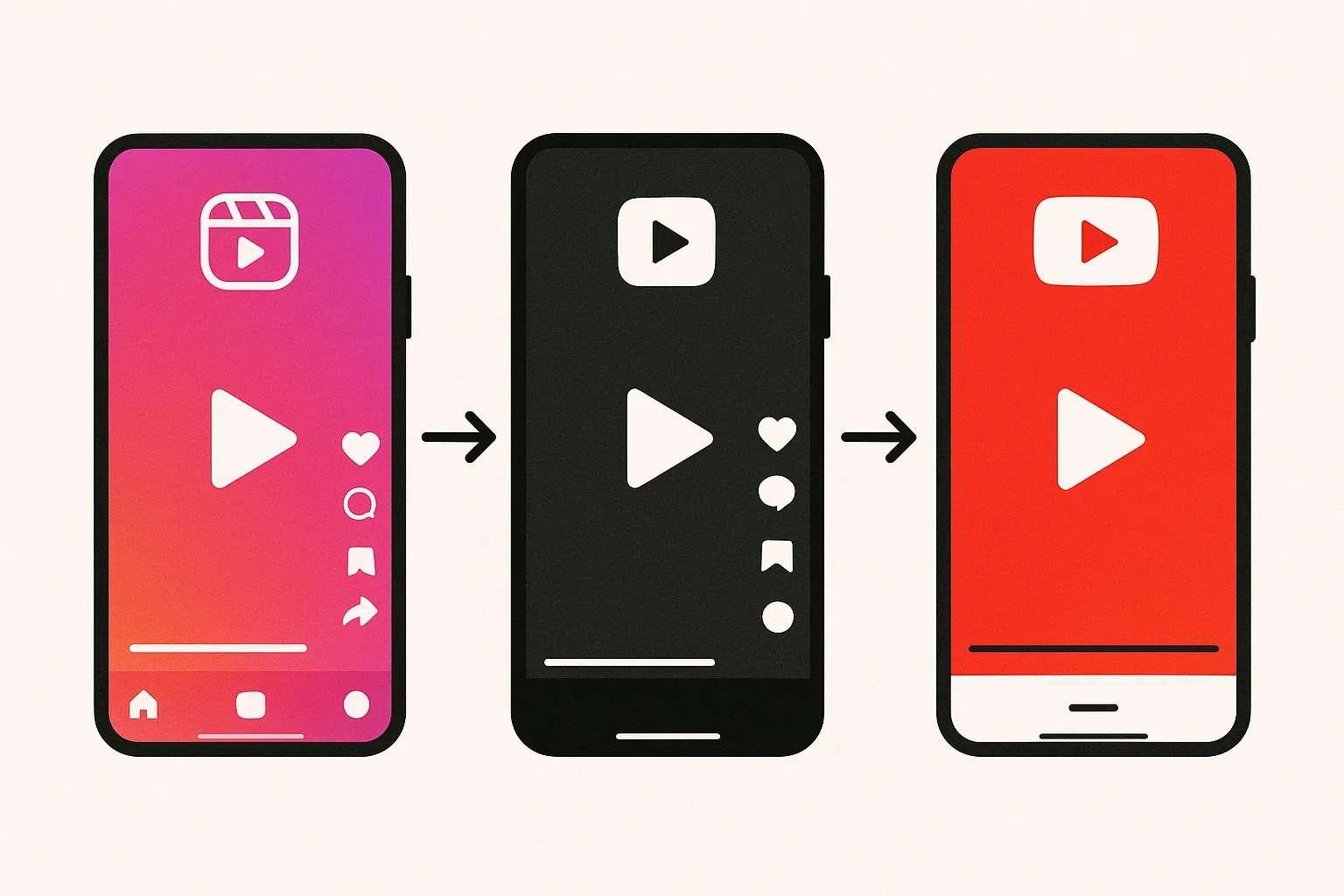
The strongest strategy for most creators is to produce content once and distribute across all three platforms, adapting each version slightly. The YouTube version benefits from search optimization and long-form funneling. The TikTok version leverages trending sounds and the platform's younger audience. The Reels version reaches your existing Instagram community.
How Do You Read YouTube Shorts Analytics?
YouTube Studio provides detailed analytics for Shorts, and knowing which metrics to focus on separates creators who grow from those who stagnate.
Which Metrics Actually Matter?
- Percentage viewed (completion rate) — This is your north star metric. If your average completion rate is above 70%, your content is performing well. Below 50%, your hooks or pacing need work
- Swipe-away percentage — Check what percentage of viewers swipe away in the first 3 seconds. If this number is above 40%, your hooks are not strong enough
- Views from Shorts feed vs. other sources — This tells you whether the algorithm is actively distributing your Shorts (feed views) or whether most views come from your existing subscribers (subscriber views). You want feed views to be the majority
- Subscribers gained per Short — Track which Shorts drive the most subscriptions. These reveal the topics and formats your target audience responds to most
- Traffic to long-form content — If you are using Shorts as a funnel, track how many viewers move from a Short to one of your long-form videos
How Often Should You Review Analytics?
Review your Shorts analytics weekly. Look for patterns across your last 10-20 Shorts: which topics got the highest completion rates, which hooks performed best, what length range worked most consistently, and which Shorts drove the most subscriptions. Double down on the patterns that work and iterate away from those that do not.
What Are the Most Common YouTube Shorts Mistakes?
Even experienced creators make these errors. Avoiding them puts you ahead of the majority of Shorts creators on the platform.
- Slow intros — Any intro screen, logo animation, or "Hey what's up guys" opening burns your most critical seconds. Jump straight into value
- No captions — Roughly 40% of Shorts are watched without sound at some point. No captions means losing almost half your potential engagement
- Posting inconsistently — Uploading 10 Shorts in one day and then disappearing for two weeks confuses the algorithm and your audience. Consistent scheduling wins
- Ignoring the description — Many creators leave the description blank. This throws away free search traffic from YouTube and Google
- Watermarked cross-posts — Uploading videos with TikTok or other platform watermarks signals to YouTube that this is recycled content, and it gets deprioritized
- Chasing trends without relevance — Jumping on trending sounds or formats that have nothing to do with your niche confuses your audience and dilutes your channel identity
- Giving up too early — The algorithm needs time to learn your content and find your audience. Creators who quit after 10-20 Shorts never give the algorithm enough data to optimize distribution
- Ignoring comments — Replying to comments on your Shorts boosts engagement metrics and encourages more interaction. The first hour after posting is especially important
How Do You Get Started With YouTube Shorts This Week?
You do not need a perfect strategy to start. You need to start creating, gather data, and iterate. Here is your first-week action plan:
- Day 1: Research and ideation — Spend 30 minutes browsing the Shorts feed in your niche. Note what hooks catch your attention, what content formats appear most, and what topics are trending. Write down 7-10 Short ideas based on your expertise and what you observed
- Day 2: Batch record — Set up your filming area once and record 5 Shorts in sequence. Change your shirt between recordings if you want them to look like different days. Use your phone camera at 1080p vertical
- Day 3: Edit all 5 Shorts — Open CapCut or your editor of choice and edit all 5 Shorts in one session. Add captions, trim dead air, add any text overlays or effects. Export all at once
- Days 4-8: Publish one Short per day — Upload one Short each day and schedule them for your audience's peak hours. Use cross-post to simultaneously distribute each Short to TikTok, Reels, and any other short-form platforms you are on
- Day 9: Review analytics — Look at which Short got the highest completion rate, which topic resonated most, and which hook stopped the most scrollers. Use these insights to plan your next batch
That is enough to start generating real data about what works for your specific audience and niche. From there, double down on winning patterns and keep posting consistently. YouTube's algorithm needs at least 30 Shorts before it has enough data to reliably find your ideal audience. Most creators see significant growth inflection between their 50th and 100th Short — so the sooner you start, the sooner you reach that tipping point.
Advanced YouTube Shorts Strategies for 2026
Once you have the basics down and are posting consistently, these advanced strategies can accelerate your growth further.
How Do You Use Shorts Series for Subscriber Growth?
Creating a numbered series of Shorts on a specific topic is one of the most effective subscriber growth tactics. When a viewer discovers Part 3 of your series and finds it valuable, they visit your channel to watch Parts 1, 2, 4, and beyond. This binge behavior signals to YouTube that your channel has depth, and it increases the likelihood that the algorithm recommends your other Shorts.
Successful series formats include: daily tips in a specific niche (Day 1 of learning guitar, Day 2, etc.), myth-busting series (Myth #1, Myth #2), ranking series (Rating every coffee shop in my city), and challenge series (30 days of cooking with only 5 ingredients).
How Do You Optimize Shorts for Google Search?
YouTube Shorts now appear in Google search results, which is an advantage unique to this platform. To capitalize on this, treat your Shorts titles and descriptions like SEO content. Research what people are searching for in your niche using Google Trends, YouTube's search suggest, and keyword tools. Create Shorts that directly answer popular search queries, and use those queries in your titles and descriptions.
A Short titled "How to Remove Background in Canva in 10 Seconds" can rank in Google search results and drive views for months or years, long after the initial Shorts feed distribution has peaked.
How Do You Use A/B Testing With Shorts?
Because each Short gets independent algorithmic distribution, you can effectively A/B test different approaches. Create two Shorts covering the same topic but with different hooks, different lengths, or different visual styles. Post them a few days apart and compare the analytics. Over time, these micro-experiments reveal exactly what your audience responds to.
Frequently Asked Questions
Can YouTube Shorts Help Grow a Small Channel?
Yes, YouTube Shorts are the single most effective growth tool for small channels in 2026. Because the Shorts algorithm distributes content based on performance rather than subscriber count, a channel with 10 subscribers has the same potential to reach millions of viewers as a channel with 1 million subscribers. Many channels have grown from zero to 100,000 subscribers within 3-6 months using Shorts exclusively.
Do YouTube Shorts Hurt Long-Form Video Performance?
No. YouTube has confirmed that Shorts and long-form content are evaluated by separate algorithms. Posting Shorts does not negatively affect your long-form video recommendations. In fact, Shorts typically boost long-form performance by driving new subscribers who then discover and watch your longer videos.
What Is the Best Time to Post YouTube Shorts?
The best time to post YouTube Shorts depends on your specific audience's location and habits. Generally, posting between 12-3 PM and 6-9 PM in your primary audience's time zone yields the strongest initial engagement. However, because Shorts have a long discovery window, posting time matters less than it does on TikTok or Instagram. Consistency of schedule matters more than exact timing.
Should You Add Music to YouTube Shorts?
Adding background music or trending sounds can significantly boost a Short's performance, particularly for entertainment, lifestyle, and creative content. Trending audio helps your Short get picked up by the algorithm's sound-based distribution. However, for educational and talking-head content, clear speech with optional background music at low volume often performs better because the value is in what you are saying, not the audio track.
How Many Hashtags Should You Use on YouTube Shorts?
Use 3-5 relevant hashtags. Include #Shorts (though YouTube usually auto-detects the format), plus 2-4 topic-specific hashtags. Avoid spamming 15+ hashtags, which looks spammy and does not improve distribution. Focus on hashtags that accurately describe your content's topic rather than generic popularity hashtags.
Can You Edit a YouTube Short After Publishing?
You can edit the title, description, and tags of a published Short, but you cannot edit the video itself. If you need to change the actual video content, you must delete the Short and re-upload it. This is why reviewing your content carefully before publishing — especially captions and any on-screen text — is important.
Do YouTube Shorts Views Count Toward the 4,000 Watch Hours Requirement?
No, Shorts views do not count toward the 4,000 watch hours requirement for the YouTube Partner Program's long-form monetization track. However, Shorts have their own separate qualification path: 10 million Shorts views in 90 days (plus 1,000 subscribers) qualifies you for Shorts ad revenue sharing. The two tracks are independent — you can qualify through either one or both.
What Should You Do If Your YouTube Shorts Are Not Getting Views?
If your Shorts are consistently underperforming, focus on these areas in order: first, improve your hooks (the first 2-3 seconds are usually the problem). Second, check your completion rates — if they are below 50%, your content pacing needs work. Third, ensure you are posting consistently, at least 3 times per week. Fourth, verify that your content is niche-focused rather than random. The algorithm needs a consistent signal to identify your target audience. Give yourself at least 30 Shorts before making major strategic changes.
Ready to simplify your social media?
Post to Instagram, YouTube, TikTok, X, Threads, Pinterest, and Facebook from one dashboard.
Get Started Free →