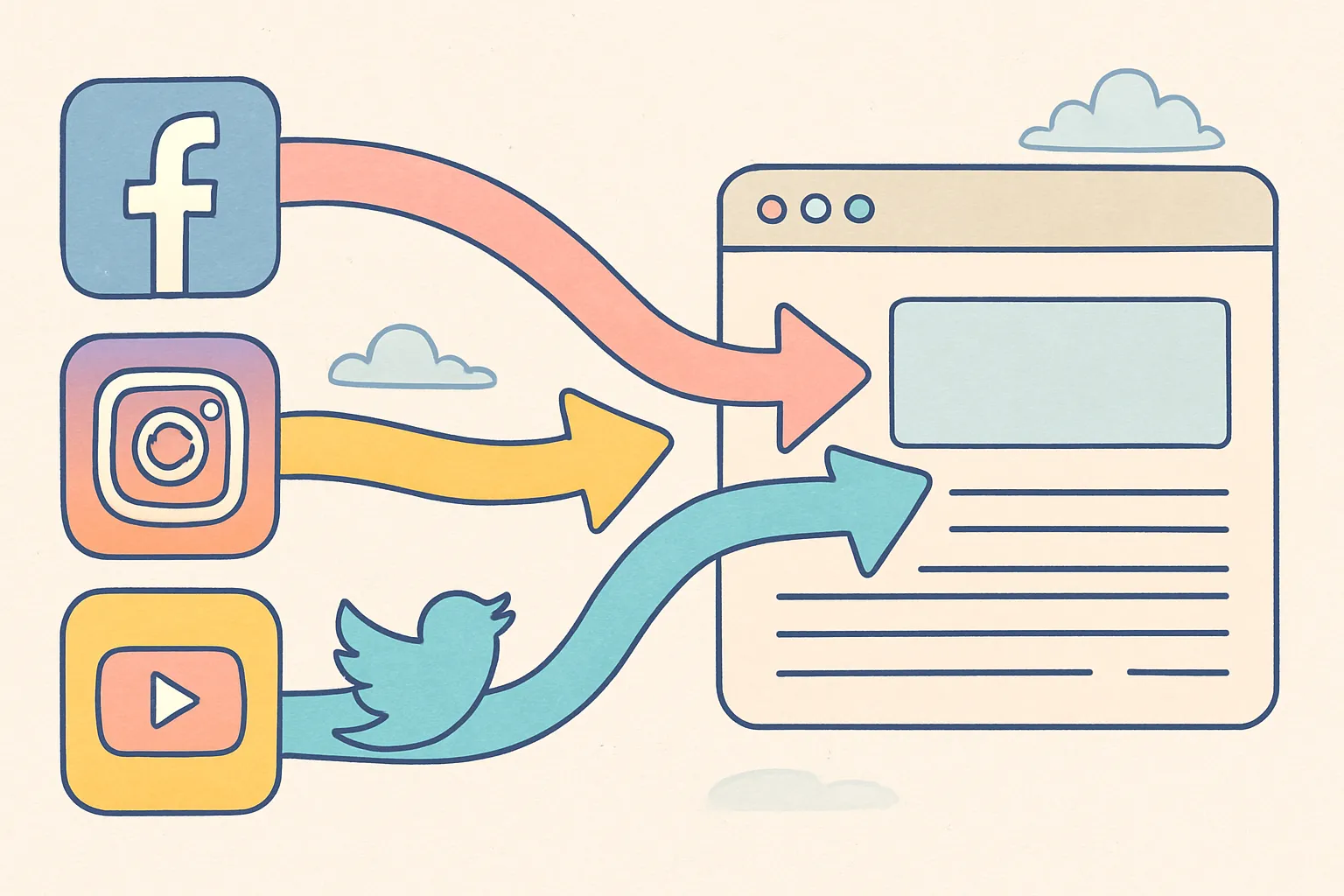
Social media followers are great, but they don't pay the bills. Website visitors do — they sign up, buy products, book calls, and join email lists. The gap between "building an audience" and "driving actual business results" is the bridge from social media to your website.
Here's how to turn your social media presence into a consistent source of website traffic in 2026 — with platform-specific tactics, landing page optimization, and the tracking systems that tell you what's actually working.
Key Takeaways
- Your website is owned land, social media is rented land — every piece of content should include a pathway from social to your site
- Pinterest is the single best social platform for website traffic — every pin links directly to a URL and content stays discoverable for months
- Your link in bio is your most reliable traffic driver — keep it updated, reference it in content, and limit options to avoid decision paralysis
- Create content that demands a click — tease value without giving everything away so viewers have a reason to visit your site
- Landing pages must match the promise — sending social traffic to your homepage wastes clicks; send visitors to specific pages that deliver what the post promised
- Track everything with UTM parameters — you can't optimize what you can't measure, and UTMs tell you exactly which platform and post drive results
Why Does Driving Website Traffic From Social Media Matter?
Social media platforms are rented land. Your followers, your content, your reach — all of it is controlled by someone else's algorithm. A single platform update can cut your visibility in half overnight. A policy change can restrict your content. A platform could decline in relevance. Your website is owned land. Email subscribers, blog readers, and customers who find you through your site are assets you control.
The business case is straightforward: social media is excellent for discovery and awareness, but your website is where conversion happens. The data supports this — conversion rates from website visitors who arrive via social media are significantly higher than trying to convert people directly within social platforms. Why? Because on your website, you control the experience: the layout, the messaging, the calls to action, the checkout process, and the follow-up.
The goal isn't to abandon social media. It's to use social as a discovery engine that funnels people to your website, where you convert them into customers, email subscribers, or leads. Every post you publish should have at least an implicit pathway to your website, and your best posts should have an explicit one.
What's the Real Cost of Not Driving Social Traffic to Your Website?
Consider what happens when all your business value lives on social media:
- No email list. You can't reach your audience unless the algorithm shows them your content. Email gives you direct, guaranteed access
- No SEO benefit. Social media content doesn't rank on Google (with rare exceptions). Blog content on your website does. Every social visitor who becomes a blog reader also becomes a potential Google searcher who finds you
- No retargeting data. Website visitors can be retargeted with paid ads across platforms. Social media followers who never visit your site can't be
- Platform dependency risk. If TikTok gets banned in your market, or Instagram changes its algorithm, or your account gets suspended, you lose access to your entire audience. Website visitors who joined your email list are yours regardless
- Lower conversion rates. Social media is designed to keep people scrolling, not buying. Your website is designed for whatever you want it to do — sign up, purchase, book a call
How Do I Optimize My Link in Bio for Maximum Clicks?
Your bio link is the most reliable path from social media to your website, especially on platforms like Instagram and TikTok that don't allow clickable links in post captions. Most creators underutilize this — they set a link once and forget about it. Treating your bio link as a dynamic, strategic asset can significantly increase your website traffic.
Should I Use a Direct Link or a Link-in-Bio Tool?
The most effective bio link is a direct link to your most important page — a product, a landing page, or a lead magnet. Research on decision psychology consistently shows that more choices lead to fewer actions. A single, clear link with a clear purpose outperforms a page with 15 options almost every time.
That said, a link-in-bio tool with multiple links makes sense when you regularly reference different resources in your content. If you use one, follow these rules:
- Limit it to 3 to 5 options. More than that and you're creating decision fatigue. Every additional option reduces the click-through rate on all options
- Put the most important link first. The top link gets 2 to 3 times more clicks than links further down the page
- Use descriptive labels. "Free Template" is better than "Click Here." "Read the Full Guide" is better than "Blog"
- Include a visual indicator of what each link leads to — an emoji, a thumbnail, or a brief description
- Remove outdated links regularly. If you're still linking to a webinar from three months ago, that's dead weight that confuses visitors and dilutes clicks on current priorities
How Often Should I Update My Bio Link?
Change your bio link to match your current content. If you post about a new blog article, update the bio link to point directly to that article. If you're running a promotion, link to the offer page. If you publish a new lead magnet, feature that. A static bio link that never changes leaves traffic on the table.
The ideal cadence depends on your posting frequency:
- Daily posters: Update the link at least 2 to 3 times per week, aligning with your highest-traffic content
- 3-5 posts per week: Update the link every time you post content that references a specific resource
- Weekly posters: Update at least weekly to match your latest content
How Do I Actually Get People to Click My Bio Link?
You'd be surprised how many creators never mention their link. Having a link in your bio means nothing if your content doesn't direct people to it. Every post that could drive traffic should include a clear call to action:
- "Link in bio for the full guide"
- "Grab the free template — link in bio"
- "Full breakdown on my website — link in bio"
- "I built a free tool for this. Link in bio to try it"
On video platforms, spoken CTAs convert better than written ones. Saying "check the link in my bio" at the end of a video drives 2 to 3 times more clicks than only mentioning it in the caption. Some creators add a visual cue — pointing downward, showing a screenshot of the link, or using a text overlay that says "link in bio."
What Are the Best Platform-Specific Strategies for Driving Website Traffic?
Each social media platform has different mechanics for linking out to websites. Understanding these mechanics and optimizing for each platform is the difference between getting a trickle of clicks and building a consistent traffic pipeline.
How Do I Drive Traffic From Pinterest?
Pinterest is the single best social platform for driving website traffic, and it's not close. Unlike Instagram or TikTok, every pin links directly to a URL. Pinterest functions as a visual search engine — people use it to find ideas, products, and solutions, and they expect to click through to external sites. The platform was literally designed for outbound traffic.
Pinterest content also has the longest lifespan of any social platform. A pin can drive traffic for months or even years after posting. Compare that to Instagram, where a post's useful life is 24 to 48 hours, or TikTok, where it's 3 to 7 days. Pinterest is a compounding traffic machine.
To maximize Pinterest traffic:
- Create keyword-rich pin descriptions. Pinterest search works like Google. Write descriptions that include the exact phrases your audience would search for. "Easy 30-minute dinner recipes for busy weeknights" is a searchable description. "Yum! Try this tonight!" is not
- Design vertical pins with text overlays. Pins with clear, readable text explaining what the viewer will learn perform best. The text overlay acts as a headline that competes for attention in the Pinterest feed. Dimensions: 1000 x 1500 pixels minimum (2:3 ratio)
- Pin consistently. 5 to 15 fresh pins per week to relevant boards. Consistency matters more than volume. A steady cadence of quality pins outperforms sporadic bursts of 50 pins followed by weeks of silence
- Create multiple pins per blog post. Design 3 to 5 different pin images for each piece of content. Different designs attract different searchers — one person might click a pin with a photo, another might click one with a bold text overlay, another might respond to an infographic format
- Use Rich Pins. Enable Rich Pins on your website (article, product, or recipe pins). Rich Pins automatically pull metadata from your site, including your article title, description, and author — making your pins more informative and clickable
- Join relevant group boards. Group boards with active members can expand your reach beyond your own follower count. Look for boards with high engagement rates, not just high follower counts
- Optimize your profile for search. Your Pinterest profile name and description should include keywords related to your niche. If you're a meal prep creator, your profile should mention "meal prep," "easy recipes," and "budget cooking"
How Do I Drive Traffic From X/Twitter?
X is one of the few platforms where you can include clickable links directly in posts. Use this advantage. The most effective format for driving traffic is the thread:
- Open with a compelling hook that stops the scroll
- Deliver 5 to 8 tweets of genuine value on the topic
- End with a link to your website for the full resource, article, or tool
Threads work because they provide enough value that readers trust the linked resource is worth visiting. A cold link with no context gets ignored. A link at the end of a valuable thread gets clicks.
Additional X/Twitter traffic tactics:
- Pin your best link-containing tweet. Your pinned tweet is the first thing profile visitors see. Make it a tweet that drives traffic to your most important page
- Use quotes and pull-outs from your content. Share a single powerful insight from your blog post with a link to read the full article. The insight proves the article is worth reading
- Reply to popular tweets with value + your link. When a tweet in your niche goes viral, reply with a genuinely helpful addition to the conversation and include a relevant link. This is not spam — it's contributing to a conversation and offering more depth for anyone who wants it
- Schedule link tweets for peak engagement hours. X traffic is heavily time-dependent. Tweets posted during your audience's peak hours get 2 to 5 times more engagement than off-peak
How Do I Drive Traffic From Instagram?
Instagram makes it deliberately difficult to drive external traffic — they want users to stay on the platform. That's a design choice, not a limitation you can't work around. Here's how:
- Story links. Use the link sticker in Stories to send viewers directly to a URL. Add a clear CTA like "Tap here to read the full guide." Stories with link stickers that include a compelling preview (a screenshot of the article, a product image, a quote from the guide) get significantly more taps than a generic link sticker
- Reels with bio CTAs. In your Reel caption, tell viewers to check the link in your bio. Better yet, add a verbal CTA at the end of the video — spoken CTAs convert better than written ones because they feel more personal and urgent
- Carousel teasers. Share 3 to 4 slides of value from a blog post, then direct to bio for the full article. Give enough to create interest but not so much that there's no reason to click. The last slide should be your CTA slide — a clear, visually distinct slide that says "Get the complete guide — link in bio"
- Instagram DM automation. Use trigger-word DM automation (available through approved tools) where viewers comment a keyword and receive a link via DM. "Comment GUIDE to get the link" works because it's frictionless for the user and bypasses the bio link limitation
- Collaborative posts. Partner with other creators on collaborative posts (which appear on both profiles). These double your reach and if the collaborator's audience matches yours, they'll click through to your profile and potentially your website
How Do I Drive Traffic From YouTube?
YouTube allows clickable links in video descriptions and pinned comments — and the audience is primed for longer content consumption, which means they're more likely to take action on links.
- Put links in the first two lines of your description. These are visible without clicking "show more." If your link is buried in line 15, most viewers will never see it
- Mention the link verbally. "I've linked the full resource in the description below" is a CTA that works because it's specific and natural. Time this CTA for after you've delivered substantial value in the video, not at the beginning before the viewer trusts you
- Use pinned comments. Pin a comment with your link and a brief CTA. Pinned comments get high visibility and are often the first thing viewers see when scrolling to the comments section
- End screens. Add an end screen with a link to your website in the last 20 seconds of your video. YouTube's end screen feature supports external links for eligible channels
- Create content specifically designed to drive traffic. "I built a free [tool/template/calculator] for this — link in the description" is a natural traffic driver because the resource directly complements the video content
- YouTube Shorts descriptions. Shorts now support links in descriptions. Since Shorts get massive reach, even a small percentage of viewers clicking through can generate significant traffic
How Do I Drive Traffic From TikTok?
TikTok's in-video link options are limited, but the profile link in your bio is clickable (for business accounts). The strategy is creating content that creates enough curiosity or need that viewers actively navigate to your profile and click the link.
- Tease a free resource. "I created a free checklist for this exact process — link in my bio" gives viewers a concrete reason to visit your profile
- Show results without revealing the method. "This strategy got me 10K email subscribers. Full breakdown on my website — link in bio" creates a curiosity gap that drives clicks
- Use the comment section strategically. Pin a comment with your CTA and link mention. Comments with links aren't clickable, but they remind viewers where to find the resource
- Leverage TikTok's shopping features. If you sell products, TikTok Shop links are clickable within videos. Even if your primary goal is website traffic, product links can bring visitors to your domain
- Create series content. Multi-part content where the "full guide" or "complete breakdown" lives on your website gives recurring reasons to click through. "This is part 3 of 7 — the full series is on my website, link in bio"
| Platform | Link Placement | Best Format for Traffic | Content Lifespan | Traffic Potential |
|---|---|---|---|---|
| Every pin links to URL | Vertical pins with text overlays | Months to years | Highest | |
| X/Twitter | In-post links | Threads ending with link | Hours to days | High |
| YouTube | Description, pinned comments | Tutorial videos with resource links | Months to years | High |
| Bio link, Story stickers | Carousel teasers, Stories | 24-48 hours (feed), 24 hours (Stories) | Moderate | |
| TikTok | Bio link only | Resource teasers, series content | 3-7 days | Moderate |
| In-post links | Long-form posts with article links | 1-3 days | High (B2B) |
How Do I Create Social Media Content That Drives Clicks to My Website?
The biggest mistake is creating social media content that's completely self-contained. If your post answers every question, there's no reason to visit your website. The content itself needs to create a compelling reason to click through.
This isn't about withholding value or being clickbaity. It's about structuring your content so that the social media version delivers genuine value while making it clear that there's more depth available on your website.
Content Structures That Drive Traffic
- Teased lists. "Here are 3 of the 15 strategies I use. Full list on the blog — link in bio." You're giving real value (3 strategies) while making it clear there's 12 more waiting
- Tool and resource introductions. "I built a free calculator for this. Link in bio to try it." Free tools, templates, checklists, and calculators are the highest-converting traffic drivers because they offer tangible utility
- Results without methodology. "This strategy got me 10K email subscribers. Full breakdown on my website." The result creates credibility, the curiosity gap creates clicks
- Downloadable lead magnets. "I made a free template for this. Grab it at the link in bio." Lead magnets serve double duty — they drive website traffic and capture email addresses
- Case study previews. Share the outcome and one key insight from a case study, then link to the full analysis. Case studies are inherently compelling because they combine storytelling with proof
- Controversial takes with depth. Share an opinion that challenges conventional wisdom in your niche, then link to a blog post where you present the full argument with evidence. Controversy creates engagement; depth creates clicks
What Should I Avoid When Trying to Drive Traffic?
- Clickbait without payoff. If your social post promises something your website doesn't deliver, you'll get clicks but also bounces, frustration, and trust damage. Every click must be rewarded
- Link-only posts. Posts that are nothing but a link with no value get terrible engagement and reach. Provide value first, link second
- Over-promoting. If every post is "click my link," your audience will tune out. Follow the 80/20 rule: 80% pure value, 20% traffic-driving content
- Forgetting mobile. The vast majority of social traffic is mobile. If your website isn't mobile-optimized, you're paying the attention cost of a click and getting nothing in return
How Do I Optimize Landing Pages for Social Media Traffic?
Sending social media visitors to your homepage is a waste. They clicked because of a specific post about a specific topic. Send them to a page that delivers exactly what was promised. The landing page is where traffic becomes results — a poorly optimized landing page turns expensive social media attention into wasted clicks.
What Makes a Landing Page Convert Social Media Visitors?
- Match the promise. If your post said "free checklist," the landing page should immediately show the checklist download — not a generic homepage with navigation menus. The faster the visitor finds what they came for, the higher your conversion rate
- Load fast. Social media users are impatient — they're used to instant content delivery within apps. If your page takes more than 3 seconds to load, most visitors will bounce back to the app. Run your landing pages through Google PageSpeed Insights and aim for a score above 80
- Have one clear action. Download the resource, sign up for the newsletter, or buy the product. One page, one goal. Multiple CTAs compete with each other and reduce conversion rates. If you want visitors to download a template, don't also ask them to subscribe, follow you, and buy a course on the same page
- Work on mobile. Over 80% of social media traffic comes from phones. If your page isn't mobile-optimized — large tap targets, readable text without zooming, fast loading on cellular connections — you're losing most of your visitors before they even see your offer
- Minimize navigation. Remove or minimize your site navigation on landing pages. Every navigation link is a potential exit point. For traffic-driving pages, you want visitors to take the one action you designed the page for, not browse your about page
- Include social proof. Testimonials, download counts, subscriber numbers, logos of publications you've been featured in. Social proof reduces friction between "I'm interested" and "I'll sign up"
Landing Page Design for Different Traffic Goals
| Goal | Page Type | Key Elements | Primary CTA |
|---|---|---|---|
| Email signups | Lead magnet page | Preview of the resource, email form, social proof | "Download Free [Resource]" |
| Product sales | Product page | Photos/video, benefits, reviews, price, buy button | "Add to Cart" or "Buy Now" |
| Blog readership | Blog post | Full article, related posts, email opt-in | "Subscribe for More" at end |
| Service inquiries | Services/booking page | Service details, portfolio, testimonials, calendar | "Book a Call" or "Get a Quote" |
| App downloads | App landing page | Screenshots, features, reviews, download buttons | "Download Free" |
How Do I Track Which Social Media Platforms Drive the Most Traffic?
Use UTM parameters on every link you share on social media. This lets you see exactly which platform, post, and campaign drove each website visit in your analytics. Without UTMs, your analytics will lump all social traffic together, making it impossible to optimize.
How Do UTM Parameters Work?
A UTM parameter is a tag you add to the end of a URL that tells your analytics tool where the traffic came from. Here's a simple structure:
- utm_source — the platform (instagram, tiktok, twitter, pinterest, youtube, linkedin)
- utm_medium — social
- utm_campaign — the specific post, campaign, or content name
Example: yoursite.com/guide?utm_source=instagram&utm_medium=social&utm_campaign=meal-prep-guide
This URL tells Google Analytics (or whatever analytics tool you use) that this visitor came from Instagram, through social media, from your meal prep guide campaign. You can then see exactly how many visitors, signups, or sales came from that specific post on that specific platform.
How Should I Analyze My Social Traffic Data?
Review your social traffic data weekly. Look for patterns:
- Which platforms drive the most traffic? Double down on the winners. If Pinterest drives 5x more traffic than Instagram, allocate more time to Pinterest content
- Which content types drive clicks? If carousel teasers drive more traffic than Reels, make more carousels. If threads outperform single tweets, write more threads
- What's the bounce rate by source? If visitors from one platform bounce at 90% but another at 30%, the second platform is sending higher-quality traffic. Investigate why and optimize
- Which posts convert? Traffic without conversion is vanity. Track which social posts drive not just visits but actual signups, purchases, or leads
- Day and time patterns. When you post matters for traffic. Track which posting times drive the most clicks, not just the most engagement (they're often different)
Managing links, tracking, and publishing across multiple platforms is where a tool like cross-post becomes valuable. Instead of manually posting the same content with different tracking links to each platform, you can schedule across Instagram, TikTok, YouTube, X, Pinterest, Bluesky, and Threads from one dashboard.
How Do I Build a Consistent Social-to-Website Pipeline?
Driving website traffic from social media isn't about one viral post. It's about building a system — a consistent pipeline where every piece of content includes a reason to visit your site, every profile has a clear link, and every landing page converts visitors into subscribers or customers.
The Weekly Traffic Pipeline
- Publish content on your website — A blog post, a new resource, an updated product page. This is the "destination" that social content will drive traffic to
- Create social teasers — For each piece of website content, create 3 to 5 social media posts that deliver partial value and point to the full resource. Adapt format for each platform
- Update your bio link — Point it to the most important current resource
- Schedule and publish — Distribute your teasers across platforms over the course of the week
- Engage and amplify — Reply to comments, answer questions, and reference the link in your responses when relevant
- Track and analyze — Review UTM data to see what drove traffic and what didn't
- Optimize and repeat — Double down on what works, cut what doesn't
How Long Does It Take to Build Consistent Social-to-Website Traffic?
Expect 2 to 3 months of consistent effort before you see reliable traffic patterns. The first month is establishing your system and creating your first round of traffic-driving content. The second month is when you start seeing patterns in what works. The third month is when you can optimize based on real data and see compounding returns.
Pinterest is the exception — Pinterest traffic often takes 3 to 6 months to build but then compounds dramatically as your pins accumulate search authority.
What Are the Biggest Mistakes That Kill Social-to-Website Traffic?
Most creators who complain about "social media not driving traffic" are making one or more of these mistakes:
- No consistent CTA strategy. Mentioning your link once a month isn't a traffic strategy. Build CTAs naturally into your content rhythm — at least 20% of your posts should include a reason to visit your site
- Sending traffic to the wrong page. Your homepage is almost never the right destination for social traffic. Match the landing page to the post's promise. A post about meal prep templates should link to the meal prep templates page, not your homepage
- Mobile-unfriendly websites. Over 80% of social traffic is mobile. If your site isn't fast and responsive on phones, your click-through efforts are wasted — visitors will bounce in seconds
- Not using UTM parameters. Without tracking, you can't optimize. You're guessing which platforms and posts drive results. Add UTMs to every link, every time
- Creating fully self-contained content. If your social post delivers everything the reader needs, there's no reason to visit your site. Leave a gap — tease partial value and direct them to the full resource
- Ignoring Pinterest. Creators often focus exclusively on Instagram and TikTok for traffic, missing the platform specifically designed for outbound clicks. Pinterest should be part of every traffic strategy
The Compound Effect
Over time, this pipeline compounds. Your social media becomes a discovery engine, your website becomes a conversion engine, and together they build a business that doesn't depend entirely on any single platform's algorithm.
A creator who has driven 1,000 email subscribers through social media traffic has an asset that no algorithm change can take away. A business that has captured 10,000 website visitors through Pinterest has a traffic source that continues to grow even during months when they don't post new pins.
The bridge between social media and your website is the most important infrastructure in your digital business. Build it, maintain it, and strengthen it with every post you publish. Tools like cross-post help you maintain that bridge across multiple platforms simultaneously, so every post — whether it goes to Instagram, TikTok, Pinterest, or Bluesky — includes a consistent pathway back to your website.
Social media gets you noticed. Your website gets you paid. Build the bridge between them and maintain it with every post you publish.
Frequently Asked Questions
Which Social Media Platform Drives the Most Website Traffic?
Pinterest drives the most click-through traffic per impression because every piece of content links directly to an external URL. YouTube is second for traffic volume because the audience is in a content-consumption mindset and links in descriptions get consistent clicks. X/Twitter is strong for text-based content because links are clickable in posts. Instagram and TikTok drive the least direct traffic because they restrict outbound links, but they can still generate significant traffic through bio links and Stories if your content creates enough motivation to click.
How Many Times Should I Mention My Link in a Post?
Once is usually enough for captions. For video content, mention it verbally once (ideally after delivering value, not at the beginning) and include it in the caption or description. Mentioning a link more than twice in a single piece of content feels pushy and reduces engagement. The exception is long-form YouTube videos where you might mention the link at the beginning ("I've linked the resource in the description"), in the middle, and at the end — because viewers might join at different points.
Should I Create Separate Content for Traffic-Driving Posts or Add CTAs to Regular Content?
Both. Your regular content should naturally include CTAs when relevant ("I wrote about this in more detail on my blog — link in bio"). But you should also create dedicated traffic-driving content — posts specifically designed to tease a website resource and drive clicks. A healthy mix is about 80% regular content with occasional CTAs and 20% dedicated traffic-driving posts.
Do Hashtags Help Drive Website Traffic?
Indirectly, yes. Hashtags increase the discoverability of your posts, which means more people see your content and more people potentially click through to your website. But hashtags themselves don't drive traffic — your content and CTAs do. Use hashtags to maximize reach, then let your content and calls to action convert that reach into clicks.
How Do I Drive Traffic From Social Media Without Being Annoying?
The key is value-first content. If 9 out of 10 posts deliver genuine, standalone value with no link or ask, the 1 post that drives traffic feels natural, not pushy. The problem arises when every post is "click my link" — that's not a social media strategy, it's spam. Build trust through value, then occasionally direct that trust toward your website.
What's a Good Click-Through Rate From Social Media to My Website?
It varies by platform. For Instagram, a click-through rate of 1 to 3% of your story views to the link sticker is solid. For X/Twitter, 1 to 2% CTR on link tweets is average. For Pinterest, 2 to 5% CTR is achievable with well-designed pins. For YouTube, 3 to 7% of viewers clicking description links is strong. These are benchmarks — your specific numbers will depend on your niche, audience, and the quality of your CTAs.
Should I Use URL Shorteners for Social Media Links?
For platforms where links are clickable (X, LinkedIn, YouTube, Pinterest), use your full URL with UTM parameters — link shorteners can look suspicious and some platforms filter them. For platforms where you reference links verbally or in captions (TikTok, Instagram), a clean short URL can be helpful if you want viewers to type it manually. For bio links, use whatever your link-in-bio tool provides or your direct URL.
How Do I Drive Traffic From Social Media to an E-Commerce Store Specifically?
E-commerce traffic strategies differ from content-based strategies. Focus on: product demonstration videos with links to buy, user-generated content and reviews that include product links, "new arrival" and "restock" announcements with direct links, comparison content ("this vs. that" posts with links to both products), and seasonal/sale promotions. Use each platform's native shopping features (TikTok Shop, Instagram Shopping, Pinterest Product Pins) in addition to website links, since in-app purchases often convert better than redirecting to an external site.
Ready to simplify your social media?
Post to Instagram, YouTube, TikTok, X, Threads, Pinterest, and Facebook from one dashboard.
Get Started Free →